The AI thumbnail maker market is no side category anymore. It reached USD 908 million in 2025 and is projected to reach approximately USD 10,227.8 million by 2035, with a 27.4% CAGR from 2026 to 2035 according to AI Thumbnail Generation market projections. That scale changes how creators should think about thumbnails.
This isn’t just about making cover art faster. It’s about installing a repeatable production system for the part of your video that wins the click. For YouTubers, bloggers, and social-first teams, an AI thumbnail maker now sits in the same category as editing software, captioning, and publishing workflows. It’s infrastructure.
Table of Contents
- The Unstoppable Rise of AI Thumbnail Makers
- How an AI Thumbnail Maker Actually Works
- Key Benefits for YouTubers and Content Creators
- Creating a Viral-Worthy Thumbnail in 3 Steps
- Choosing the Right AI Tool for Your Channel
- Pro Tips to Maximize Your Thumbnail CTR
The Unstoppable Rise of AI Thumbnail Makers
YouTube gives creators only a fraction of a second to earn a click. In that window, the thumbnail does the first job of the title and often carries more weight.
That shift changed thumbnail creation from a design task into channel infrastructure. High-output creators need a repeatable way to turn one video idea into multiple packaging angles, review them fast, and ship without slowing the rest of production. AI thumbnail makers fit that need because they reduce concepting time and make iteration cheap.
The rise is not really about novelty. It is about workflow pressure. A single upload might need three to ten thumbnail directions before a team finds the one that communicates the clearest promise. Doing that manually for every video is expensive, slow, and inconsistent, especially for channels publishing on a tight schedule.
Why creators now treat thumbnails like production infrastructure
Strong channels already run on systems for research, scripting, editing, and distribution. Thumbnail production now belongs in that same stack.
The practical reason is simple. CTR improves when creators can test clearer concepts earlier, not when they rush a design at the end. AI tools shorten the loop between idea, draft, revision, and publish-ready asset. That loop matters because every extra variation gives you another chance to find the image that matches viewer intent.
There is also a real concern here. Generic AI output hurts trust. If every face looks synthetic or every composition feels copied from the same template, viewers notice. Good creators use AI for speed and range, then apply human judgment to preserve channel identity, emotional clarity, and recognizable style.
That is why the best use case is operational, not decorative.
An AI thumbnail maker works best inside a packaging system: generate options, reject weak concepts fast, refine the strongest one, and build the next version using what your last uploads taught you about CTR. Creators who treat it that way usually save time without giving up quality. Creators who use it as a one-click replacement for design usually end up with thumbnails that look efficient and perform average.
How an AI Thumbnail Maker Actually Works
An AI thumbnail maker compresses a design workflow that used to require separate steps for concepting, image creation, layout testing, and revision. For creators, that matters because thumbnail production is now part of the packaging system that feeds CTR decisions, not a last-minute design task.
From noise to usable concepts
Many of these tools rely on diffusion models. They begin with visual noise, then refine it into an image based on your prompt and the patterns learned during training, as explained in this breakdown of AI thumbnail generator templates.
That technical detail matters because it explains the behavior creators see inside the tool.
- Prompt wording changes the composition. Ask for tension, surprise, close-up framing, strong contrast, or clean negative space, and the output shifts toward those signals.
- Iteration is cheap. You can generate several directions from the same title or concept in a short cycle, then kill weak options early.
- The model predicts patterns, not strategy. It can assemble high-probability visual elements fast, but it does not know your audience, your channel history, or which promise is most clickable for this specific upload.
That is why AI thumbnail makers work well as infrastructure. They shorten the loop between idea, draft, review, and replacement, which makes them useful inside a real CTR optimization process.
Why newer tools fit creator workflows better
Earlier image generators were unreliable for thumbnail work. Text broke. Facial expressions looked off. Recreating the same visual identity across uploads took too much cleanup.
Current tools handle more production tasks directly. Some can render cleaner text, apply reference images, and produce channel-ready variations fast enough to support testing during the publish window. That changes the role of the creator from manual designer to decision-maker.
| Workflow stage | What AI handles well | What still needs a human eye |
|---|---|---|
| Concept generation | Multiple visual directions from one title | Choosing the clearest promise |
| Draft production | Fast image creation and layout exploration | Rejecting weak or off-brand options |
| Final polish | Cleaner text rendering and consistent references | Final hierarchy, restraint, and taste |
Good results come from directing the AI with the precision of an art lead, rather than using it as a simple autopilot.
If outputs feel generic, the problem is usually upstream. The brief was too loose, the emotional target was unclear, or the creator accepted the first decent image instead of pushing for a sharper concept. Strong prompts stay focused on four things: subject, emotion, framing, and the single idea the viewer should understand in one glance.
That is the practical model. The AI produces fast visual options. The creator sets the strategy, filters for audience fit, and keeps the thumbnail aligned with the channel’s existing click patterns.
Key Benefits for YouTubers and Content Creators
The strongest argument for using an AI thumbnail maker is performance. Better packaging creates more opportunities for a video to be sampled, clicked, and tested by the platform.
CTR is the headline benefit
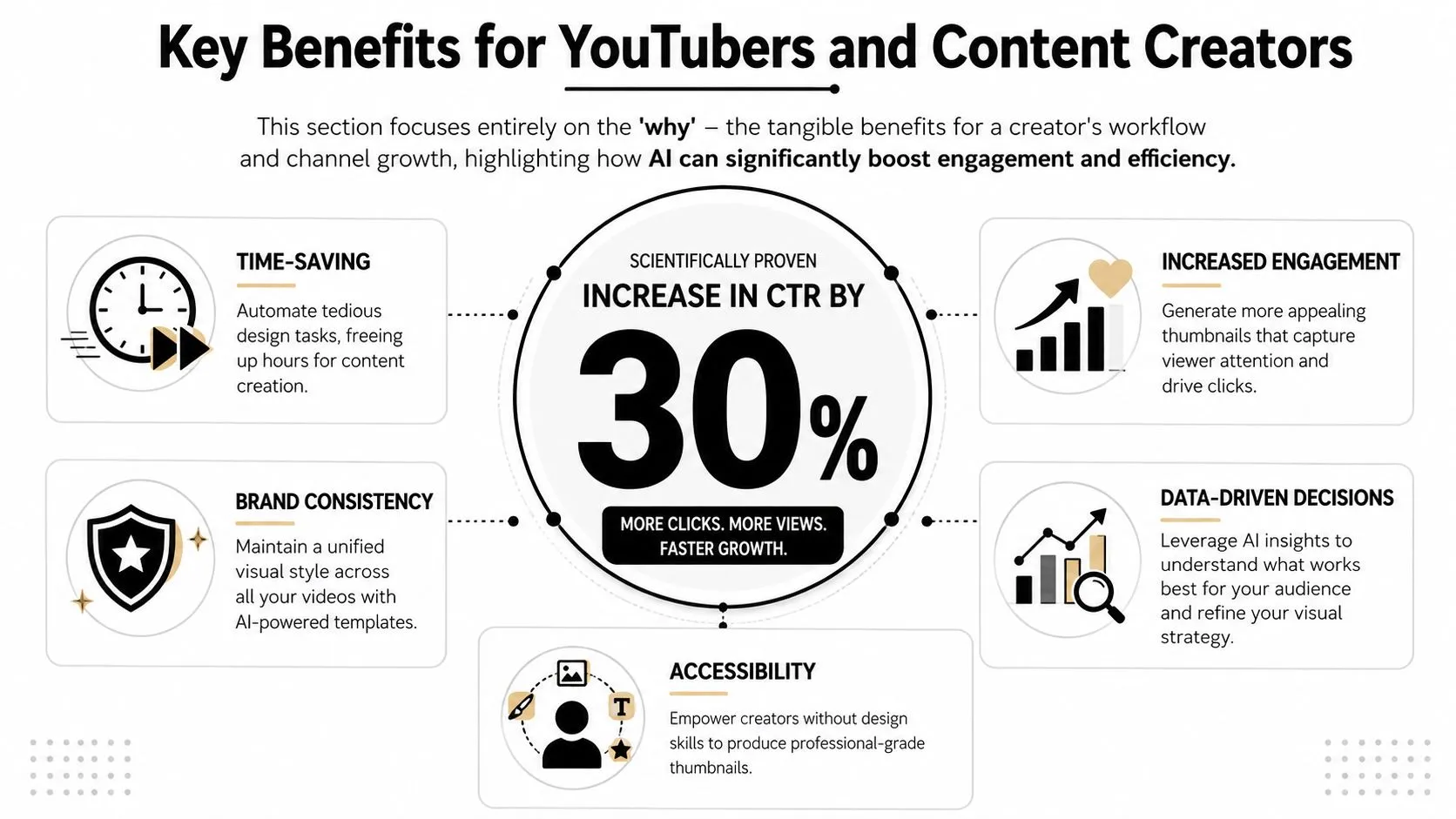
AI-generated thumbnails have been shown to increase YouTube click-through rates by up to 30% compared with traditional manual design approaches, and some creators have seen 40% to 50% gains through systematic A/B testing, based on reported CTR findings on AI-generated YouTube thumbnails.
That’s the number creators care about because CTR changes everything upstream. A stronger thumbnail doesn’t just make the asset look better. It improves the odds that a title gets tested fairly and that a good video reaches enough people to prove itself.
A thumbnail doesn’t need to be pretty. It needs to be legible, specific, and emotionally clear before the viewer scrolls past.
Workflow gains matter just as much
The hidden benefit is decision speed. When a creator gets stuck in Canva or Photoshop, the actual cost isn’t only time. It’s momentum loss. Publishing slows down. Ideas ship late. Good videos go live with weak packaging because the team runs out of energy at the end.
AI helps in a few very practical ways:
- Idea volume: it can produce several distinct directions from one concept, which is useful when the first instinct is too flat.
- Creative recovery: when a thumbnail looks generic, you can pivot quickly instead of forcing a bad design to completion.
- Channel consistency: reference-based workflows make it easier to keep recurring faces, colors, and layout patterns aligned.
- Access for non-designers: creators without formal design training can still reach a professional baseline.
The business case is straightforward. A strong AI thumbnail maker gives small creators some of the packaging speed that larger media teams already rely on internally. It doesn’t replace visual judgment, but it reduces the friction around producing enough strong options to find a winner.
Creating a Viral-Worthy Thumbnail in 3 Steps
Most creators fail before generation starts. They ask the tool for “a YouTube thumbnail,” get back a busy image, and then blame the software. The better approach is to treat thumbnail creation as message compression.
Step 1 Build the prompt around one promise
Start with the video’s single most clickable idea. Not the full topic. Not the full argument. Just the promise that can be understood in a glance.
If the video is about fixing poor retention, the promise might be “why viewers leave in the first seconds.” If it’s about editing, the promise might be “the cut that makes videos feel faster.” That promise should drive the image.
Use prompts that specify four things:
- Subject: who or what is in frame
- Emotion: shock, focus, confusion, relief, urgency
- Action: pointing, reacting, comparing, revealing
- Style: clean YouTube thumbnail, bold contrast, minimal background, dramatic lighting
A weak prompt asks for an image. A strong prompt asks for a reaction tied to a promise.
For short-form packaging, the same principle applies. This guide to YouTube Shorts thumbnails is useful because Shorts often punish clutter even more aggressively than long-form video packaging.
Step 2 Generate options and judge them harshly
Don’t evaluate the first output as if your job is to salvage it. Generate multiple directions and eliminate ruthlessly. The right question isn’t “Can I fix this?” It’s “Would this stop me if I saw it in a feed?”
Use a simple screening lens:
- Can I identify the focal point instantly?
- Is the emotional signal obvious?
- Does the image create curiosity without becoming vague?
- Does it feel like a real channel asset, not AI wallpaper?
Here’s what usually fails:
- Busy backgrounds: they steal attention from the face or object.
- Tiny text: it looks fine on a full screen and collapses in actual feed conditions.
- Too many ideas: before-and-after, arrows, labels, screenshots, and reaction faces all at once.
- Template mimicry: the image resembles a dozen other channels and carries no identity.
If a thumbnail needs explanation, it’s already too complicated.
Step 3 Refine for clarity, not decoration
The final pass should remove friction, not add flair. Increase contrast. Simplify the palette. Tighten the crop. Make the face larger if emotion matters. Reduce text until only the most necessary word or phrase remains.
A practical finishing checklist:
- Check hierarchy: one dominant element should lead the eye.
- Check edge cleanliness: clutter near the borders weakens the frame.
- Check realism: if the skin, hands, or props look distorted, replace the asset.
- Check title fit: the thumbnail and title should create one combined promise, not repeat each other.
Many creators over-edit. They add glow, extra text, more icons, or effects to “make it pop.” Usually that makes it harder to read. Viral-worthy packaging is often less crowded than average packaging, not more.
Choosing the Right AI Tool for Your Channel
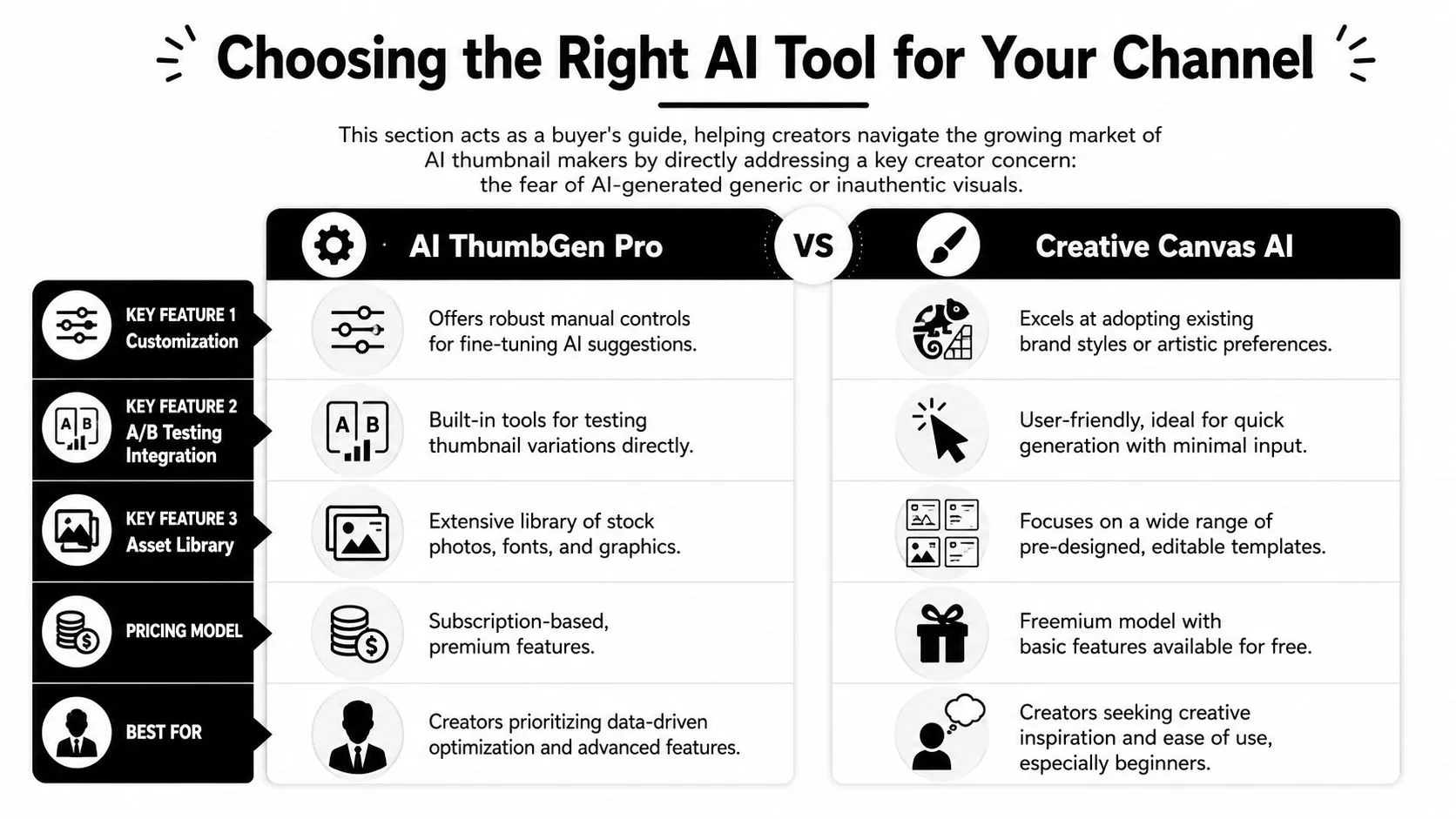
Tool selection is less about headline features and more about whether the software can plug into your publishing workflow without flattening your channel identity. A good AI thumbnail maker should shorten production time, support repeatable creative decisions, and give you enough control to improve CTR across a testing cycle.
The challenge of generic outputs
The biggest risk is easy to spot. Many AI tools can produce polished images fast, but polished is not the same as channel-specific. If every output defaults to the same shocked face, hyper-saturated background, and familiar composition, viewers stop building recognition for your videos.
That trade-off matters because thumbnails are infrastructure now, not one-off graphics. High-volume creators need a system that can generate options, preserve brand cues, and feed a thumbnail testing loop without resetting the visual language every time.
A practical fix is to define your style system outside the tool first. Then use the tool to execute against that system.
- Signature framing: close-up face, product crop, or object-led composition
- Color behavior: muted neutrals with one accent, or hard light-dark contrast
- Text philosophy: no text, one word, or a short phrase
- Mood: analytical, playful, serious, intense
Strong channels use AI to speed up production while keeping their own creative judgment in the loop.
For creators comparing options, this guide to an AI design tool workflow is useful because thumbnail generation works best as part of a broader packaging system, not as an isolated prompt box.
What to evaluate before you commit
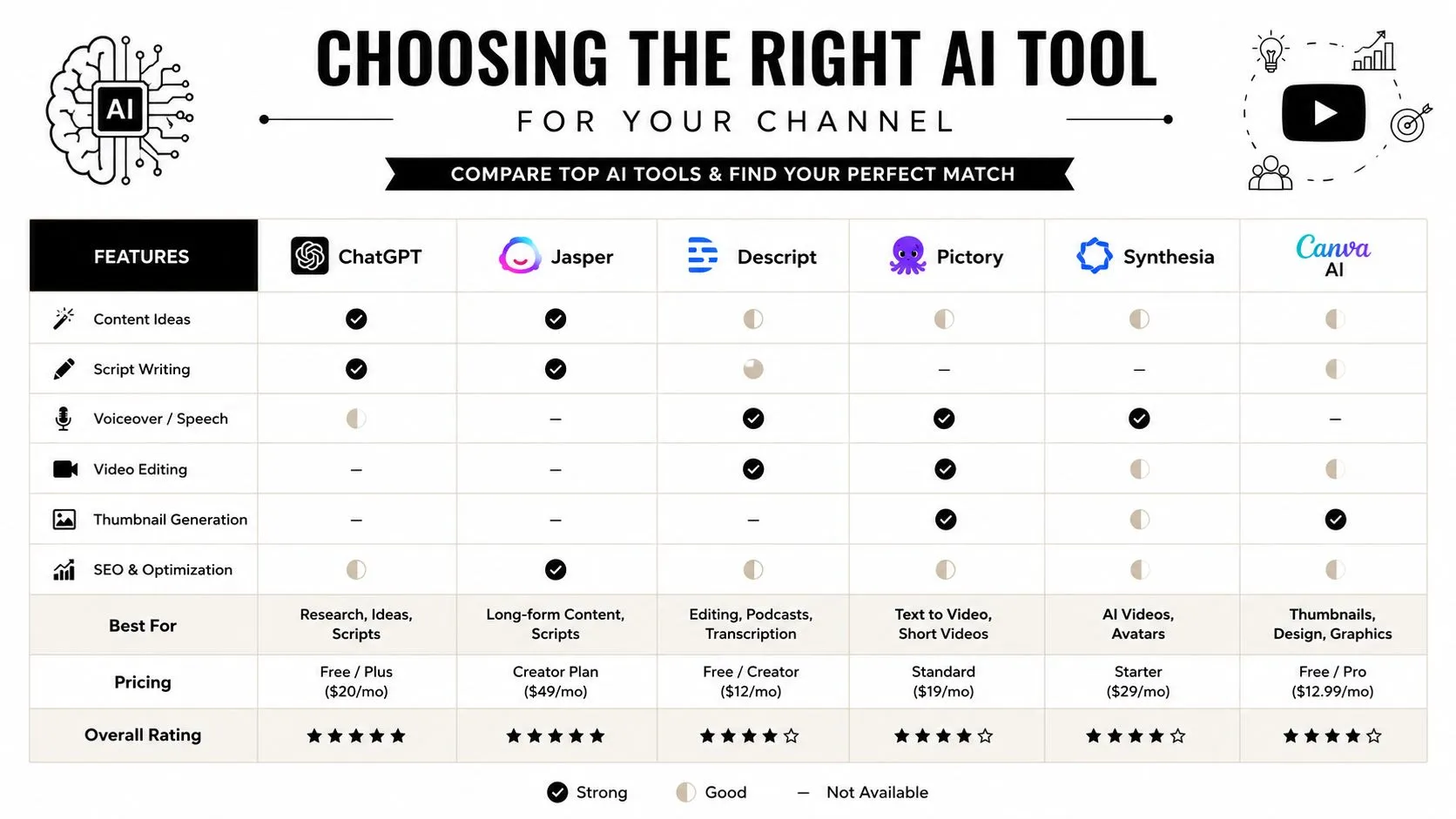
Different tools solve different bottlenecks. Some generate better raw images. Some handle text cleanly. Some make it easier to reuse references and maintain consistency across a series. Others are fast, but the control layer is too thin for channels that care about recognizable packaging.
Use this decision framework:
| Evaluation factor | What good looks like | Red flag |
|---|---|---|
| Image generation quality | Clear focal points and usable compositions | Attractive images with no thumbnail logic |
| Text rendering | Readable, correctly spelled words | Broken lettering or awkward spacing |
| Customization | Easy control over layout, crop, and tone | Locked templates with little adjustment |
| Brand support | References, reusable styles, recurring assets | Every generation feels unrelated |
| Ease of use | Fast iteration without fighting the interface | Too many steps for simple concepts |
One more filter helps in practice. Check how the tool fits your actual workflow. Can you generate three to five usable variants quickly, swap in reference images, revise based on title changes, and hand off a final asset without friction? If not, the time savings disappear.
The right AI thumbnail maker is the one that helps your channel repeat a packaging standard under deadline. Flashy demos matter less than consistent output, fast revisions, and enough control to keep your thumbnails from looking like everyone else’s.
Pro Tips to Maximize Your Thumbnail CTR
Most thumbnail mistakes show up only when the image is small. That’s why advanced optimization starts with the actual viewing condition, not the full-size canvas.
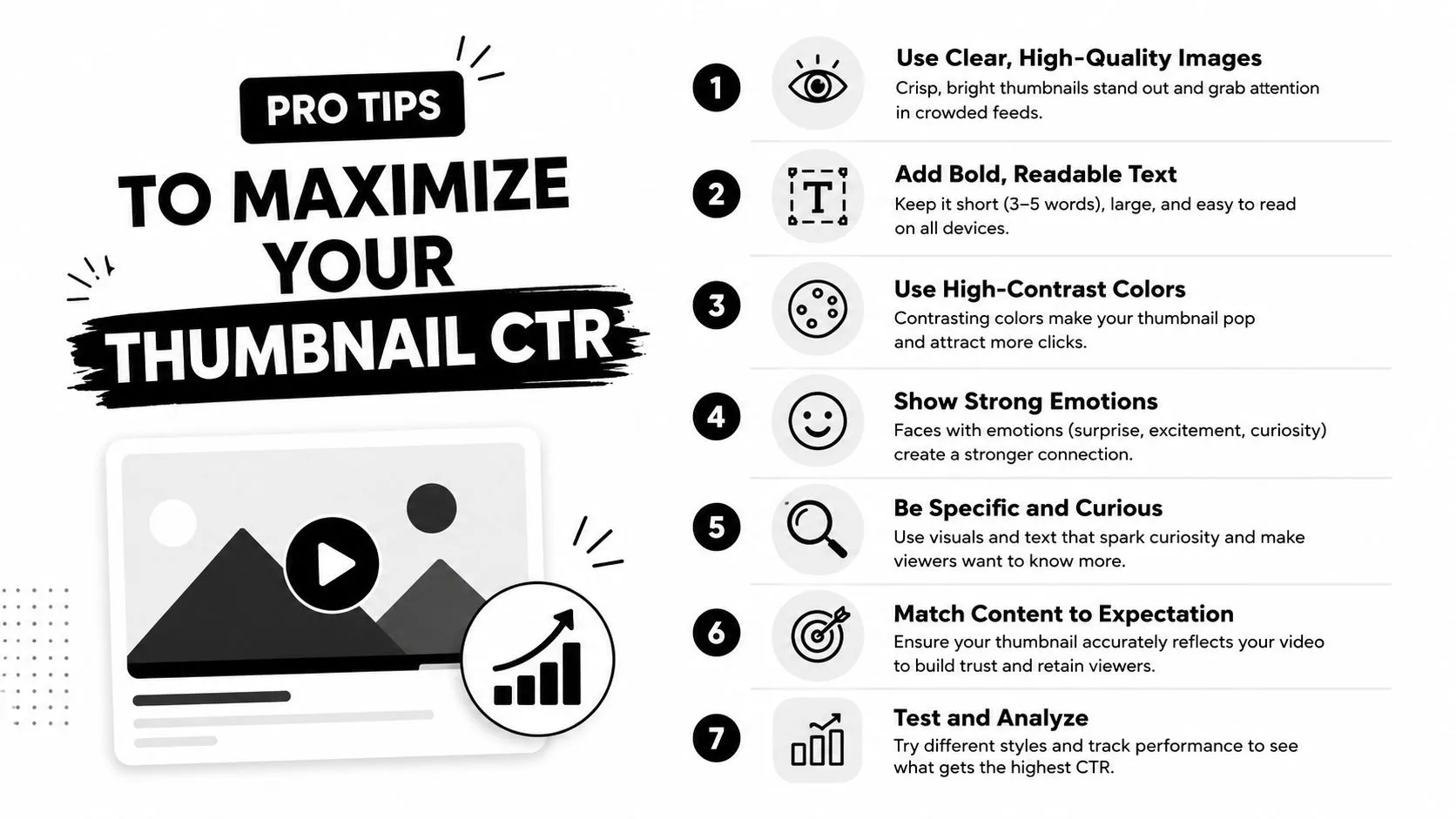
Optimize for the real viewing condition
For strong performance, the thumbnail should be previewed at 120 to 180 pixels wide so the main subject, emotion, and promise remain legible within a one-second glance, according to common AI thumbnail customization checklists.
That single check catches a lot of failure cases. If the face becomes unreadable or the text disappears at that size, the design isn’t ready.
Use this short pre-publish checklist:
- Shrink it early: test the image small before you call it finished.
- Keep one focal subject: one face, one object, or one obvious conflict.
- Favor contrast: separation matters more than decoration.
- Cut weak text: if the image already tells the story, remove the caption.
Build a testing loop even without native analytics
Most creators assume the tool will tell them what wins. It usually won’t. AI can generate variations fast, but you still need a testing habit and editorial judgment to learn what your audience responds to.
A practical loop looks like this:
- Generate several directions from one video concept.
- Pick the two that communicate the clearest promise.
- Publish with the stronger default.
- Swap only one major variable when testing later.
- Keep notes on recurring winners by topic, emotion, and framing.
The technical side matters too. YouTube compatibility requires the standard widescreen layout, and if you need a refresher on dimensions, this YouTube thumbnail size guide is a useful reference.
The best-performing thumbnail is often the one with the least visual explanation and the clearest emotional read.
An effective AI thumbnail maker should help you move faster without making your channel look interchangeable. Thumbo AI is built for that balance. It gives creators a faster way to generate, refine, and standardize YouTube thumbnails so the packaging process stops being a bottleneck and starts acting like real channel infrastructure.