You’ve finished the edit. The pacing works, the audio is clean, the thumbnail is ready, and the video is good enough to ship. But you’re not ready to make it public.
That gap between “finished” and “published” is where most creators make sloppy privacy decisions. They grab the easiest option, send a link around, and assume YouTube will protect the video from the wrong eyes. Sometimes that works. Sometimes it creates exactly the kind of leak, feedback bottleneck, or launch-day confusion they were trying to avoid.
The choice between private and unlisted on YouTube isn’t a small settings detail. It changes who can access the video, how feedback happens, what can get shared beyond your control, and how safely you can use the video before launch. It also affects practical workflow decisions around reviews, approvals, embeds, comments, and public release timing.
If you’re weighing private vs unlisted YouTube settings right now, the right answer depends less on “privacy” as a label and more on how the video will move through your workflow.
Table of Contents
- The Creator’s Dilemma When to Go Public
- Private vs Unlisted A Quick Overview
- Detailed Feature Comparison for Video Privacy
- How to Change Video Privacy and Share Securely
- Strategic Use Cases for Creators and Businesses
- Common Pitfalls and Advanced FAQs
The Creator’s Dilemma When to Go Public
A common YouTube moment looks like this. The video is done, but one more person needs to see it before launch. That might be a client, a brand manager, a co-host, an editor, or a small internal team.
At that point, creators usually want three things at once. They want the video easy to review, hard to leak, and ready to publish cleanly when the timing is right. YouTube gives you two obvious pre-public options, but they solve different problems. Pick the wrong one and your review process gets clumsy, or your “private” video becomes easier to circulate than you expected.
This isn’t just a publishing concern. It affects business decisions too. If a video is tied to a sponsorship, a product launch, or a high-value topic, the way you share it before release can affect approvals, feedback speed, and even what you expect from launch-day performance. That’s part of why creators who care about monetization tend to think carefully about pre-public workflow, just like they think carefully about how YouTube RPM works.
Practical rule: Choose the privacy setting based on your review process, not the label. “Private” and “unlisted” sound similar, but they behave very differently once real people start clicking, forwarding, and giving feedback.
The core mistake is treating both options as shades of the same thing. They’re not. One is built for tightly controlled access. The other is built for convenient sharing. Once you understand that split, most decisions around private vs unlisted YouTube become much easier.
Private vs Unlisted A Quick Overview
The fastest way to understand private vs unlisted YouTube is this:
- Private controls access by identity
- Unlisted controls access by link possession
That one distinction explains almost everything else.
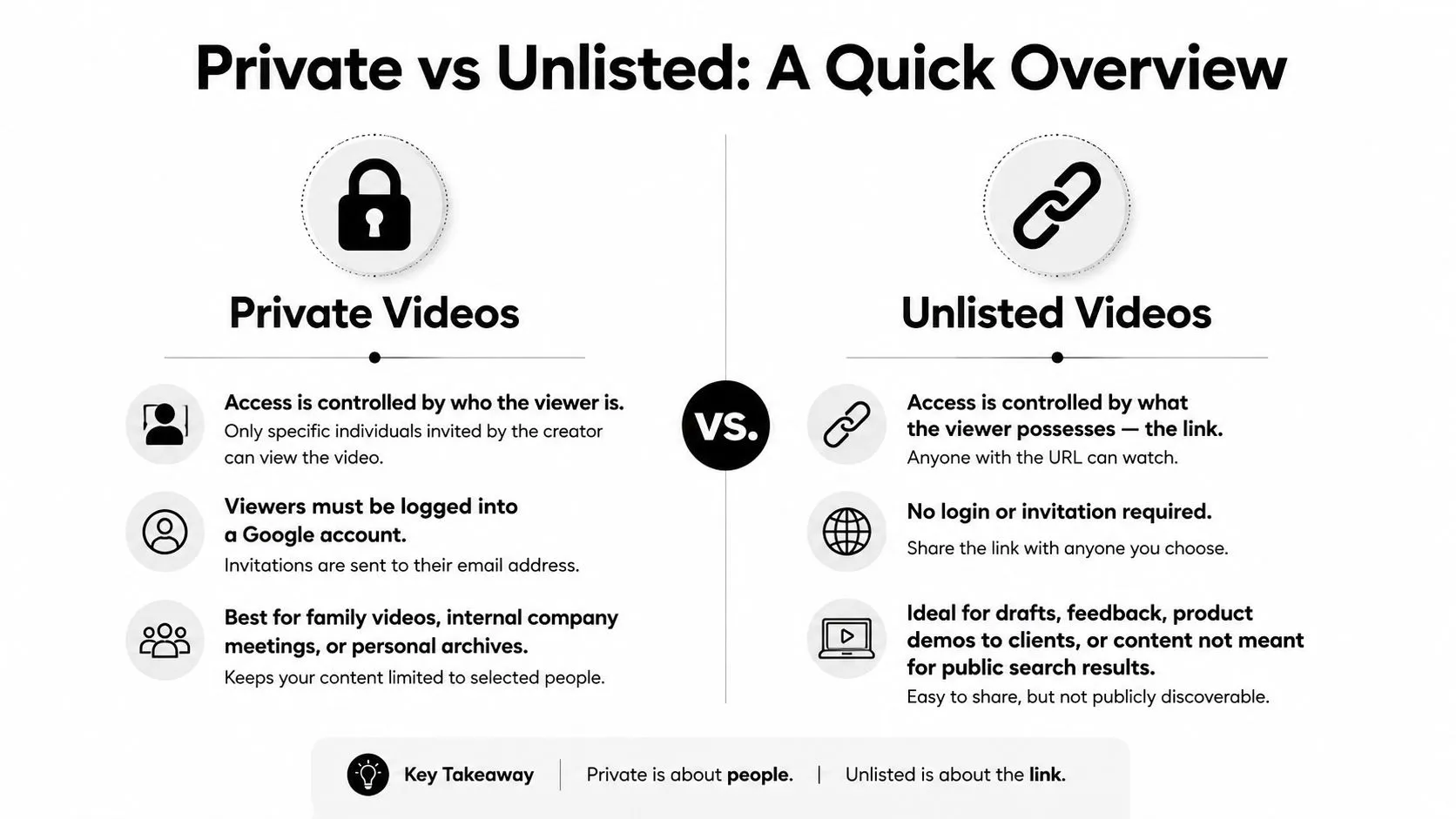
With a private video, the uploader has to invite specific viewers, and those viewers must be signed into the exact Google account that was invited. With an unlisted video, anyone who has the URL can watch it, even without a Google account, as described in this explanation of identity-bound private access versus link-based unlisted access.
That means private is closer to a guest list. Unlisted is closer to a hidden door with a shareable key.
The fast decision
If your top concern is tight control over exactly who can view the video, private is usually the better fit.
If your top concern is quick, frictionless sharing for review, approval, or embedding, unlisted is usually the better fit.
Those two priorities often conflict. The more controlled the access, the more friction you introduce for reviewers. The easier the sharing, the more you rely on people not forwarding the link.
What each option is really for
Private works best when access needs to stay narrow and accountable. Think sensitive drafts, internal reviews, legal sign-off, or personal archives. It’s useful when you need to know exactly who should have access and don’t want a forwarded link to open the door.
Unlisted works best when the video needs to move. It’s strong for client review, website embeds, draft approvals, course hosting, or sharing with collaborators who need speed more than gatekeeping.
Private is safer against casual forwarding. Unlisted is smoother for nearly every collaborative workflow.
That’s why private vs unlisted YouTube isn’t a “which is better” question. It’s a workflow design question. If you need controlled access, private wins. If you need operational ease, unlisted usually wins.
Detailed Feature Comparison for Video Privacy
The practical differences show up after the upload is done. A creator sends a draft to a client, adds it to a review page, or drops it into a playlist for an internal team. That is where private and unlisted stop being labels and start affecting approval speed, leak risk, and what happens later if the video becomes public.
The comparison table
| Feature | Private | Unlisted |
|---|---|---|
| Access model | Identity-based. Only invited Google accounts can view | Link-based. Anyone with the URL can view |
| Sign-in required | Yes. Viewer must use the invited Google account | No Google account required to watch |
| Sharing method | Manual private sharing through YouTube Studio email invite flow | Direct URL can be copied and sent immediately |
| Viewer cap | Restricted to invited Google accounts, with limits noted in Swarmify’s summary of YouTube private video limits | No invite cap. Access is limited only by who has the link |
| Search and recommendations | Not shown in search, channel tabs, subscriber feeds, or recommendations | Not shown in search, but access can spread through the link |
| Public playlist exposure | Low practical risk because access stays identity-gated | Can become visible through public playlist placement |
| Comments | Disabled | Comments remain available |
| Embedding | Prevented outside authorized private sharing flow | Can be embedded in public playlists and common review workflows |
| Best fit | Small-group access control | Broad but non-public sharing |
What matters in daily workflow
Private creates control, but it also creates process. Every viewer needs the right Google account, the invite has to go to that account, and feedback usually moves off-platform because comments are disabled. For a legal review, investor update, or sensitive draft, that friction is often justified.
Unlisted works better when speed matters. One link can move through a client team fast, and the video can sit inside an embedded page, training portal, or review doc without much setup. That convenience is why many creators overuse it.
The risk is simple. Unlisted feels hidden, so people treat it like protected content. It is not protected content. It is a public-access URL that depends on recipients not sharing it further.
That trade-off changes how each option performs in real creator workflows:
- Private works better for narrow access, higher accountability, and videos that should stay tied to specific identities.
- Unlisted works better for fast approvals, distributed teams, embedded playback, and comment-based feedback.
- Private slows down once too many reviewers are involved.
- Unlisted gets weaker the moment the link leaves your intended circle.
One detail creators miss is how exposure can happen indirectly. An unlisted video may stay out of search, but it can still surface through a public playlist, a shared page, or a forwarded message. Private closes off those paths far more effectively.
Another hidden issue shows up later. If a creator uses unlisted as a staging step and then switches the video to public, that decision can affect launch strategy. A video that has already been circulating through embeds or early link sharing may not hit public release with the same clean signal as a video published fresh. For channels that care about early momentum, that matters.
So the better question is not which setting is better. The better question is what kind of mistake would hurt more.
If the bigger risk is unauthorized access, private is safer. If the bigger risk is approval delays, broken review flow, or stakeholder confusion, unlisted is usually the more practical choice.
How to Change Video Privacy and Share Securely
Knowing the settings is one thing. Using them cleanly in YouTube Studio is where people usually slip up.
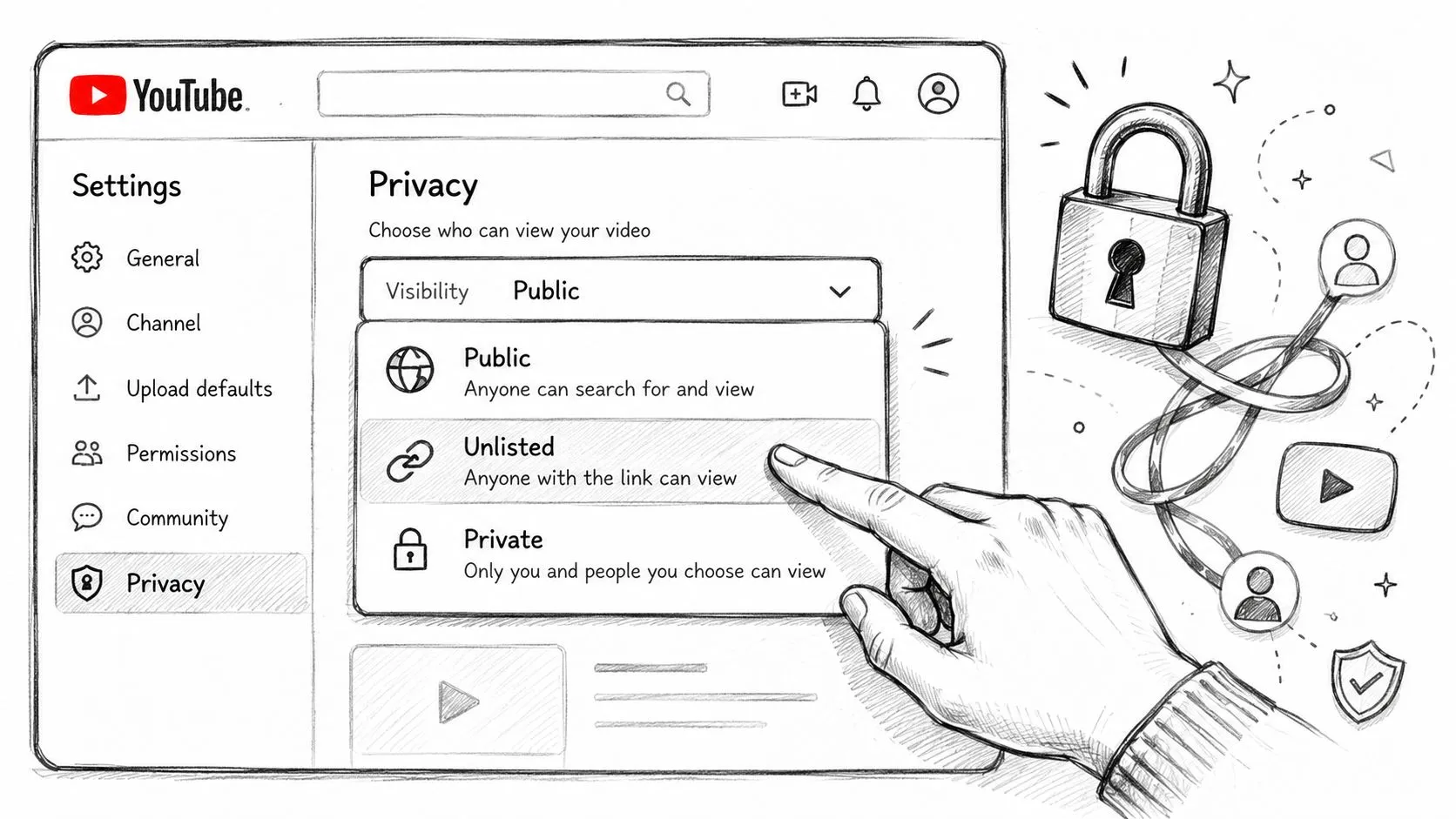
The mechanics are simple, but the sharing behavior is not. An unlisted video becomes shareable the moment you copy the link. A private video still needs the correct invite process or your intended viewers won’t get in.
Changing privacy on a new upload
When uploading a new video in YouTube Studio, you’ll choose the visibility setting during the upload flow.
Use this approach:
- Select visibility deliberately: Don’t leave the default in place just because you’re moving fast.
- Choose private for identity-controlled review: This is the option for invited account access.
- Choose unlisted for link sharing: This is the option for client review, website use, or broad draft access without public listing.
- Save before sharing anything: Creators sometimes copy links before confirming the intended visibility.
Changing privacy on an existing video
For an existing upload, open YouTube Studio, find the video in your content list, and edit its visibility setting.
The basic workflow is straightforward:
- Open the video details
- Change visibility
- Save the change
- Double-check how it now behaves before sending it anywhere
That last step matters. A lot of mistakes happen because creators assume the old sharing method still applies after the switch.
Sharing without creating avoidable problems
Private sharing requires the extra step many people miss. You have to use YouTube Studio’s private sharing flow and invite the intended viewer by email. Merely possessing the link isn’t enough for access.
Unlisted is the opposite. Once the video is unlisted, the link is the access mechanism.
A good operating habit is to ask one question before sharing:
- Do I need to verify the person, or just deliver the video?
If you need verification, use private and complete the invite flow properly. If you just need delivery, unlisted is usually the cleaner path.
Treat the share process as part of the privacy setting itself. On YouTube, the visibility label and the delivery method aren’t separate decisions.
Strategic Use Cases for Creators and Businesses
A creator sends a draft to a sponsor, assumes private is the safe option, then realizes the client needs easy feedback from three people in different departments. Another creator builds a launch around an unlisted link, shares it widely for review, then flips it public and wonders whether that early circulation changed the video’s starting conditions. The setting matters because it shapes workflow, exposure risk, and sometimes the quality of the launch itself.
When private is the better tool
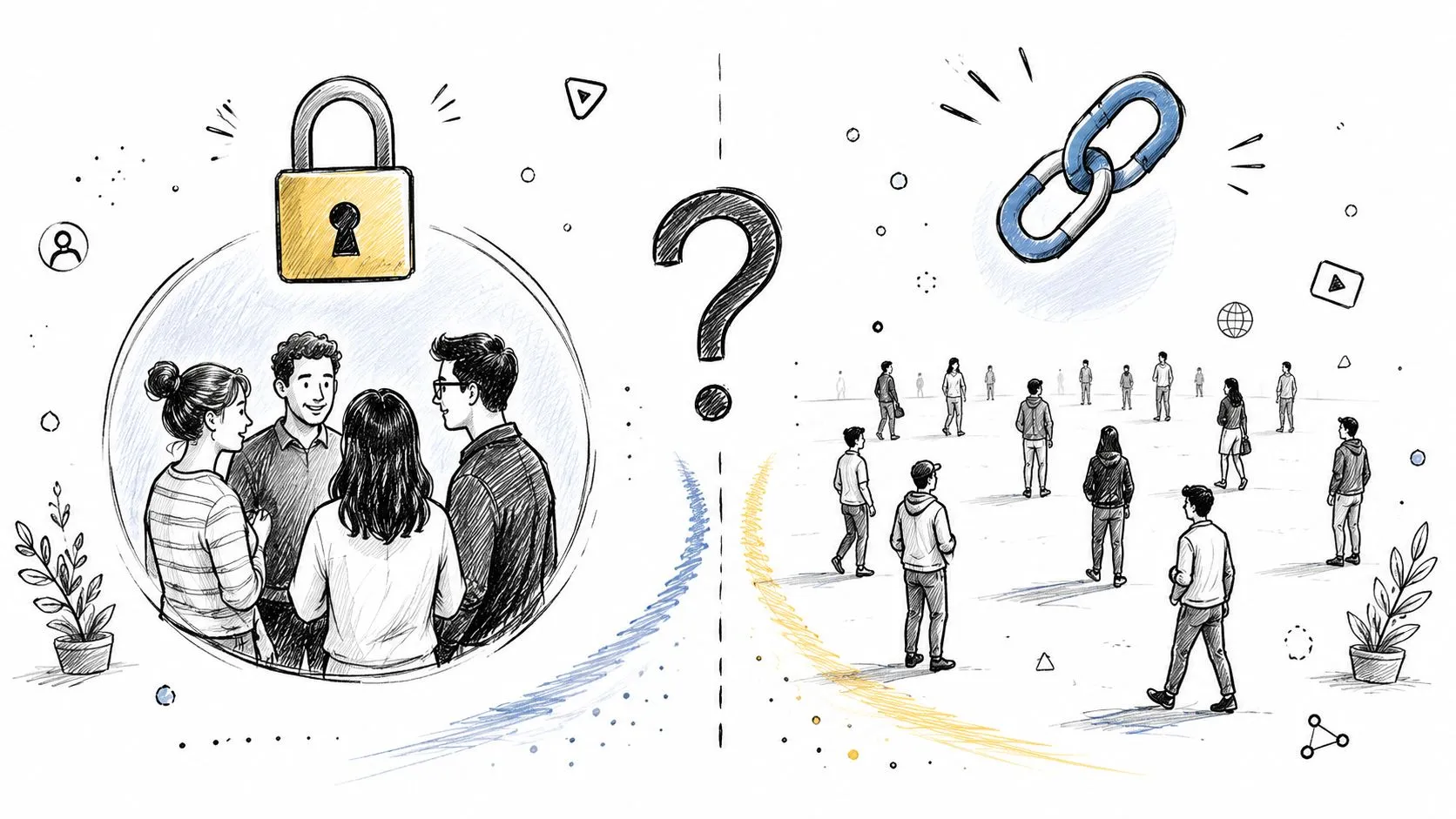
Use private when access control matters more than speed.
That usually means:
- Internal stakeholder review: A small team checking accuracy, legal issues, or final approvals.
- Client-sensitive work: Sponsored content, embargoed announcements, or rough cuts that should stay inside a defined group.
- Personal archiving: Videos hosted on YouTube that are not meant to circulate.
- High-consequence previews: Cases where a forwarded link creating access would be a real problem.
Private helps reduce accidental spread, but it can also slow the process down. Every reviewer needs to be deliberately included, and that friction is often the point. If a project can tolerate slower access in exchange for tighter control, private is the cleaner choice.
When unlisted is the better operational choice
Unlisted works better when the video needs to move through a broader review or publishing system. It is easier to share, easier to embed, and usually better suited to client approvals, course delivery, partner previews, and webpage video hosting.
Common cases include:
- Client approvals with multiple reviewers
- Website or course embeds
- Press, affiliate, or partner previews
- Pre-release collaboration where fast access matters more than identity-level control
This is also where creators can make a strategic mistake. Unlisted feels controlled because it is not publicly listed, but the link itself becomes the access key. Once it is copied into a group chat, forwarded in email, or dropped into a shared doc, control gets weaker fast.
For channels that care about launch discipline, privacy choice is tied to growth strategy. A messy review process can delay publishing, scatter feedback, or expose a video earlier than planned. That matters just as much as understanding YouTube Partner Program requirements and monetization structure, because strong channel growth depends on execution, not only eligibility.
A simple decision rule
Choose unlisted when the job is distribution with low friction. Choose private when the job is controlled access with a smaller blast radius if the link gets shared.
The best setting matches the actual risk of the review environment. It should not be chosen because the label sounds safer.
Common Pitfalls and Advanced FAQs
Most guides stop at the feature checklist. The bigger creator mistakes happen after that. They show up when people assume private means impossible to leak, or when they build a launch workflow around unlisted videos without knowing whether the public switch changes early momentum.
Private does not mean leak-proof
A private YouTube video can still be captured by the person who is allowed to watch it. That’s the hidden risk many creators underestimate. As discussed in this YouTube-focused note on the false security of private videos and the screen-capture issue, private doesn’t mean uncopyable.
That matters most for:
- Product announcements
- Sponsorship reveals
- High-stakes launches
- Premium educational material
- Anything where thumbnails, talking points, or visuals could leak early
If the viewer can see the video, the viewer can potentially record the screen. Private reduces access. It does not eliminate capture risk.
Don’t use private as a substitute for trust. Use it as an access control layer.
If leak consequences are serious, control the audience, watermark review versions outside YouTube if needed, and only share with people you’re prepared to trust.
Does unlisted to public affect performance
This is the question creators ask themselves because bad timing on a strong video feels expensive.
There’s a long-running concern that switching a video from unlisted to public might affect the launch window differently than publishing it directly as public. Creators discuss the idea in terms of first-day momentum and early algorithmic response, but the key point is this: YouTube has never given an authoritative answer, and the evidence from creators is anecdotal either way.
That means the safest practical takeaway is operational, not statistical. If your launch strategy depends heavily on a clean public rollout, don’t assume YouTube treats every path to public the same. Test cautiously on lower-risk videos before making it your default launch method.
FAQ answers creators actually need
- Can private videos be shared widely inside a company? Only if your workflow fits the invite model. For larger groups, private becomes cumbersome quickly.
- Can unlisted videos leak? Yes. Anyone with the link can pass it on.
- Should I use private for client feedback? Only if the client is comfortable with Google-account-based access and the feedback group is small.
- Should I use unlisted for website embeds? Usually yes, because the setting is built for link-based access and practical distribution.
- Is private always the safer option? Safer for access control, yes. Safer against copying, no.
- Where should I check platform-level handling and policy context before sharing sensitive content? Review the current Thumbo AI privacy page alongside YouTube’s own settings and your internal review process.
If you want your video launch to feel polished before it ever goes public, Thumbo AI helps you create thumbnails that are ready for review, approval, and release without slowing down your workflow.