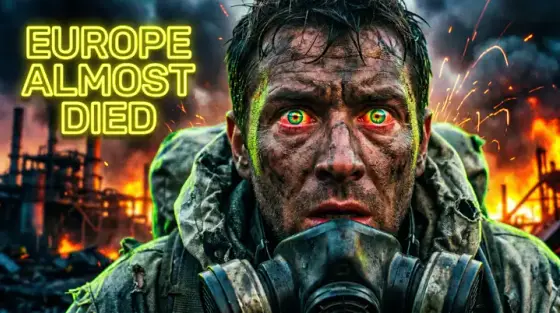


What makes a great Call of Duty thumbnail
Call of Duty thumbnails borrow from action-movie posters: smoke, muzzle flash, an operator staring past the camera, one bold claim stamped over it. The niche is older and more competitive than most gaming verticals, and its viewers pattern-match for production value - a plain screen grab signals a plain video.
The good news is that the poster look is now a prompt away. Feed Thumbo a screenshot from your clip (or nothing at all), describe the moment - "solo squad wipe in the final circle, nuke incoming" - and it renders the cinematic version with the grit, lighting and text treatment the niche expects.
Call of Duty thumbnail ideas
- The nuke countdown. 30 kills without dying is CoD’s superbowl. Operator walking away from a mushroom cloud, "TACTICAL NUKE" in stencil type. The image is the achievement.
- Final circle chaos. Warzone wins: the gas wall closing in a ring of fire around your operator, squad count "1 vs 4" as text. Claustrophobia converts.
- The broken loadout. Meta videos: the weapon huge and diagonal across the frame, attachment icons orbiting it, "#1 GUN" or "NERF THIS" stamped in red. Gun porn plus controversy.
- Zombies round counter. "ROUND 100" glowing over a horde silhouette, one flickering light source. Easter-egg videos: the mysterious artifact glowing mid-frame instead.
- Ranked demotion drama. Rank badge cracking or on fire - "I LOST IT ALL". Loss and tilt stories out-click win compilations because they promise emotion, not just skill.
- The 1v6 clutch. Your operator back against a wall, six red silhouettes approaching, health bar at a sliver. Outnumbered framing works across Warzone, ranked and Search.
Call of Duty thumbnail background and text tips
Backgrounds: desaturate toward teal-and-orange, add smoke and volumetric light shafts, keep the operator razor-sharp against a soft background. Night scenes with tracer fire read exceptionally well at small sizes.
Text: military stencil or heavy condensed type, all caps, 2-3 words. Amber, red or white on dark. Put kill counts and round numbers in the image as HUD-style elements - they feel like proof rather than bragging.
Prefer to do it by hand?
All the manual steps are covered by our free browser tools: study what already works with the YouTube thumbnail downloader, crop your image to the exact 1280×720 with the thumbnail resizer, and squeeze it under YouTube’s upload limit with the 2 MB compressor. No signup, nothing leaves your browser.