What makes a great gaming thumbnail
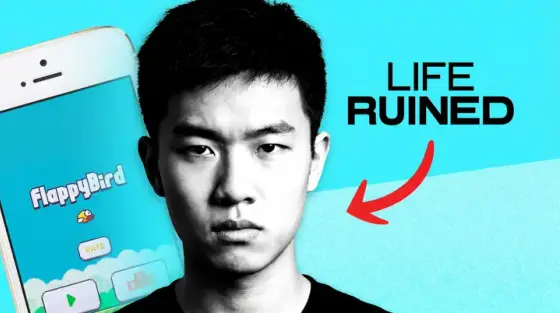
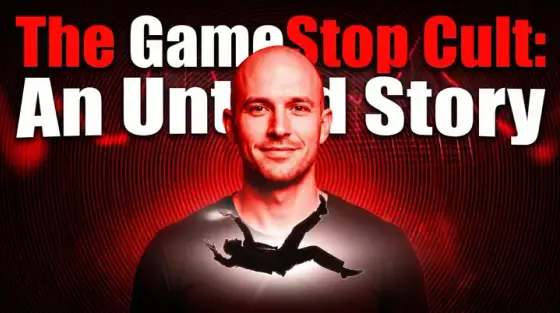
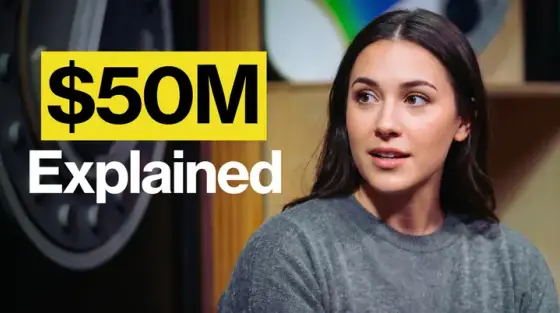
Gaming is the most crowded corner of YouTube, and the browse page is where the fight happens. A great gaming thumbnail does three things in half a second: it shows the game (so fans of that game stop scrolling), it shows the stakes (a win, a fail, a number, a rivalry), and it shows a human reaction if there is a face on camera. Raw gameplay screenshots alone almost never do that - they are what everyone else uploads.
The fastest way to a thumbnail that converts is to borrow composition from channels that already win in your game, then swap in your own moment. Thumbo automates exactly that: paste a channel you admire and it learns the visual style from that channel’s real thumbnails, or upload your own screenshot as the base. Then you describe the video and the AI builds the cover - text, colors, framing and all.
Gaming thumbnail ideas
- The impossible number. One giant stat as the hook - "1,000,000 XP in 24 hours", "0 deaths", "$0 spent". Numbers out-click adjectives in every gaming niche.
- Versus split. Split the frame diagonally: old loadout vs new meta, noob vs pro, $10 setup vs $10,000 setup. Contrast is the easiest curiosity trigger there is.
- The forbidden thing. "Banned", "illegal", "patched", "hidden" - red text, warning tape, a crossed-out item. Works because it implies knowledge the viewer doesn’t have yet.
- Reaction inset. Gameplay wide shot + your face reacting in a corner circle. If you don’t record facecam, generate a consistent avatar with the same expression language instead.
- Progression arrow. Day 1 → Day 100, Bronze → Radiant, dirt hut → castle. An arrow between two states promises a full story arc in one image.
- The betrayal frame. Teammates, NPCs or the game itself "turning" on you - shocked face, dramatic lighting, one word like "WHY?". Story beats beat feature lists.
Gaming thumbnail background and text tips
Backgrounds: push the gameplay scene slightly out of focus, crank saturation 10-20% above realistic, and keep one clear focal object. YouTube renders your art at 168 pixels wide in the sidebar - if the key object isn’t obvious at that size, the thumbnail fails no matter how good it looks full-screen.
Text: four words maximum, thick sans-serif, white or yellow with a hard dark outline. Never repeat the video title - the title already renders next to the thumbnail, so the image text should add a second hook, not the same one.
Prefer to do it by hand?
All the manual steps are covered by our free browser tools: study what already works with the YouTube thumbnail downloader, crop your image to the exact 1280×720 with the thumbnail resizer, and squeeze it under YouTube’s upload limit with the 2 MB compressor. No signup, nothing leaves your browser.