
What makes a great documentary thumbnail
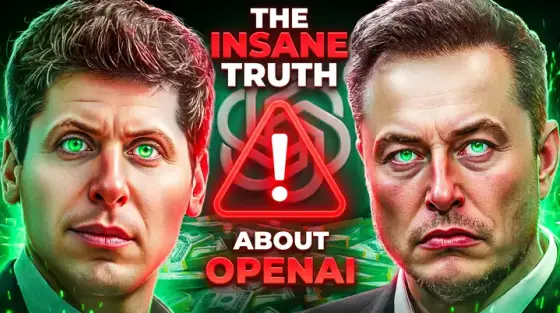
Documentary-style YouTube - video essays, true stories, deep dives - is the niche where thumbnails must signal quality, because the click is a 40-minute commitment. Red arrows and shocked faces actively repel this audience. What converts: a cinematic still that looks like a film poster, restrained editorial type, and a subject rendered with enough intrigue to justify the runtime.
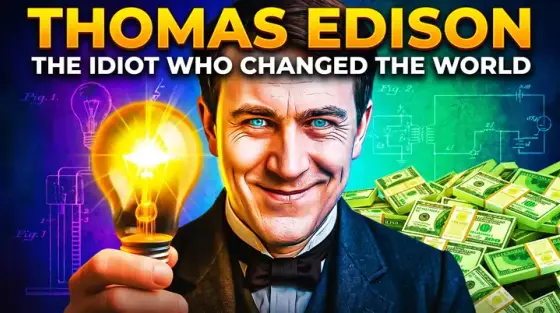
This is Thumbo’s home turf - the documentary style pack (preselected by the button above) was built from covers like the examples here. Describe the story’s central image ("Edison in half-shadow, tungsten glow, a broken bulb in hand") and the AI renders the poster frame. Historical subjects, abstract concepts, places you can’t photograph - all stageable.
Documentary thumbnail ideas
- The subject in half-light. One face, dramatic side lighting, eyes carrying the story’s emotional weight. The single-portrait poster is the genre’s highest-performing format.
- Archival split. Then-vs-now or person-vs-consequence: a grainy archival frame against a modern one. The gap between the halves is the story promise.
- The damning object. Sometimes the story is a thing: a crashed drive, a signed contract, a pill bottle. Objects shot like evidence photos give abstract stories a focal point.
- Scale of disaster. For catastrophe and engineering stories: the human figure tiny against the enormous thing - reactor, wave, aircraft. Scale contrast is instant gravitas.
- The countdown frame. "3 days before it all collapsed" energy: a normal scene with visual tension (clocks, red skies, a figure walking away). Prelude framing beats aftermath imagery.
- Redacted document. Investigations: a document with key lines blacked out, one readable phrase. Implies primary sources and makes the viewer’s curiosity do the clicking.
Documentary thumbnail background and text tips
Backgrounds: shoot for film-still texture - natural grain, muted palette with one temperature bias (cold blue for tragedy, amber for history), shallow depth of field. Avoid the over-saturated gaming look entirely; it signals the wrong genre.
Text: serif or elegant condensed type, three to five words, positioned like a movie-poster title. Sentence case often outperforms all-caps here. A single word ("BETRAYED.") with a period can carry an entire cover.
Prefer to do it by hand?
All the manual steps are covered by our free browser tools: study what already works with the YouTube thumbnail downloader, crop your image to the exact 1280×720 with the thumbnail resizer, and squeeze it under YouTube’s upload limit with the 2 MB compressor. No signup, nothing leaves your browser.