What makes a great podcast thumbnail
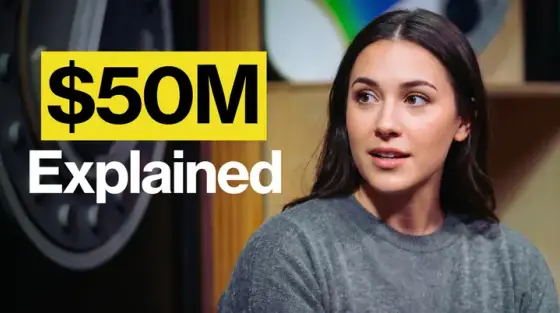
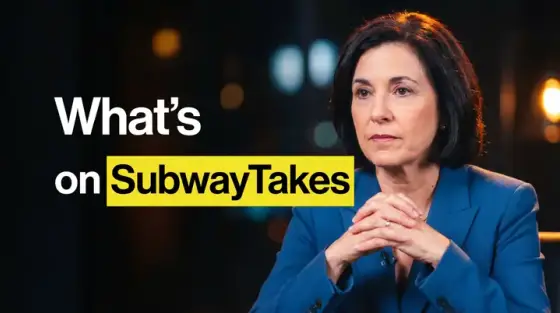
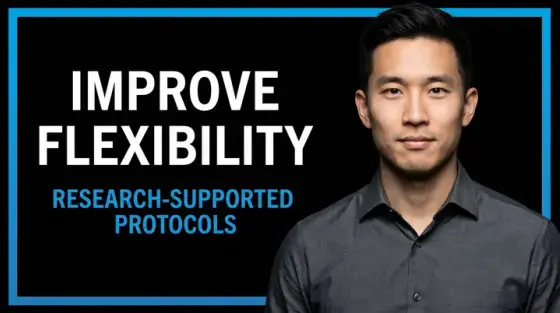
Video podcasts live and die on thumbnails more than almost any format: the content is two people talking, so the cover has to sell the conversation, not the visuals. The winning formula across every big show is stable - guest’s face showing real emotion, a provocative pull-quote or claim, consistent series branding so subscribers recognize the show instantly.
The grind is doing that every single week. Thumbo keeps the series template steady while swapping the episode: start from a podcast style (the button above preselects one), feed it the guest topic and the sharpest claim from the episode, and it generates the cover - with your host photo staying consistent across every episode via a persona.
Podcast thumbnail ideas
- The dangerous quote. The most controversial sentence from the episode as huge text next to the guest’s face. If a claim made you pause during recording, it will make viewers stop scrolling.
- Guest credential card. "Ex-FBI negotiator", "$100M founder", "banned 7 times" - the guest’s one-line credential as the hook. Authority framing works even when the guest isn’t famous.
- Host reaction split. Guest speaking on one side, host visibly stunned on the other. The reaction tells viewers how to feel about the claim before they hear it.
- The numbered take. "3 things nobody tells you about…" - numbers promise structure, which long-form listeners crave before committing two hours.
- Prop in frame. Put the topic in the shot as an object: a brain model for a neuroscience episode, stacked cash for a money one. Objects read faster than abstract text.
- Episode-100 milestone. Anniversary and milestone episodes: the number as the visual centerpiece with the host front and center. Signals a "best of" worth starting with for new viewers.
Podcast thumbnail background and text tips
Backgrounds: keep a consistent series wash (your brand color at low saturation) so episodes read as one show in the feed. Blur the studio, keep faces tack-sharp, and light guest and host from the same side for visual continuity.
Text: one quote or claim, six words max, in your series font. Highlight one or two words in your accent color. Faces should fill 30-40% of the frame - podcast covers with tiny faces underperform consistently at sidebar size.
Prefer to do it by hand?
All the manual steps are covered by our free browser tools: study what already works with the YouTube thumbnail downloader, crop your image to the exact 1280×720 with the thumbnail resizer, and squeeze it under YouTube’s upload limit with the 2 MB compressor. No signup, nothing leaves your browser.