
What makes a great vlog thumbnail
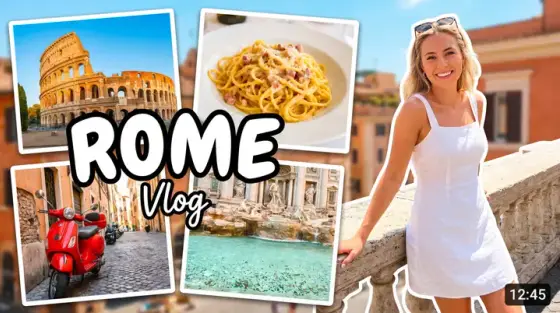
A vlog thumbnail sells a story, and stories need a protagonist: covers with the creator’s face and a readable emotion consistently out-click scenery-only frames. The problem every vlogger knows is that the best story moments never got a good still - you were living them, not posing for them.
Thumbo solves exactly that: upload a few photos of yourself once, and it can stage you inside any scene you describe - mid-move into the new apartment, at the airport at 4 AM, holding the keys. Your face stays genuinely yours across every cover (that’s the persona feature), so the channel builds recognition with every upload.
Vlog thumbnail ideas
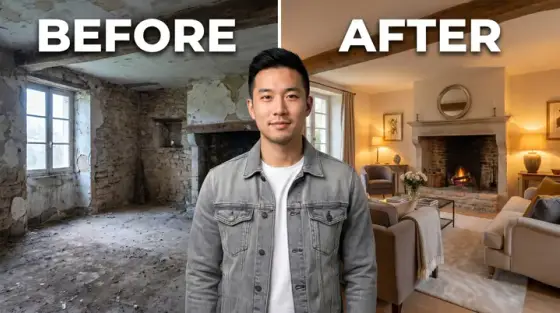
- The 30-day stamp. "I did X for 30 days" remains the strongest vlog format on YouTube. Show day 1 and day 30 of you in one frame - the transformation is the whole pitch.
- Life-update headline. Big announcements (moving, quitting, engagement): your genuine emotional reaction plus a 2-3 word stamp - "WE’RE MOVING". Understatement loses; feelings win.
- The chaotic middle. Pick the moment everything went wrong - spilled paint, missed flight, rain on the picnic. Disaster mid-frame with you reacting beats the polished after-shot.
- Price-tag reality. "My first apartment: $X/month", "I spent $500 in one day" - money on the image pulls clicks because it’s the detail vloggers usually hide.
- The empty chair. For emotional or reflective vlogs: a scene missing its person - packed boxes, an empty room, one coffee cup. Negative space signals a heavier story.
- Postcard with a twist. Travel-day vlogs: iconic location framing, but with something candid breaking the postcard - you asleep on luggage, a wrong turn sign. Perfect-but-human is the formula.
Vlog thumbnail background and text tips
Backgrounds: golden-hour warmth reads as "life content" instantly. Keep the location recognizable but softened, with you sharp in the front third. Consistent color grading across uploads makes your channel page look like a series, not a pile.
Text: handwritten-style or soft rounded fonts fit the diary feel better than gaming block letters. Two to four words, placed away from your face. Your expression is the real headline - make it readable at 168 pixels.
Prefer to do it by hand?
All the manual steps are covered by our free browser tools: study what already works with the YouTube thumbnail downloader, crop your image to the exact 1280×720 with the thumbnail resizer, and squeeze it under YouTube’s upload limit with the 2 MB compressor. No signup, nothing leaves your browser.