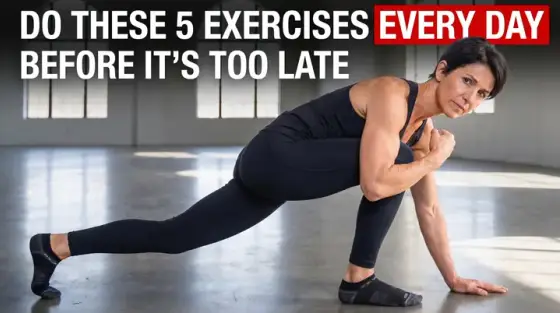


What makes a great workout thumbnail
Fitness thumbnails communicate through bodies: posture, effort, transformation. The niche’s viewers make snap credibility judgments - does this person look like they can get me the result? - before reading a single word. That’s why the highest-CTR fitness covers are physical stories: a rep mid-struggle, a before/after pair, a body under absurd conditions (see the ice bath example above).
Thumbo stages those physical stories from a description: "me at the top of a pull-up, veins out, gym dark behind, ‘5 RULES’ text". Your physique stays consistently yours via persona photos, and form-demonstration frames can be generated cleaner than a mid-set screenshot ever comes out.
Workout thumbnail ideas
- The 30-day body. Day 1 vs day 30 in one frame, same pose, same lighting. Transformation remains fitness’s deepest click driver - make the delta obvious at a glance.
- Form autopsy. The exercise frozen at its hardest point with a red X on the wrong version and a green check on yours. Corrective content converts searchers with pain points.
- The absurd condition. Training in ice, at altitude, on a $0 budget - put the condition in frame as the star. Environmental extremity is the challenge format’s fitness dialect.
- Numbers on the bar. PR and strength content: the loaded bar with the number huge ("180 KG"), your face behind it mid-effort. Weight numbers are instantly legible proof.
- Home vs gym split. "$0 home setup vs $10,000 gym" - the two-environment split with a cost stamp. Equipment-contrast content rides both budget and gear-envy searches.
- The mistake countdown. "5 exercises killing your progress" - the exercises as small crossed-out vignettes around your warning face. Loss-framing beats gain-framing for clicks here too.
Workout thumbnail background and text tips
Backgrounds: hard directional light that carves muscle definition - flat gym fluorescents kill the drama. Dark backgrounds with one strong key light photograph effort best. Chalk dust, sweat and motion blur add authenticity AI renders well.
Text: heavy condensed caps, short and physical - "5 RULES", "180 KG", "30 DAYS". Numbers over adjectives. Keep text off the body; the physique is the message and covering it costs clicks.
Prefer to do it by hand?
All the manual steps are covered by our free browser tools: study what already works with the YouTube thumbnail downloader, crop your image to the exact 1280×720 with the thumbnail resizer, and squeeze it under YouTube’s upload limit with the 2 MB compressor. No signup, nothing leaves your browser.