What makes a great Shorts thumbnail
For years the cover of a Short was whatever frame you picked in the mobile app. That changed on July 24, 2026, when YouTube let YouTube Partner Program creators upload custom Shorts thumbnails and said it would expand the feature to more creators over time. The upload happens in YouTube Studio on a computer, and YouTube’s help page asks for a vertical 9:16 image. In the swipe feed the video simply starts playing, so the cover earns its keep wherever Shorts sit in a grid and viewers choose one: search results and the Shorts tab on your channel.
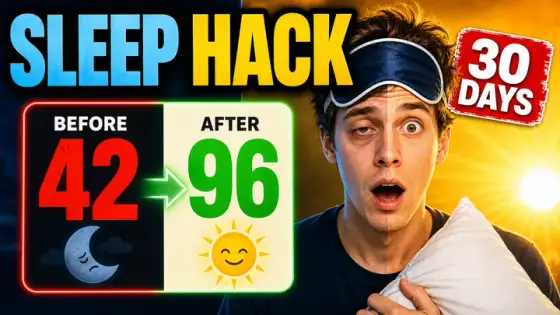
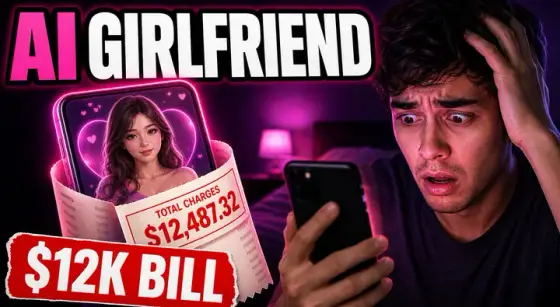
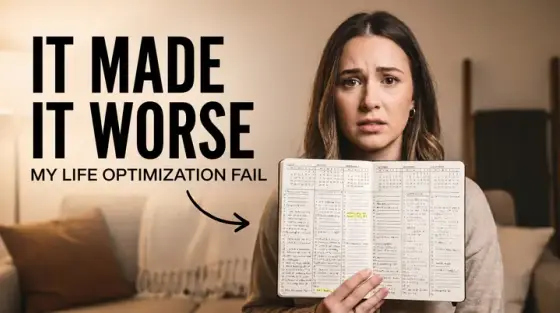
A Shorts cover is not a wide thumbnail turned on its side. The frame is tall and narrow and mostly seen small, so there is room for one face or one object and two or three words, stacked rather than spread across. Thumbo has a Shorts mode built for that frame: switch the format to 9:16 on the first screen of the app and the AI renders a vertical cover from the start instead of cropping a 16:9 one. The examples above are 16:9 video covers from the same generator; in Shorts mode you get the same faces, lighting and bold text in a tall frame.
Shorts thumbnail ideas
- The stacked hook. Two or three words stacked in the top third, your face or the key object filling the space below. A vertical frame reads top to bottom, so put the hook where the eye lands first.
- Face fills the frame. A tight crop from chin to forehead with one clear expression: shock, doubt, a grin. In a narrow tile a small figure in a big room disappears; a close face still reads at a glance.
- One object, close up. For faceless Shorts: the dish, the gadget, the tool or the receipt, filling most of the frame on a plain background. If the Short is about one thing, show only that thing.
- Top and bottom split. Before on top, after below, with a thin line or an arrow between them. The tall frame suits a horizontal split far better than the side-by-side layout of a 16:9 cover.
- The series tag. "PART 3", "DAY 12" or "TIP 4" in the same corner, same color, on every Short of a series. On your Shorts tab the tags line up and invite viewers to watch the rest in order.
- The unanswered question. The question as the text ("WORTH IT?", "REAL OR FAKE?") and the answer hidden: a covered price tag, a blurred screen, a box that is still closed. The tap is how they find out.
Shorts thumbnail background and text tips
Backgrounds: one simple color field or a softly blurred scene, with the subject placed in the middle of the frame. A Shorts cover is mostly seen as a small tile, so the outer strips at the very top and bottom are the first place detail gets lost - treat them as margin, not as space for text. A bright, saturated background helps a cover stand apart in a grid of other vertical tiles.
Text: two or three words, large, one word per line if needed, white or yellow with a hard dark outline. Shorts titles are short as well, so split the job: the cover says the outcome or the question, the title says the topic. For a series, keep the same font and text position on every cover so your Shorts tab reads as a set.
Files: YouTube recommends 2160×3840 for Shorts thumbnails, with a minimum height of 640 pixels, as JPG or PNG. If you already have a vertical image that is the wrong size, the free thumbnail resizer on this site has a "Shorts / vertical" preset that crops any picture to 1080×1920 right in your browser.
Prefer to do it by hand?
All the manual steps are covered by our free browser tools: study what already works with the YouTube thumbnail downloader, crop your image to the exact 1280×720 with the thumbnail resizer, and squeeze it under YouTube’s upload limit with the 2 MB compressor. No signup, nothing leaves your browser.