You’ve probably done this already. You filmed a vertical video, trimmed it, uploaded it, and watched it stall while weaker Shorts kept showing up in the feed. That usually isn’t because the topic was bad. It’s because Shorts are unforgiving about the opening, the pacing, and the upload details that tell YouTube what the video is and who should see it.
That’s why learning how to create a YouTube Short isn’t really about pressing record on your phone. It’s about building a clip that earns attention instantly, survives the swipe test, and gets categorized correctly, especially if you edit on desktop instead of posting straight from the app.
Professional creators and bloggers run into two problems that most beginner guides skip. First, desktop-edited vertical videos can get treated like regular uploads if the metadata is sloppy. Second, Shorts don’t give you a normal custom thumbnail workflow, so the first frames of the video do thumbnail duty whether you planned for that or not. Those two details alone can decide whether a polished Short gets momentum or disappears.
Table of Contents
- Planning Your Short for Virality
- Filming and Technical Specifications
- Editing Your Short on Mobile and Desktop
- Uploading and Optimizing for the Algorithm
- Analyzing Performance and Fueling Growth
- Frequently Asked Questions About YouTube Shorts
Planning Your Short for Virality
Good Shorts are usually won before filming starts. If the idea needs too much setup, if the payoff arrives too late, or if the opening line sounds like an introduction instead of an interruption, the Short is already fragile.
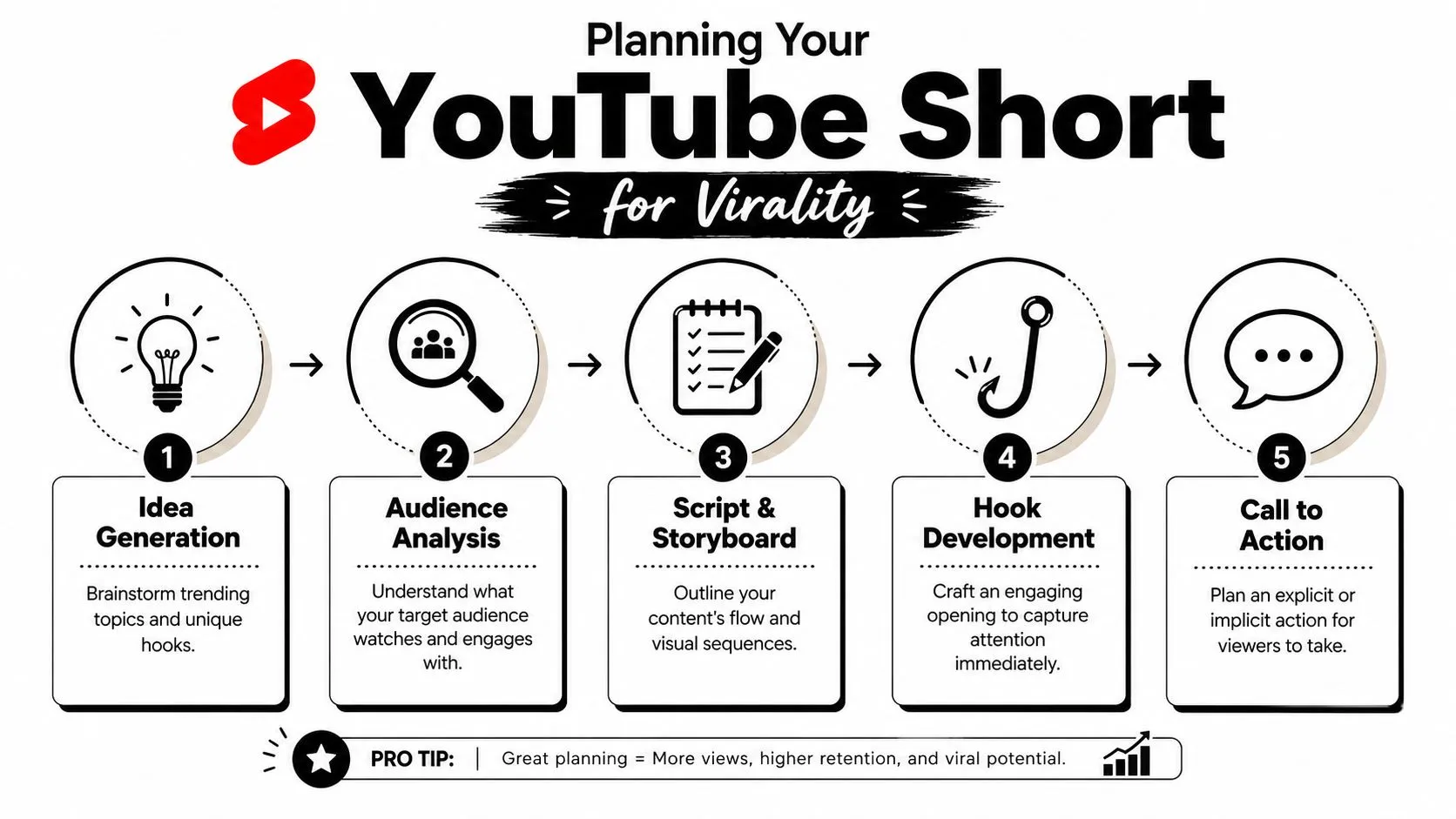
The planning framework that works most consistently is Hook, Explain, Payoff, Foreshadow. It’s practical because it forces every second to earn its place. A Short has to open with movement, tension, or direct value. Then it needs to explain just enough to keep the viewer oriented. After that, it delivers the reason to keep watching. If possible, it ends with a tiny loop, twist, or open thread that makes the next replay feel natural.
Start with the hook, not the topic
Most creators start with “what the video is about.” Strong Shorts start with why someone stops scrolling.
A weak opening says:
- Intro-heavy setup “Today I’m going to show you…”
- Unclear promise “So I was thinking about…”
- Delayed action talking before anything happens on screen
A stronger opening does one of these instead:
- Shows the result first and makes the viewer want the method.
- Leads with a bold claim that the rest of the Short proves.
- Drops the viewer into motion before any explanation begins.
- Uses text and visuals together so the promise is readable even on mute.
Practical rule: If your first line can be removed without changing the video, cut it.
When planning a Short, write three different hooks before outlining the rest. That alone exposes whether the idea has enough tension. If you need more topics worth testing, this list of YouTube video ideas for creators is useful for finding concepts that can be tightened into Short-form angles.
Build the script around payoff
The middle of the Short should move fast, but it can’t feel random. Each clip has one job: move the viewer closer to the payoff.
Use this script test before filming:
| Part | What it must do | What usually kills it |
|---|---|---|
| Hook | Stop the swipe immediately | Greetings, logos, context first |
| Explain | Give just enough setup | Overexplaining the obvious |
| Payoff | Deliver the useful, funny, or surprising part | Saving the best moment for too late |
| Foreshadow | Create a loop or curiosity | Ending flat with no visual continuation |
One planning detail that gets ignored is the ending shot. If you want a smooth loop, decide on the final frame early and film around it. Some creators even shoot the ending first so they can match the opening more cleanly later. That works because looping Shorts often feel smoother, and smoothness helps retention.
Audio needs planning too. YouTube Shorts best practices from JoinBrands treat the #Shorts tag as non-negotiable - in the title or description - so the video is categorized correctly and considered for the Shorts shelf, and recommend integrating trending audio naturally rather than tacking it on as an afterthought. Decide early whether the audio is supporting the joke, the pacing, or the emotional beat.
Filming and Technical Specifications
A Short can be casual. It can’t feel careless.
If your framing is awkward, the exposure is muddy, or the first visual is static, the whole video feels weaker than it is. YouTube Shorts are watched in a feed built for speed, so recording choices that seem minor on your camera roll become obvious on a phone screen.
Use the format YouTube wants
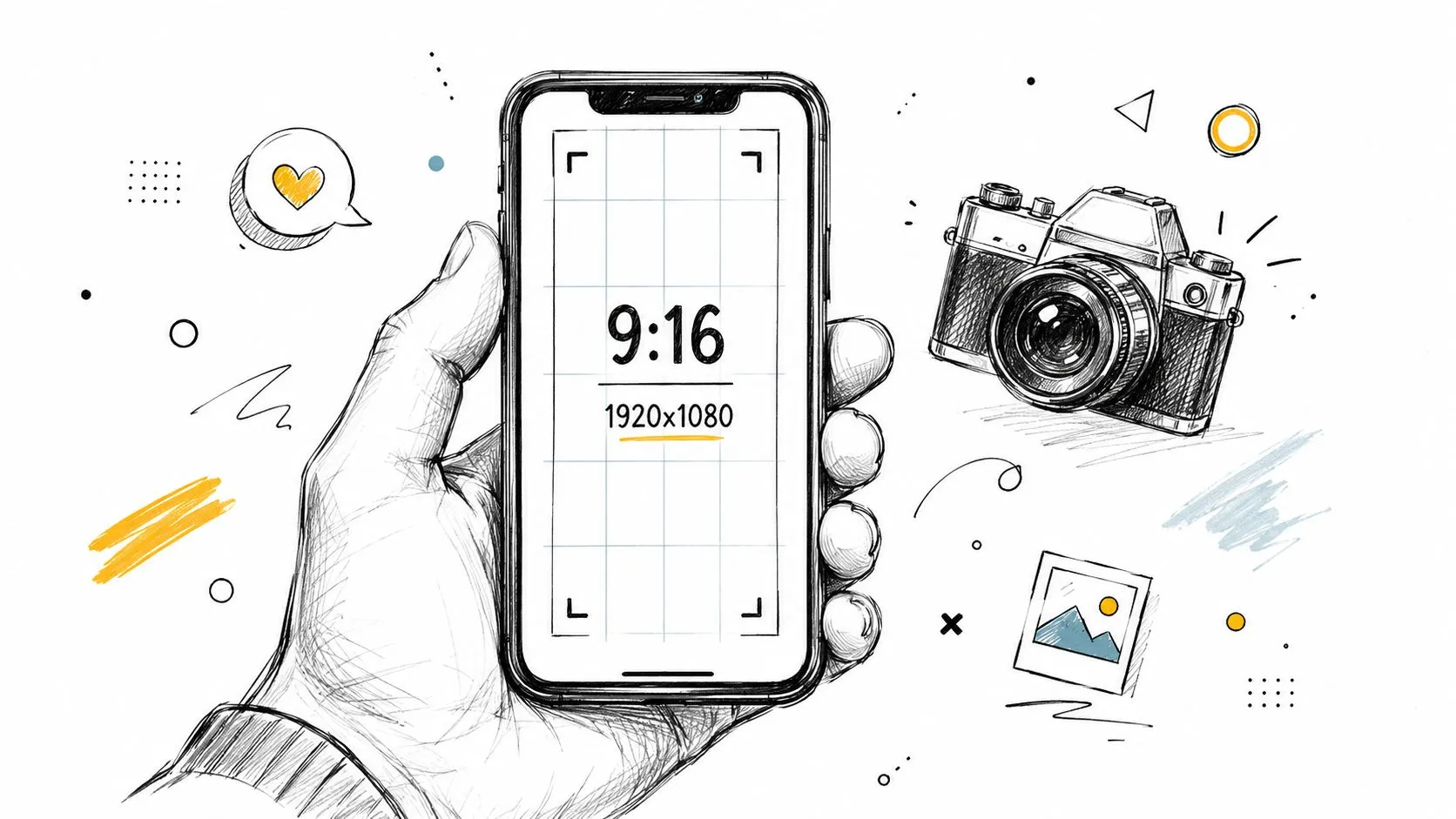
For Shorts, the baseline spec is simple: 9:16 vertical, 1920x1080 resolution, and up to 180 seconds - a vertical video within that limit is automatically recognized as a Short, as outlined in SocialPilot’s YouTube Shorts guide. Staying under 60 seconds is still a useful discipline, because it forces tighter pacing.
That matters because vertical framing isn’t just a technical checkbox. It changes composition. Faces need to sit higher in frame. Hands, props, captions, and product details need enough room to breathe without getting cramped. If you shoot like you’re making a horizontal video and crop it later, your Short usually looks like a compromise.
A few filming habits make a visible difference:
- Light the subject first. Window light works. A small LED panel works. What doesn’t work is backlighting your face and hoping editing will save it.
- Record cleaner audio than you think you need. Phone mics are fine at close range. They’re much worse when the room echoes.
- Keep the background intentional. Vertical video makes clutter more noticeable because there’s less horizontal space to distribute attention.
- Frame for captions. Leave room so on-screen text doesn’t collide with your face or the key object.
Film the opening like it decides everything
Because it does.
Think Media’s breakdown of Shorts metrics says creators should aim for a Viewed vs. Swiped Away rate above 70%, meaning fewer than 30% of viewers swipe away immediately, and treats that as the primary sign of a strong hook in the opening moments, according to this Think Media video on Shorts retention. That’s why the first visual can’t be passive.
Your first shot should show the most interesting thing in the video, not announce that something interesting is coming.
When filming, that changes behavior. Don’t start recording, smile, settle in, and then begin. Start on motion. Start on the finished result. Start mid-sentence if needed. If the Short is about a process, capture the most surprising visual first and make that your opening clip.
Here’s a simple field test:
- If the first shot is static, replace it.
- If the first line needs context, rewrite it.
- If the visual and the caption say different things, simplify one of them.
Creators spend too much time polishing the middle and not enough time making the first seconds undeniable.
Editing Your Short on Mobile and Desktop
A Short often wins or loses in the timeline.
Strong footage often dies in the edit because the pacing got soft, the captions covered the subject, or the first frame looked weak once it hit the feed. Good editing fixes those problems before upload. It also matters more for professional creators and bloggers who cut on desktop, because a Short that looks clean in Premiere can still feel wrong in the Shorts feed if the framing, text placement, and opening frame were built for regular video instead of vertical discovery.
Mobile and desktop both work. The best choice depends on your content and workflow needs.
When mobile editing makes sense
Mobile editing is the faster option for quick reaction content, trend participation, simple voiceovers, or anything you want live the same day. The YouTube app and short-form editors make it easy to trim, add music, place basic text, and publish without passing files between tools.
Use mobile if you need:
- Fast turnaround for timely topics
- Native music and simple text tools
- A lightweight publish flow with fewer export steps
The trade-off is precision. Tight caption styling, exact cut timing, clean audio work, and repeatable brand formatting are harder on a phone. If you post casually, that may not matter. If you’re turning Shorts into a consistent traffic source, it usually does.
When desktop editing is the better choice
Desktop editing gives you control that mobile apps still struggle to match. That matters for educational Shorts, repurposed blog content, product walkthroughs, and any channel publishing in batches. Premiere Pro, DaVinci Resolve, and Final Cut Pro make it easier to reuse templates, reframe long-form footage, clean up audio, and keep the same visual system across every upload.
Desktop is usually the stronger choice for:
- Talking-head Shorts with B-roll, screenshots, or zoom-ins
- Product demos that need crops, highlights, and callouts
- Podcast and webinar clips that need careful vertical reframing
- Weekly branded series where consistency affects trust
The key advantage is repeatability. You can build one vertical project, save text presets, lock caption zones, and move much faster after the first few videos.
Edit for the Shorts feed, not the preview window
This is the part desktop creators miss.
A Short can look balanced on a large monitor and still fail on a phone because the first frame is weak, the subject sits too low, or the text gets crowded by interface elements. Treat the first frame like packaging, not just the opening shot. In many cases, that frame functions like the thumbnail viewers see before they decide to stop scrolling.
A few editing rules help:
- Check the first frame as a standalone image. If it looks vague, swap it.
- Keep the subject large. Small faces and wide shots lose force in the feed.
- Place captions high enough to stay readable, but not so high that they fight the focal point.
- Cut earlier than feels comfortable. Shorts usually benefit from less setup and faster visual change.
- End on the payoff. If the last beat only explains what just happened, trim it.
Cut where attention drops, not where the sentence ends.
That usually improves pace fast.
For creators building a more polished visual system around desktop editing, this AI design tool workflow for creators can help tighten supporting graphics and branding without slowing production.
Strong Short edits share a few traits. The opening frame creates curiosity before the viewer hears a word. Each cut either adds information or increases energy. The ending arrives early enough that the video feels complete, not drained.
Uploading and Optimizing for the Algorithm
Uploading a vertical file isn’t the same as publishing a Short that YouTube recognizes and distributes correctly. As a result, many polished videos lose momentum for boring reasons.
Desktop creators feel this more than mobile-first creators. If you edit in Premiere Pro or DaVinci Resolve, export perfectly, and then upload with lazy metadata, YouTube can treat the video like a regular upload instead of a Short. The file might be right while the packaging is wrong.

Metadata that helps Shorts get recognized
One of the most practical upload details is also one of the easiest to miss. This Shorts upload guide from ShortsNinja recommends putting #Shorts in the title or description so the video gets recognized and categorized correctly: the #Shorts tag gets you on the right highway, while niche-specific tags guide viewers to the exact exit.
That means your upload checklist should include:
- Title built for humans first. Clear promise, plain language, no fluff.
- #Shorts placed correctly. Don’t bury it at the bottom.
- Description that adds context. Give YouTube and viewers enough to understand the clip.
- Relevant hashtags only. A few useful ones beat a pile of random tags.
If you’re trying to improve the visual packaging side too, this guide on YouTube Shorts thumbnail strategy is worth reading because Shorts rely heavily on auto-selected frames rather than a classic thumbnail workflow.
What a strong Shorts upload looks like
A good upload package is tight and deliberate.
Here’s a simple before-and-after comparison:
| Weak upload | Better upload |
|---|---|
| Vague title with clever wording only | Direct title that states the value or result |
| Description with no Shorts signal near the top | #Shorts in the title or early description |
| Random hashtags | Only relevant topical tags |
| No category context | Description supports what the video is about |
Don’t treat metadata like admin work. It’s part of distribution.
A title should help the right viewer self-select. A description should reinforce the topic. The Shorts marker should be impossible to miss. Especially on desktop, optimization isn’t optional. It’s part of how to create a YouTube Short that enters the system you want it to enter.
Analyzing Performance and Fueling Growth
A Short gets 20,000 views in a few hours. The next one gets 2,000. If the second video holds viewers longer and gets replays, that is the one worth studying.
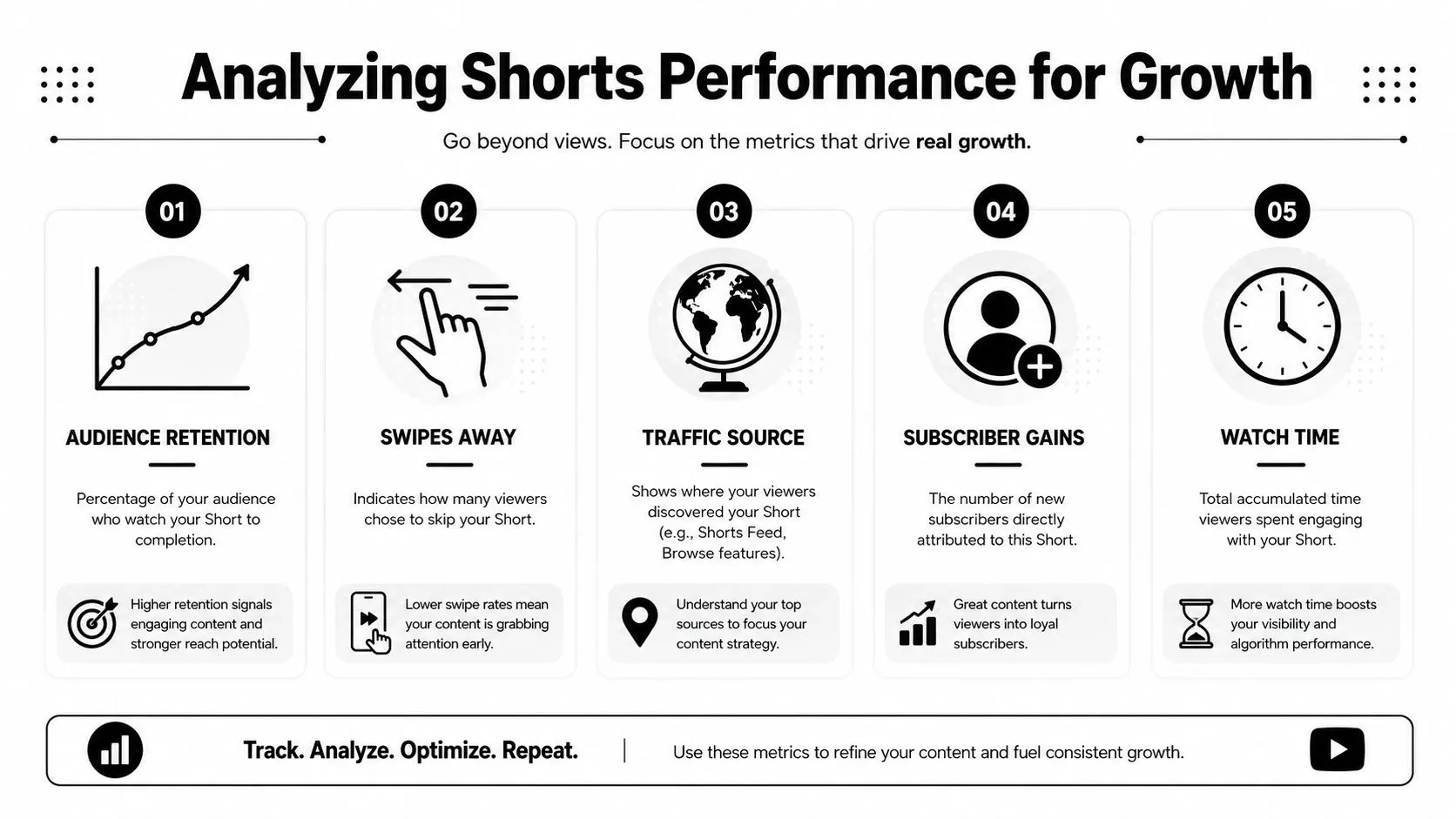
Views show distribution. Retention shows whether the video deserved it.
Read retention before you read views
For Shorts, the first question is simple. Where did people leave?
Open the audience retention graph and look for the exact moment the line drops. That point usually maps to a specific editing mistake. The setup ran too long. The caption covered the subject. The hook promised one thing and the clip delivered something weaker. On desktop-edited Shorts, drops also come from timing that felt fine on a large monitor but feels slow in the feed on a phone.
Use patterns like these to diagnose the problem fast:
- Drop in the first second. The first frame looks weak, the opening line is generic, or the viewer cannot tell what the Short is about.
- Drop right after the hook. The promise was strong, but the middle section delayed the payoff.
- Steady hold, weak engagement. The Short is clear and watchable, but it does not give viewers a reason to react, comment, or share.
- Late drop before the finish. The audience got the answer early, so the last beat felt unnecessary.
- Replays around one moment. That section created surprise, confusion, or satisfaction. Keep it, then study why it worked.
One metric in isolation can send you in the wrong direction. A Short with average views and strong retention is often closer to a scalable format than a video that got a brief push and then stalled. That distinction matters if you are building Shorts from a repeatable desktop workflow and want to improve the next edit, not just celebrate a spike.
If viewers leave before the payoff, move the payoff earlier or make the path to it more interesting.
Treat the first frame like a thumbnail
Professional creators often edit excellent Shorts and then waste the first frame.
That mistake shows up a lot in desktop exports. The clip opens on motion blur, a half-rendered text animation, or a face between expressions. In the Shorts feed, that costs attention. Outside the feed, it can also produce a poor selected frame when YouTube surfaces the video elsewhere.
Buffer explains that creators cannot rely on a standard custom thumbnail upload for Shorts and often depend on a frame pulled from the video, as noted in Buffer’s guide to growing YouTube Shorts. That makes the opening visual part of performance, not just part of editing.
Build the first second with that in mind:
- Start on a readable frame. Give the subject, result, or face a clean moment before fast motion begins.
- Make early text large enough to read on mobile. Desktop-sized captions often look tiny in the feed.
- Avoid opening on a transition. A wipe or zoom can look stylish in the timeline and weak on first contact.
- Show the outcome early when possible. A result-first frame usually earns more curiosity than a slow setup.
Treat the first frame as packaging. Shorts creators who ignore that detail usually blame the idea when the actual problem was the opening visual.
Growth comes from this habit. Review each Short, find the exact second where interest rises or falls, and carry that lesson into the next script, edit, and first-frame choice. That is how a channel stops guessing and starts improving.
Frequently Asked Questions About YouTube Shorts
Do Shorts need to be under a minute
No - vertical videos up to 180 seconds are recognized as Shorts. Still, a sub-60-second cut forces better scripting. For many creators, especially bloggers repurposing longer content, the tighter version usually performs better because it reaches the payoff faster.
Should you use trending audio
Use trending audio when it strengthens the idea and does not create rights or clarity problems. Treat audio as support, not strategy. If the hook, visual, and edit are weak, a popular sound will not fix the Short.
How often should you post Shorts
Post on a schedule you can sustain without lowering your standards. One clean Short with a strong first frame, tight pacing, and a deliberate upload setup does more for growth than a streak of rushed posts. Desktop editors feel this fast. Speed is easy. Consistent quality is harder.
How do you know if a Short is too long
Check audience retention and watch where viewers leave. If the drop happens before the main payoff, the idea probably starts too slowly or takes too long to explain. If retention stays stable until the end, the length is usually fine.
This is common with desktop-edited Shorts. Creators often keep an extra beat for pacing that feels right on a timeline but feels slow in the feed.
Is a vertical video automatically a Short
No. Vertical formatting helps, but it does not guarantee strong distribution or strong performance. The file, length, opening frame, title, and upload choices all affect how the Short lands. Professional creators miss this when they export polished vertical clips from desktop and assume the format alone will carry them.
What is most important for creating a successful YouTube Short?
Three things drive results most often. A clear hook in the first second. Pacing that earns the next second. Packaging that survives the feed, especially the opening frame YouTube may surface before anyone watches.
That last point gets overlooked. If you edit on desktop, stop treating the first frame as an afterthought. It often acts like your thumbnail in practice, and weak opening frames bury good ideas.
If you want your Shorts to earn clicks before they even play, Thumbo AI helps creators build stronger YouTube thumbnail visuals fast. It’s built for YouTubers who care about packaging, testing ideas quickly, and making every frame work harder.