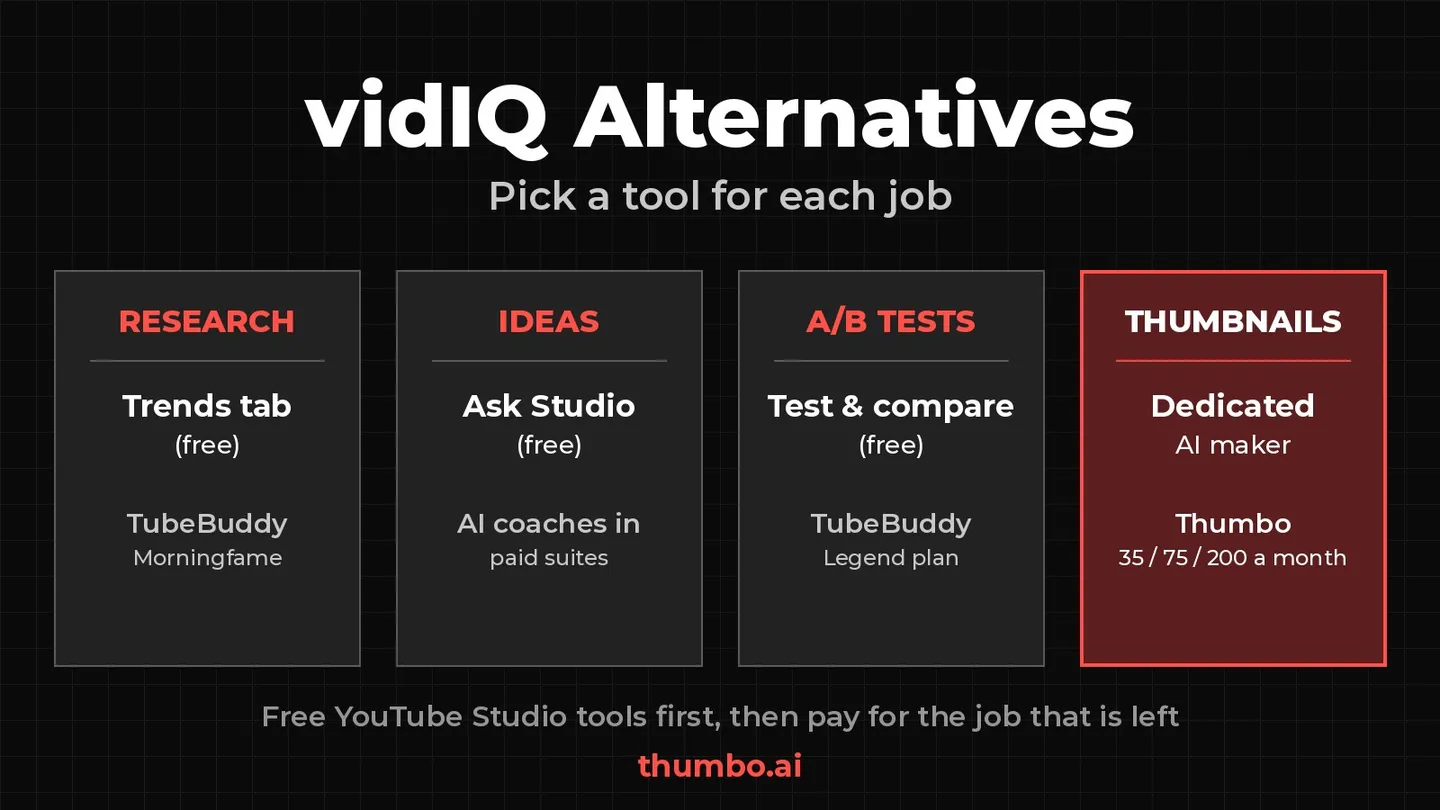
The best vidIQ alternatives depend on which part of vidIQ you actually use. vidIQ bundles keyword research, competitor tracking, analytics, AI ideas and an AI thumbnail generator into one subscription. Most creators lean on two or three of those jobs, and for several of them there is now a free tool built into YouTube Studio itself.
This guide sorts the alternatives by job instead of ranking them: free YouTube Studio features for research, ideas and A/B tests, TubeBuddy as the closest all-in-one replacement, Morningfame for guided optimization, and a dedicated tool for the job most suites treat as an extra, the thumbnail.
All facts below come from each product’s own pages, read on October 7, 2026: YouTube Help articles (linked inline), vidIQ’s Help Center article “Features & Credits by Plan” (updated September 3, 2026), TubeBuddy’s pricing page and Morningfame’s homepage. Plans and features change, so check the current versions before you pay for anything.
Table of Contents
- vidIQ Alternatives at a Glance
- Why Creators Look for a vidIQ Alternative
- Free Alternatives Built Into YouTube Studio
- TubeBuddy: The Closest All-in-One Alternative
- Morningfame: Guided Optimization for Small Channels
- When Thumbnails Are the Real Job
- vidIQ vs the Alternatives, Side by Side
- How to Choose the Right vidIQ Alternative
- A Lean Stack That Covers Most of vidIQ
- Action Plan
- FAQ
vidIQ Alternatives at a Glance
| Job you use vidIQ for | Free alternative | Paid alternative |
|---|---|---|
| Keyword and topic research | YouTube Studio Trends tab | TubeBuddy (Keyword Explorer), Morningfame |
| Video ideas and AI brainstorming | Ask Studio in YouTube Studio | Most creators can skip paying for this |
| Competitor and outlier videos | Trends tab “Breakout videos” card | TubeBuddy (Competitor Scorecard) |
| Channel analytics explained | YouTube Analytics plus Ask Studio | Morningfame |
| Title and thumbnail A/B tests | YouTube Test & compare | TubeBuddy Legend and Enterprise plans |
| Making the thumbnail itself | Free browser tools for the basics | A dedicated AI thumbnail maker such as Thumbo |
The pattern is clear: YouTube now offers free versions of the research and testing features creators used to buy extensions for. What it does not do is design your thumbnail. That is where a paid tool still earns its place.
Why Creators Look for a vidIQ Alternative
vidIQ is a capable suite, and if you use most of it every week it can be good value. The usual reasons people shop around come from how the plans are built, all described in vidIQ’s own Help Center:
- One shared credit balance. vidIQ’s AI tools draw from a monthly credit allowance, and vidIQ states that “credits are shared across supported AI tools, so using credits in one place reduces the amount available for the vidIQ AI tools.”
- Credits do not carry over. Credits refresh each month and “unused credits do not roll over.”
- Limited top-ups. “Top-Up Credits are not available on the Free plan”; vidIQ sells extra credit packs on its Max and Coaching plans.
- Paying for a bundle to use one part. The plan list includes Keyword Research, Outliers, Competitors Tracking, Best Time to Post, Channel Audit, Compare Thumbnail in Search and more. If you only open one or two of them, a narrower tool can cost less or nothing.
How vidIQ AI credits are spent
vidIQ lists a credit price for each AI action. A few of them:
| AI tool | What counts as one use | Credits |
|---|---|---|
| AI Coach (Regular/Fast) | Per message | 10 |
| AI Coach (Deep Thinking) | Per message | 25 |
| Thumbnails | Per generation, regeneration, or edit | 22 |
| Script Writer | Per minute of selected script length | 1 |
| Clipping | Per minute of input video | 9 |
The Free plan includes 150 credits a month and Pro (one channel) includes 1,000. By simple division, 150 credits buy 15 regular AI Coach messages or 6 thumbnail actions, not both, and 1,000 credits buy about 45 thumbnail actions if nothing else uses them. Every retry or edit of a thumbnail is another 22 credits. The full breakdown of the thumbnail tool is in the guide to the vidIQ thumbnail generator.
Free Alternatives Built Into YouTube Studio
Before paying for any suite, check what YouTube Studio already gives you. Three features overlap with what most people use vidIQ for.
Trends tab for keyword and topic research
YouTube’s Trends tab (Analytics in YouTube Studio, then the Trends tab at the top) shows “what your audience and viewers across YouTube are searching for,” according to YouTube Help. It is the closest free replacement for a keyword tool:
- Top searches: “the top searches based on your audience and your saves over the last 28 days.”
- Breakout videos: “well-performing content from other creators who are similar to your channel,” which covers much of what outlier and competitor tools are used for.
- Search: type a topic to see your audience’s interest level, from very low to very high, plus what is watched and searched on YouTube for it.
- Content gaps: searches where viewers “can’t find enough quality search results on YouTube,” a direct prompt for videos that do not exist yet.
Two caveats from the same page: “some of the insights are limited to certain countries, languages, and devices,” and a redesigned YouTube Studio is rolling out from July 2026, so the tab may look different on your account.
One thing the Trends tab does not push is tags, and that is fine. YouTube’s own help page on tags says the title, thumbnail and description “are more important pieces of metadata for your video’s discovery,” and that outside of commonly misspelled topics, “tags play a minimal role.” If you still want to see what a competing video uses, the free YouTube tag extractor lists any video’s tags from its link.
Ask Studio for ideas and analytics questions
Ask Studio is YouTube’s “AI creative partner built directly into YouTube Studio to help you brainstorm video ideas, get channel insights, and analyze your performance” (YouTube Help). Open YouTube Studio and select Ask Studio at the top right of the page.
It covers the same ground as an AI coach: ask why a video underperformed, what your comments say, or what to make next. Limits to know:
- It is “available only on web browsers on your computer.”
- Official Artist Channels, Made for Kids channels and creators under 18 do not have access.
- YouTube itself notes that the “quality and accuracy of responses may vary.”
Test and compare for titles and thumbnails
YouTube’s Test & compare lets creators “test and compare up to 3 different titles and thumbnails” on one video, natively, with real viewers (YouTube Help). This replaces the A/B testing features of third-party tools for most long-form videos:
- Where: “only available on computers through YouTube Studio,” with advanced features enabled.
- What can be tested: not Shorts, Scheduled Lives or Premieres, and not videos that are made for kids, for mature audiences, or private.
- How the winner is picked: the version “with the highest watch time will be shown to all viewers.” Note that the metric is watch time, not click-through rate, so a clickbait thumbnail that loses viewers early will not win.
- How long it takes: a test “should be completed within two weeks.”
- Image quality: if any test thumbnail is “lower than 720p (1280 x 720), all experiment thumbnails will be downscaled to 480p (854 x 480).” Export every version at 1280 x 720 or larger.
The catch is that a test is only as good as the versions you feed it. Three variations of one weak idea teach you very little. The guide to improving click-through rate covers what to change between versions.
What happened to the Inspiration tab
If you read older guides, you will see YouTube’s Inspiration tab recommended for AI ideas, titles and thumbnail concepts. According to its help page, “starting August 2026, we are gradually deprecating the Inspiration tab,” and YouTube now points creators to Ask Studio for brainstorming. Plan around Ask Studio and the Trends tab instead.
TubeBuddy: The Closest All-in-One Alternative
If you want one paid tool that replaces most of vidIQ in a single subscription, TubeBuddy is the closest match. Its site calls it a “YouTube Channel Management Toolkit,” and like vidIQ it spans research, optimization, competitor tracking and thumbnails.
What TubeBuddy covers
From TubeBuddy’s pricing page, which lists three plans (Pro, Legend and Enterprise):
- Keyword Explorer and Search Explorer on every plan.
- A/B Testing for thumbnails and titles on Legend and Enterprise, not on Pro.
- Thumbnail Generator on every plan, and a Thumbnail Analyzer that is limited on Pro (10 thumbnails per video) and Legend (20 per video).
- Competitor tools such as competitor upload alerts and a competitor scorecard on the higher plans.
What to check before you switch
- Price: TubeBuddy’s prices are shown on its pricing page; compare them with vidIQ’s for the same billing period on the day you buy. The page advertises “Save 20%” on annual billing and “No contracts, cancel any time.”
- Channels: standard licenses are “tied to one YouTube channel,” with Enterprise for brands running several.
- Overlap with free tools: YouTube’s own Test & compare now runs title and thumbnail tests on long-form videos for free. If that covers your uploads, you may not need the Legend plan for A/B testing alone.
TubeBuddy vs vidIQ is mostly a question of interface and which features you lean on. Both cover keyword research and competitor tracking, and both include a thumbnail generator. Try the free options above first, then trial whichever suite fills the gap that is left.
Morningfame: Guided Optimization for Small Channels
Morningfame takes a narrower approach. Its homepage describes it as “Smarter Analytics for YouTube” and an “SEO Tool to Rank in Search,” with three main ideas:
- It “guides you through the process of optimizing your videos” for YouTube search.
- It “compares your channel with other channels of similar size,” so your numbers are put in context and weak spots stand out.
- It shows “which videos worked and which didn’t,” so you can repeat what works.
The homepage says plainly “we support small channels,” and it does not list prices, so check before signing up. Morningfame suits creators who want a guided routine rather than a dashboard full of metrics. Its homepage does not mention thumbnails or A/B tests, so pair it with YouTube’s Test & compare for those.
When Thumbnails Are the Real Job
Look at the table at the top again. For research, ideas, analytics and testing, there is a free YouTube option or several paid ones. For actually making the thumbnail, suites like vidIQ and TubeBuddy include generators, but as one feature among many, priced in shared credits or bundled into the plan.
If the thumbnail is the part of your workflow that takes the longest or moves your click-through rate the most, a dedicated tool is the more direct fix. Thumbo is a thumbnail-only tool:
- Persona: upload three photos once and Thumbo keeps your face recognizable across every thumbnail.
- Style matching: paste a channel URL to match its look (your own, to stay on-brand), or start from 50+ ready-made Style Packs.
- Plain-language edits: type a note such as “make my face bigger” or “add a cap” and Thumbo applies it.
- Faceless channels: Style Packs work the same with a logo or any image instead of a face.
- Exports: 2K thumbnails in 16:9, plus 9:16 covers for Shorts, sized to fit YouTube’s 2 MB mobile upload limit.
- Pricing in thumbnails, not credits: Lite $19/month for 35 thumbnails, Starter $39/month for 75, Pro $79/month for 200, each with a 7-day free trial. You can sign up and generate your first thumbnails free, without a card; watermark-free, full-resolution downloads come with a paid plan.
It pairs well with the free stack: research in the Trends tab, make two or three strong versions in Thumbo, then let YouTube’s Test & compare pick the winner on watch time.
Free thumbnail tools to pair with any stack
- Save a reference: the YouTube thumbnail downloader saves any video’s thumbnail from its link, at the largest size YouTube stores, for your swipe file.
- Check your file: the image compressor brings an export under 2 MB in the browser for mobile uploads.
- Preview before you publish: Thumbo Lens is a free Chrome extension that places your thumbnail and title into real YouTube search results at the size viewers see them, and compares up to three versions. Check its page for Chrome Web Store availability.
vidIQ vs the Alternatives, Side by Side
| vidIQ | YouTube Studio (free) | TubeBuddy | Morningfame | Thumbo | |
|---|---|---|---|---|---|
| Main job | All-in-one YouTube growth suite | Native research, AI help and testing | All-in-one YouTube toolkit | Guided analytics and search optimization | Dedicated AI thumbnail maker |
| Keyword research | Keyword Research | Trends tab | Keyword Explorer | Guided search optimization | Not the focus |
| Competitor and outlier videos | Outliers, Competitors Tracking | Breakout videos card | Competitor tools on higher plans | Compares with similar-size channels | Not the focus |
| AI ideas and coaching | AI Coach (credits per message) | Ask Studio | Not covered here | Not mentioned | Not the focus |
| Title and thumbnail A/B tests | Not covered here | Test & compare, up to 3 versions | Legend and Enterprise plans | Not mentioned | Pairs with Test & compare |
| Making thumbnails | AI generator, 22 credits per action | No | Thumbnail Generator | Not mentioned | Persona, style matching, plain-language edits |
| How you pay | Plans with shared monthly AI credits | Free | Pro, Legend, Enterprise plans | See its site | 35 / 75 / 200 thumbnails a month by plan |
“Not covered here” and “Not mentioned” mean the product’s own pages we read did not answer that row, not that the feature is missing.
How to Choose the Right vidIQ Alternative
Answer these in order:
- What do you open vidIQ for each week? Write down the two features you actually use. Everything else is not a reason to pay.
- Does YouTube Studio already do it? Research, competitor breakouts, AI brainstorming and A/B tests all have a free native version now. Use them for two weeks before buying anything.
- Do you want one dashboard or the best tool per job? If one dashboard matters, compare TubeBuddy and vidIQ side by side. If not, combine free tools with one specialist.
- Is your channel small and still finding its feet? A guided tool like Morningfame can be easier to act on than a wide dashboard.
- Is the thumbnail your bottleneck? If click-through rate is what holds your videos back, spend on the thumbnail itself, not on more keyword data.
A Lean Stack That Covers Most of vidIQ
For a solo creator posting weekly, this combination covers the core of what vidIQ does:
| Step | Tool | Cost |
|---|---|---|
| Find topics and gaps | Trends tab in YouTube Studio | Free |
| Brainstorm and read your analytics | Ask Studio | Free |
| Check a competitor’s tags | YouTube tag extractor | Free |
| Make two or three thumbnail versions | Thumbo | From $19/month for 35 thumbnails |
| Pick the winner with real viewers | Test & compare | Free |
If you later need deeper keyword data or competitor alerts, add one research suite on top. Starting lean shows you which gap is real before you pay for it.
Action Plan
- List the vidIQ features you used in the last month and cross out the rest.
- Open YouTube Studio, go to Analytics and then the Trends tab, and save three searches for your niche.
- Try Ask Studio with one question about your last video’s performance.
- On your next long-form upload, run Test & compare with two or three genuinely different thumbnails, each at least 1280 x 720.
- If you still miss a feature after two weeks, trial TubeBuddy or Morningfame for that specific job.
- If thumbnails take the most time or hold back your click-through rate, make your next set with a dedicated tool such as Thumbo and let the test decide.
- Review results after the test finishes, which YouTube says takes up to two weeks, and keep only the tools that changed a number.
FAQ
What is the best free alternative to vidIQ?
YouTube Studio itself. The Trends tab covers keyword and topic research, including breakout videos from similar channels and content gaps; Ask Studio answers analytics questions and brainstorms ideas; and Test & compare runs title and thumbnail A/B tests on long-form videos. All three are free and use YouTube’s own data.
Is TubeBuddy better than vidIQ?
They cover similar ground: keyword research, competitor tracking and a thumbnail generator. TubeBuddy’s pricing page lists Pro, Legend and Enterprise plans, with A/B testing on Legend and Enterprise only. Which is better depends on the features you use and the price on the day you buy, so trial the one that fills your specific gap.
Can YouTube A/B test thumbnails without a third-party tool?
Yes. Test & compare in YouTube Studio tests up to three titles and thumbnails on one video, on a computer, with advanced features enabled. It does not work on Shorts, Scheduled Lives or Premieres, and the winner is the version with the highest watch time.
Why do vidIQ credits run out so fast?
All of vidIQ’s AI tools share one monthly balance, and each action has a price: 10 credits per regular AI Coach message, 22 per thumbnail generation, regeneration or edit, and 9 per minute of video for Clipping. The Free plan includes 150 credits and Pro includes 1,000, and unused credits do not roll over.
What is the best vidIQ alternative for thumbnails?
A dedicated thumbnail tool rather than another suite. Thumbo keeps your face consistent with a persona built from three photos, matches a channel’s style from its URL, takes edits in plain language, and counts usage in thumbnails per month (from $19 for 35) instead of shared credits. Pair it with YouTube’s free Test & compare to pick the winning version.
Is the YouTube Inspiration tab still available?
YouTube says it is “gradually deprecating the Inspiration tab” starting August 2026 and recommends Ask Studio for brainstorming content ideas instead.