 18:42
18:42Have Index Funds Just Changed Forever?
See your thumbnail and title the way viewers will: next to other videos on the home feed, in search, in the up next sidebar and on mobile, dark or light. Free, and your image never leaves your browser.
Free · no signup · updated October 2026
18:42Have Index Funds Just Changed Forever?
I Tried Waking Up at 5 AM for 30 Days
 24:10
24:107 Days Stranded in the Arctic
 1:02:15
How Subway Takes Became the Internet's Favorite Show
 15:07
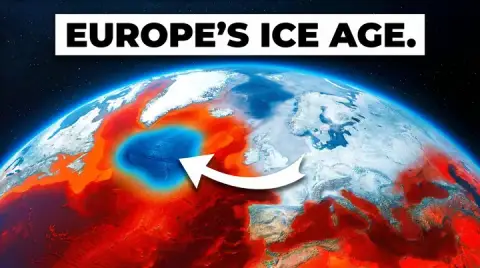
15:07A European Ice Age Is Coming Sooner Than We Thought
 11:58
11:58Do This to Make $10,000 as a Student
The videos around yours use Thumbo example covers with made-up channels and numbers. The layouts are close approximations of YouTube, not pixel copies, and YouTube changes them often.
JPG, PNG or WebP. It loads instantly and stays in your browser: nothing is uploaded anywhere.
Title and channel name render under the image, cut to two lines the way feeds cut long titles.
Check home, search, the up next sidebar and mobile, in dark and light, and move your card around the grid.
You design a thumbnail at full size, zoomed in, on a blank canvas. Viewers never see it that way. They see it small, for a moment, between other videos that fight for the same click. YouTube counts an impression when a thumbnail is shown for more than one second with at least half of it on screen, and it counts them on the homepage, in search, in feeds like subscriptions and Watch Later, in the up next list beside the player and in playlists (YouTube Help). That second in a crowd is the real test, and an editor cannot show it to you.
A previewer closes that gap. Put your thumbnail and your real title into the places it will live, look at it at the size it will be, and next to covers that compete with it. Problems that were invisible in the editor show up in seconds: a title that turns into noise, a face that is too small to read, a corner of text hidden under the duration badge, colors that melt into a light background.
Home feed is the crowded grid. Your card sits between others, so the question is contrast: does one clear subject or one bold color pull the eye before the cards around it do? If your thumbnail only works when you look at it alone, it will lose here.
Search puts the thumbnail beside the title, so it is the pairing test. The viewer arrived with a question; the image should promise the answer the title names, without repeating the title word for word. A thumbnail that shows the result (the finished build, the number, the before and after) usually beats a thumbnail that restates the topic.
Up next sidebar is the smallest card, so it is the legibility test. Three or four bold words survive at this size; a full sentence does not. If you cannot read your thumbnail text in the sidebar view, cut words or make the letters heavier. Our thumbnail fonts tool shows which typefaces stay readable when they shrink.
Mobile shows the image almost edge to edge but gives the title less room, so the image has to carry the story on its own. Check that the title still makes sense when it is cut after two lines, and that the key words come first.
The same thumbnail looks different on a near-black page and on a white one. Dark images with dark edges disappear into a dark interface; pale, washed-out images vanish on white. Flip the theme switch and look at the edges of your thumbnail. If the frame seems to dissolve into the page in either theme, add contrast at the border: a brighter background, a rim light on the subject, or a stronger color behind the text.
If a check fails on size or weight, fix the file first: the thumbnail resizer crops any image to 16:9, and the image compressor gets it under 2 MB. The full spec is in our YouTube thumbnail size guide.
A preview tells you whether a thumbnail can work. Real viewers tell you whether it does. YouTube Studio on a computer has an A/B test for titles and thumbnails: you can test up to three versions, and YouTube shows everyone the version with the highest watch time, not the highest click-through rate (YouTube Help). Shorts, videos made for kids and private videos cannot be tested. The previewer is how you pick the two or three versions worth testing, so the test compares strong options instead of a strong one and a weak one.
For more on reading results after you publish, see what counts as a good click-through rate and our longer guide to previewing and validating thumbnails.
Sometimes the preview makes it obvious: the card is lost in the grid and no tweak saves it. That is when starting over is faster than fixing. Thumbo makes a new thumbnail from your video idea, with a style made for your niche and your face on it if you want, as a 2K 16:9 JPEG under 2 MB. Bring it back here and preview it next to the old one.
It shows your thumbnail and title the way viewers meet them: small, next to other videos, under a duration badge, in a dark or light interface. This one renders four YouTube-style layouts (home feed, search, up next sidebar, mobile) around your card, so you can judge whether it stands out before you publish.
No. The image is read by your browser and shown from memory. It never leaves your device, which is also why the preview is instant and works with unpublished thumbnails.
No preview can promise that. YouTube changes its layouts often, and card sizes depend on the screen and window width. The previewer is a close approximation for the checks that matter: can you read the text at feed size, is the subject clear, does the duration badge cover something important, and does the card stand out next to its neighbors.
YouTube asks for a 16:9 image at least 640 pixels wide, with 3840x2160 recommended and 1280x720 as the standard HD size. Files can be up to 2 MB from the mobile app and 50 MB from desktop. The previewer checks your image against these and flags what does not fit.
The previewer helps you pick a shortlist before publishing. To test with real viewers, YouTube Studio on a computer has an A/B test for titles and thumbnails: up to 3 versions, and the winner is the one with the highest watch time. Preview first, then let the test decide between your best two or three.
This previewer shows 16:9 video cards. Shorts use a vertical 9:16 frame, so a Shorts cover needs its own check: crop it with the 1080x1920 preset of our resizer, and see the Shorts thumbnail maker for vertical covers.
Thumbo is an AI thumbnail maker: describe your video, pick a style for your niche, and get click-worthy, YouTube-ready thumbnails - with your face if you want it there.
Make a thumbnail free