You’re probably staring at the Earn tab right now with a mix of relief and nerves. The subscriber count is finally there, the watch time has climbed, and the button to apply for monetization on YouTube feels close enough to touch.
That’s the moment a lot of creators make a costly assumption. They think monetization is now a paperwork step. It isn’t. It’s a review step. You’re not just proving that your channel hit a threshold. You’re proving to a human reviewer that your channel is original, safe for advertisers, and managed like a real publishing business.
Creators with strong numbers get rejected because their channel looks messy, repetitive, or too dependent on borrowed material. Smaller, cleaner channels pass because the reviewer can quickly see clear authorship, consistent presentation, and real added value. If you’re close to applying, treat your channel less like a dashboard and more like a portfolio.
If your thumbnails are part of that cleanup, it helps to understand how creators approach visual consistency with an AI design tool for YouTube workflows.
Table of Contents
- From Creator to Partner Starting Your Monetization Journey
- Decoding the YouTube Partner Program Thresholds
- Your Pre-Application Channel Audit for Human Review
- Navigating the Application in YouTube Studio
- When YouTube Says No Fixing Common Rejection Issues
- You’re Approved Now Maximize Your Earnings
From Creator to Partner Starting Your Monetization Journey
A creator spends months building a channel. They publish after work, answer comments on weekends, and refresh analytics more often than they’d like to admit. Then the metrics line up and they think the hard part is over.
It usually isn’t.
A significant shift happens when you stop thinking like a creator trying to qualify and start thinking like a publisher asking for approval. When you apply for monetization on YouTube, you’re effectively telling YouTube that your channel deserves ad inventory, Premium revenue access, and brand-safe status. A human reviewer will decide whether that’s believable.
Practical rule: Hitting the threshold gets you into the queue. Channel quality gets you through the door.
That’s why channels fail even when the dashboard says “eligible.” The reviewer isn’t only checking whether your totals are high enough. They’re scanning for ownership, consistency, originality, and whether your content feels intentionally produced rather than assembled from other people’s material.
A clean channel gives the reviewer easy answers to the questions they’re already asking:
- Who is behind this content: Your voice, commentary, editing style, and on-camera presence should be visible somewhere in the library.
- What makes this channel distinct: A niche is helpful, but a recognizable point of view matters more.
- Is this channel advertiser-safe: Avoid obvious policy risks, chaotic branding, and uploads that feel scraped, duplicated, or mass-produced.
- Does the channel look maintained: Titles, thumbnails, and descriptions should look like they belong to the same operation.
Creators often obsess over one metric and ignore the storefront. Reviewers don’t experience your channel as a spreadsheet. They experience it as a package.
Decoding the YouTube Partner Program Thresholds
Eligibility is straightforward once you separate the tiers. Confusion usually starts when creators mix the early-access YPP features with full ad revenue sharing.
The two paths to full monetization
For full monetization, YouTube requires 1,000 subscribers plus either 4,000 valid public watch hours within the past 12 months or 10 million valid public Shorts views within the last 90 days, according to TubeBuddy’s breakdown of YouTube monetization requirements.
There’s also an expanded YPP tier with earlier access to fan funding features. To apply at that level, creators need 500 subscribers, 3,000 watch hours in the past year or 3 million Shorts views in the past 90 days, plus three public uploads in the last 90 days, based on the walkthrough in this YouTube monetization application guide video.
That distinction matters because many creators say “I’m in YPP” when what they really mean is they’ve qualified for some fan funding features, not the full ad-sharing tier they expected.
The fastest way to waste time is to apply under the wrong expectation. Know which tier you’ve actually qualified for before you start cleaning up the channel.
Tier comparison at a glance
| Requirement | Fan Funding & Memberships Tier | Full Monetization Tier |
|---|---|---|
| Subscribers | 500 | 1,000 |
| Watch time path | 3,000 watch hours in the past year | 4,000 valid public watch hours in the past 12 months |
| Shorts path | 3 million Shorts views in the past 90 days | 10 million valid public Shorts views in the last 90 days |
| Recent upload activity | Three public uploads in the last 90 days | Not listed as a threshold for full ad-sharing eligibility |
| Main outcome | Earlier access to select YPP features | Traditional ad revenue sharing and YouTube Premium revenue access |
A few practical points matter here.
What the thresholds mean in practice
If you’re trying to apply for monetization on YouTube with a Shorts-heavy channel, don’t assume Shorts momentum automatically translates into an easy approval. Shorts can qualify you for the threshold path, but the review still looks at channel quality and originality.
If you’re using the watch-hours route, make sure the hours are public and valid. Creators often overestimate what counts.
And if you’re right on the border of eligibility, wait until your channel feels organized. Applying the second you qualify isn’t always smart. A few more weeks spent improving packaging, removing weak uploads, and tightening your channel presentation can make the review cleaner.
Your Pre-Application Channel Audit for Human Review
Most creators think, “I don’t have copyright strikes, so I should be fine.” That’s where a lot of rejections start.
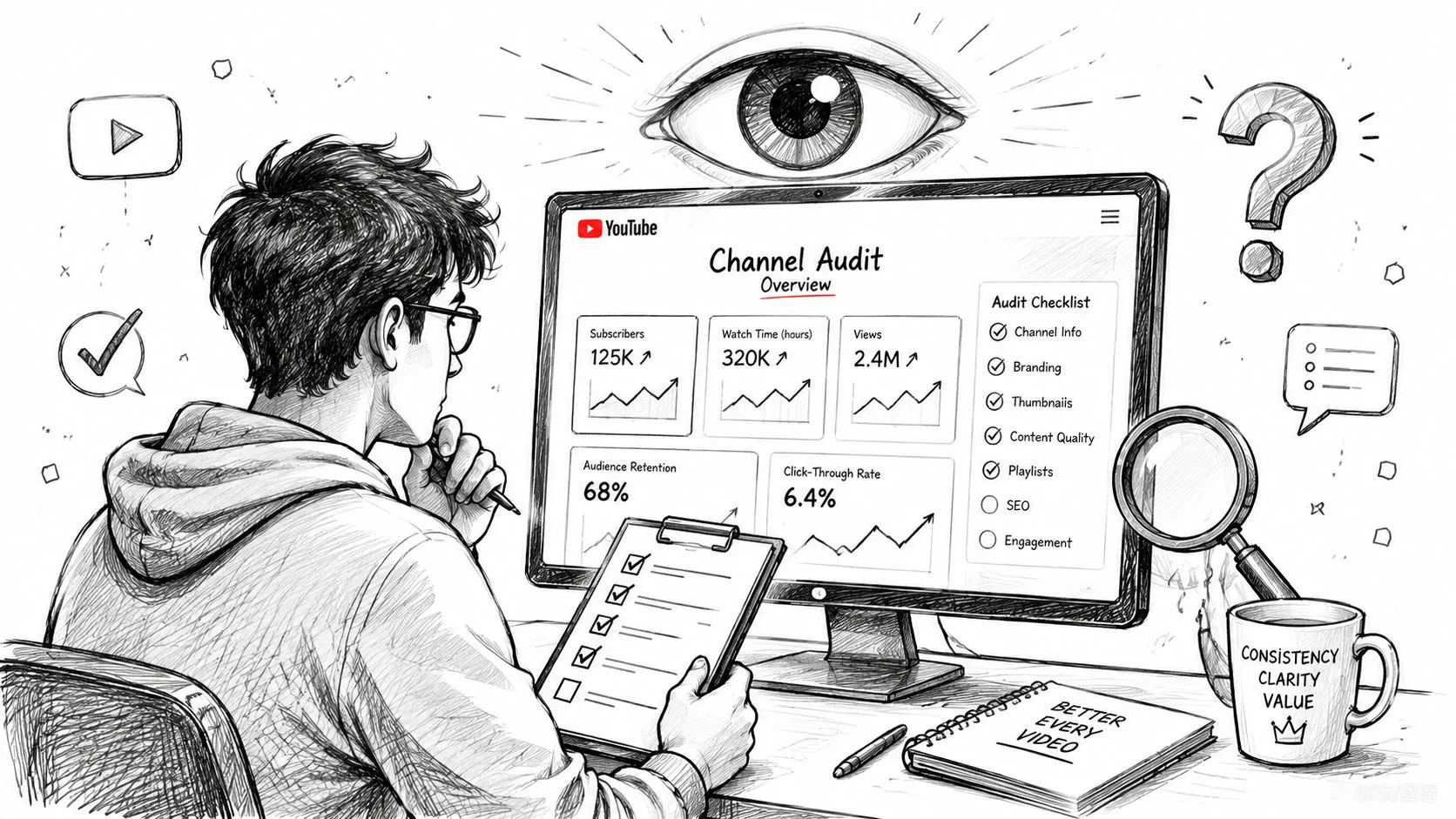
A human reviewer doesn’t limit the check to copyright. YouTube rejects applications when content lacks commentary, personality, or a unique perspective, when thumbnails, titles, and descriptions are identical across uploads, or when content is only minimally edited. Channels built around reused or low-effort formats, including generic AI voiceovers over stock visuals and unedited compilations, face higher rejection rates even without copyright violations.
What a reviewer notices first
Audit the channel homepage and most recent uploads first. That’s where the reviewer will often form an opinion quickly.
Watch for these red flags:
- Repetitive packaging: If every title follows the same template and every thumbnail looks cloned, the channel can feel automated rather than authored.
- Thin transformation: A reaction video without meaningful reaction, a compilation without analysis, or gameplay with no commentary doesn’t show much added value.
- Detached narration: AI-generated voiceovers over stock visuals can work for viewers, but they often raise questions during review if there’s no clear personality or expertise in the presentation.
- Metadata copy-paste: Identical descriptions across uploads signal low effort and poor channel management.
- Topic inconsistency: A channel that swings wildly between unrelated niches can look like a testing ground rather than a coherent media property.
If a reviewer muted your videos and looked only at thumbnails, titles, and channel layout, would they still believe a real creator is behind the work?
That question alone catches a surprising number of problems.
For creators testing videos privately before publishing, understanding private vs unlisted YouTube settings can help keep the channel workflow cleaner while you review what should stay public.
How to test for originality before you apply
Run a self-audit on your last batch of uploads and answer these accurately.
-
Can someone identify your perspective within the first part of the video?
Commentary should arrive early, not as a token layer added on top of borrowed footage. -
Would the video still exist without the source material?
If the answer is no, it’s probably too dependent on someone else’s work. -
Does the edit change the viewer’s understanding?
Originality isn’t just about different clips. It’s about interpretation, explanation, critique, or storytelling. -
Are your channel elements intentionally varied?
Similar branding is good. Duplicate packaging is not. -
Do your weakest uploads undercut your strongest ones?
Sometimes one batch of low-effort uploads poisons the review. Unlist or remove what clearly doesn’t represent the standard you want judged.
A strong monetization audit often means making uncomfortable cuts. Some videos bring views but hurt trust. When that happens, protect approval first. You can rebuild momentum more easily than you can rebuild reviewer confidence after a rejection.
Navigating the Application in YouTube Studio
Once your channel is clean, the actual application process is simple. The mistakes here are usually technical, not strategic.
The clean application path
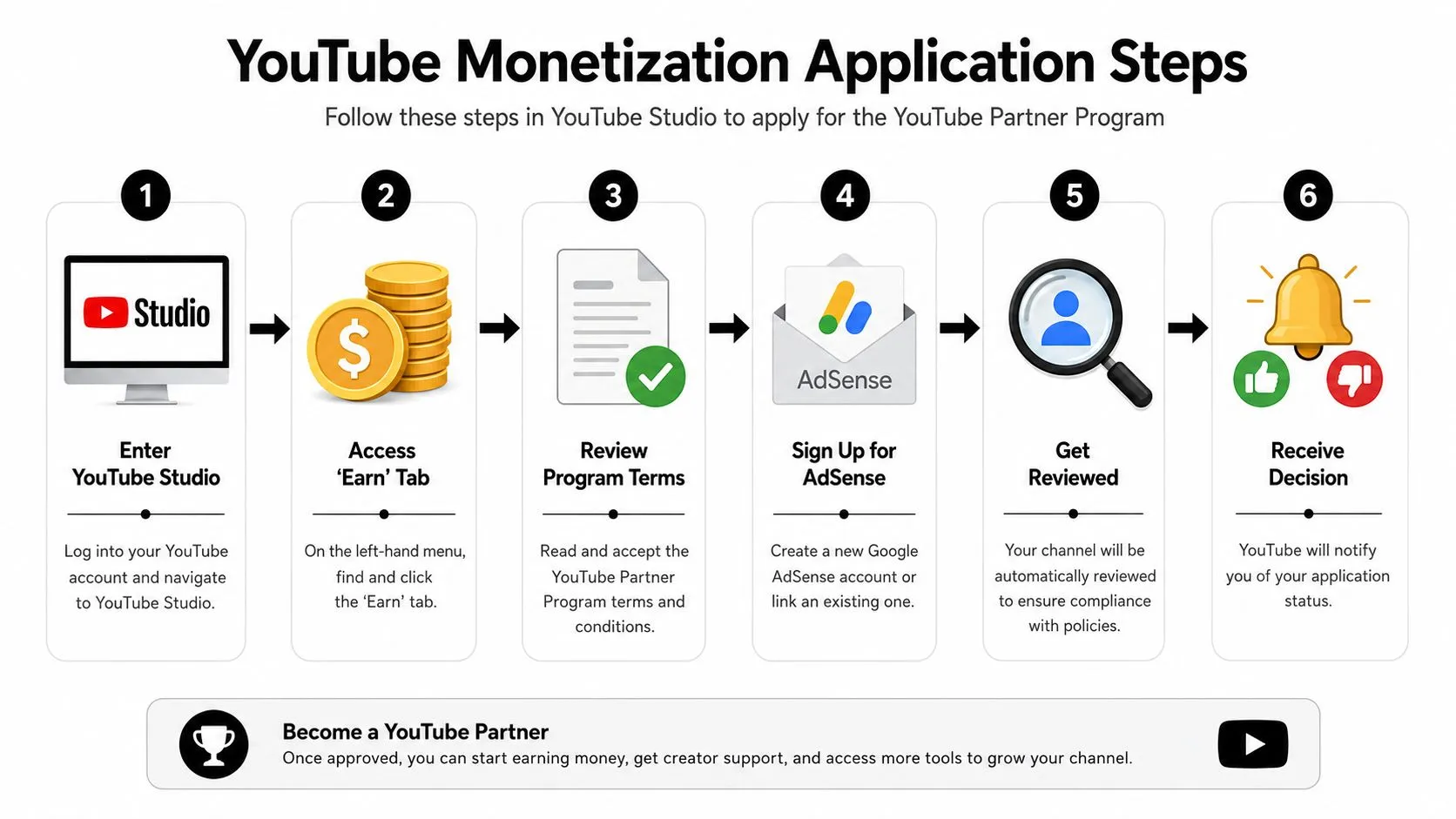
Open YouTube Studio and go to the Earn tab. If your channel is eligible, you’ll be able to begin the application flow.
The process is straightforward:
-
Accept the YouTube Partner Program terms
Read them carefully. Don’t rush through this step if multiple people touch the channel. -
Connect AdSense
You can link an existing account or create a new one. Accuracy matters here. Names and account details should match your real identity and business setup. -
Wait for review
Once the terms and AdSense steps are complete, the channel moves into review.
A very practical operational detail comes after approval. In the same YouTube video guide cited earlier, the first move after acceptance is to go into YouTube Studio and turn on monetization for all of your videos rather than leaving the back catalog unmonetized, as shown in this YouTube Studio monetization walkthrough.
Where creators get stuck
The most overlooked blocker is security. The same guide lists two-step verification on the linked Google account among the essential criteria to check off before you look at the numeric thresholds at all. It also explains that after approval your first goal is to earn at least $10, which triggers AdSense verification (including a mailed PIN to confirm your address) before you can reach the $100 payment threshold, according to the same YouTube monetization setup walkthrough.
That tells you what to check before you panic:
- Security first: Turn on two-step verification before you troubleshoot anything else.
- Use the right AdSense account: Don’t create duplicate accounts casually. Keep your setup clean.
- Match account details carefully: If names or identity details don’t line up, you can create avoidable payment problems later.
- Finish the setup fully: A half-connected AdSense account is one of the most common self-inflicted issues.
Clean applications move faster because reviewers and systems don’t have to untangle avoidable account problems.
If you’re trying to apply for monetization on YouTube and the interface doesn’t behave the way you expected, pause and verify the prerequisites before changing anything major on the channel.
When YouTube Says No Fixing Common Rejection Issues
A rejection email feels personal, but the fix usually isn’t emotional. It’s diagnostic.
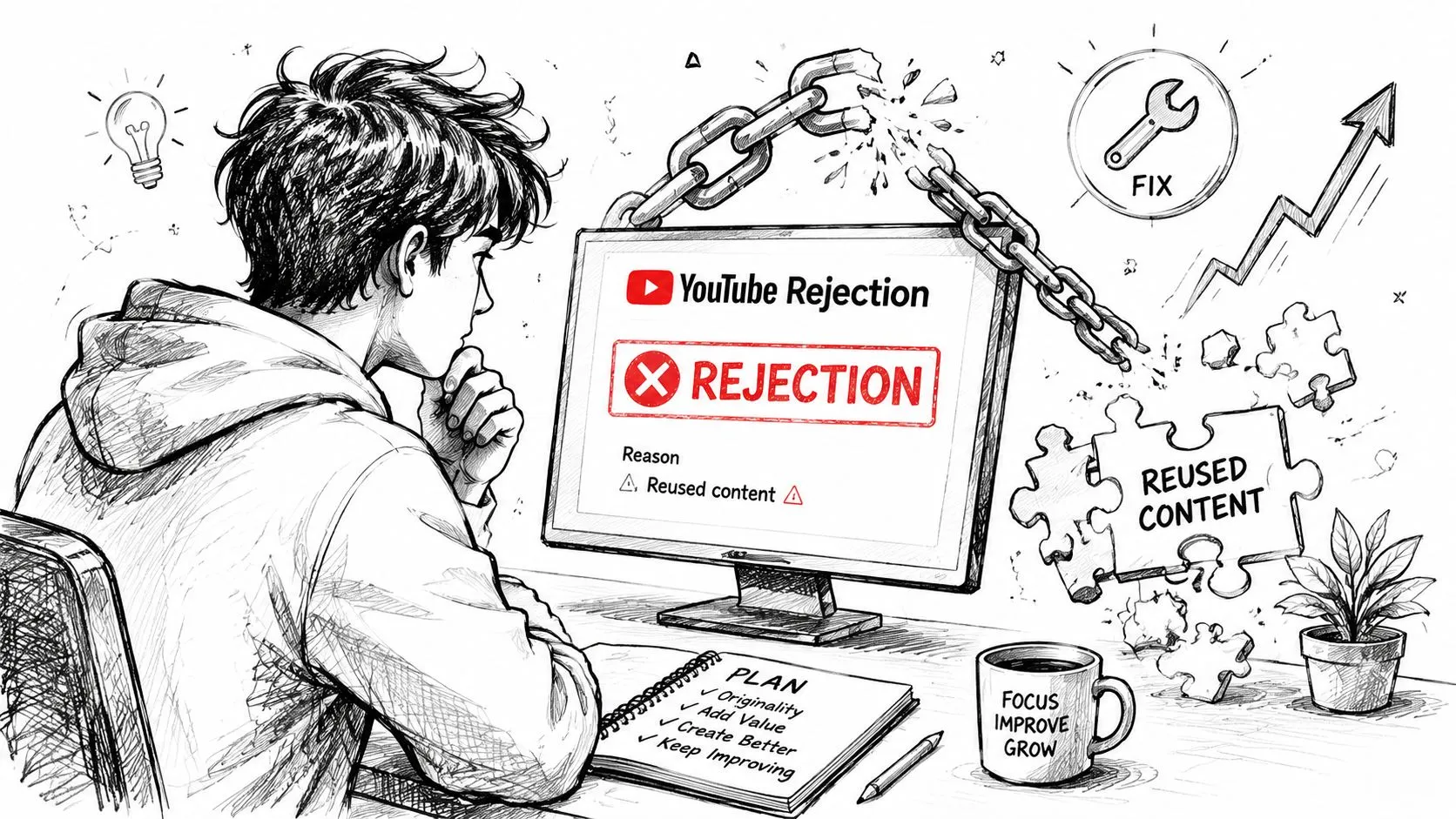
Rejection breakdowns consistently put reused content at the top of the list, alongside active Community Guidelines strikes and AdSense problems - a disabled or duplicate AdSense account can block approval on its own. On timelines, this walkthrough of the review and appeal process says the review can take up to a month but is often done within a few days, and if you’re rejected you can appeal within 21 days or wait 30 days to submit a fresh application. A second rejection means waiting 90 days before applying again.
The three rejection buckets that matter most
Reused content or copyright-related issues
This is the biggest category, and it often surprises creators who thought “fair use” language in the description would protect them. It won’t. If your channel depends on clips, compilations, reposted segments, or low-transformation formats, you need to rework the library before reapplying.
Typical fixes include:
- Remove obvious weak points: Unlist or delete uploads that rely too heavily on third-party footage.
- Add real transformation in future videos: Commentary, breakdowns, analysis, or on-screen expertise need to be central, not decorative.
- Repackage the channel: Weak metadata can reinforce the impression that the content is mass-produced.
Community Guidelines strikes
This one is more procedural. If an active strike is the issue, you can’t brute-force your way around it. The source above notes that the channel must wait 90 days for the strike to expire before reapplying.
What to do instead:
- Audit policy-sensitive content: Identify which formats created risk.
- Adjust your upload process: Tighten review standards before publishing.
- Use the downtime well: Build cleaner replacement content so the next review sees a stronger channel.
AdSense setup or identity mismatches
This category is frustrating because the channel itself may be fine. The problem sits in the account infrastructure.
Fixes usually involve:
- Correcting account details
- Verifying identity consistency
- Making sure the monetization setup is fully completed before the next application
A rejection is only vague on the surface. In practice, most channels can sort the cause into content, policy, or account setup.
What to do during the waiting period
Don’t spend the 30-day cooldown refreshing your inbox or opening a second channel to dodge the process. Use the time to make visible changes.
A good recovery sprint looks like this:
- Review your most recent public videos first
- Remove or unlist anything you wouldn’t want a reviewer to use as evidence against the channel
- Publish stronger replacement videos that show clear authorship
- Clean up titles, thumbnails, and descriptions across the channel
- Reapply only when the library tells a different story than it did before
Appeals can make sense if you believe the decision was wrong, but most creators are better served by improving the channel the reviewer saw.
You’re Approved Now Maximize Your Earnings
Approval is a milestone, not the finish line. A surprising number of creators get approved and then leave money sitting idle because they don’t finish setup inside the content library.
What to do immediately after approval
Start with the obvious operational move. Go into YouTube Studio, open Content, select your eligible videos, and turn monetization on in bulk. If you only enable ads one video at a time, your backlog won’t work for you.
Then review ad format settings carefully. Videos that qualify for mid-rolls should be checked, not ignored. If you have a back catalog of long-form videos, this one setting changes whether your older library contributes meaningfully or just sits there partially monetized.
After that, focus on the inputs that compound:
- Stronger thumbnails: Better packaging earns more clicks on content you already made.
- Consistent publishing: Revenue follows stable output better than sporadic bursts.
- Cleaner topic alignment: Advertisers and viewers both respond better when the channel is easy to understand.
- Back-catalog maintenance: Update weak thumbnails and titles on older videos with potential.
If you want to understand the revenue side more clearly, this guide on what RPM means on YouTube is a useful next read.
Monetization doesn’t reward channels for merely getting approved. It rewards channels that keep giving YouTube reasons to serve more impressions on more videos to more viewers.
If you want sharper thumbnails after monetization goes live, Thumbo AI helps creators generate cleaner, more clickable YouTube thumbnail concepts without slowing down production. It’s built for YouTubers who want stronger packaging, faster testing, and a more professional channel presentation.