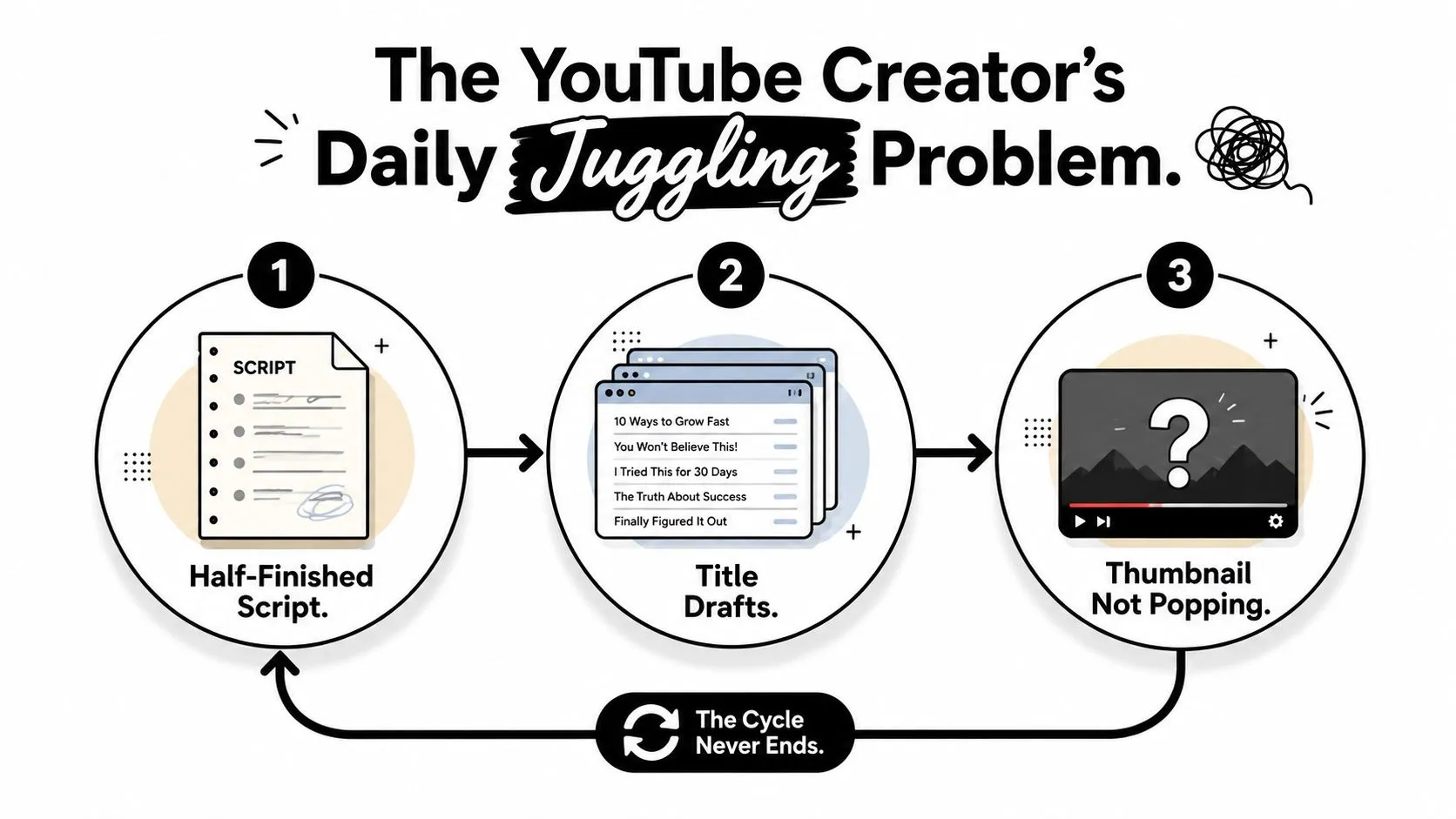
You’ve got a half-finished script open, a notes app full of title ideas, and a thumbnail that still looks like every other video in your niche. The problem usually isn’t a lack of creativity. It’s the constant switching between researcher, writer, strategist, editor, and designer.
That’s where ChatGPT for YouTube becomes useful, but only when you stop treating it like a one-click content machine. ChatGPT is strongest as a modular pre-production layer. It can expand ideas, challenge angles, structure scripts, generate packaging options, and brief a visual tool. It shouldn’t make every creative decision or produce the final asset without review.
The workflow below connects those modules into a repeatable pipeline. ChatGPT handles language and creative direction, while you keep control of judgment, audience understanding, and final quality. For the visual handoff, a tool such as Thumbo AI can turn a selected thumbnail concept into a usable YouTube visual rather than forcing ChatGPT to do a job it wasn’t designed to handle well.
Table of Contents
- The YouTube Creator’s Daily Juggling Problem
- Generating Video Ideas and Angles That Actually Fit Your Niche
- Writing Scripts and Hooks That Hold Attention
- Packaging Every Video for Search and Clicks
- Crafting Thumbnail Copy and Feeding Prompts Into Thumbo AI
- Auditing AI-Assisted Output Before You Publish
- Your Weekly ChatGPT Production Calendar and Automation Tips
The YouTube Creator’s Daily Juggling Problem
A typical publishing day starts with good intentions. You open a document to finish the script, notice that the title no longer matches the introduction, switch to thumbnail ideas, then return to the script because the thumbnail concept exposes a weak promise. By the time you’ve adjusted the description and chapter structure, the original creative energy has disappeared.
This cycle repeats because YouTube production contains several different decisions that influence one another. Ideation determines the promise. The script delivers the promise. Packaging communicates it. The thumbnail creates the first visual interpretation. If those pieces develop in isolation, each revision creates more work.
ChatGPT can connect the workflow, but it usually fails when creators give it a vague instruction such as “make me a YouTube video.” That prompt hides too many decisions. The model has to guess the audience, topic depth, tone, promise, competitive position, visual direction, and call to action. The result often sounds polished while saying very little.
Separate the jobs before you automate them
Use separate conversations or prompt templates for separate tasks:
- Idea development: Generate angles from a seed topic and audience problem.
- Script architecture: Turn the selected angle into a hook, open loop, sections, examples, and payoff.
- Packaging: Produce title, description, chapters, and search language that reflect the actual video.
- Thumbnail direction: Define the subject, emotion, contrast, composition, and short overlay text.
- Quality control: Challenge vague claims, repeated phrasing, weak promises, and mismatches between the title and video.
Practical rule: Let ChatGPT create options faster than you can create them manually, then make it earn the right to keep each option.
The point isn’t to remove the creator from the process. It’s to move the creator toward the decisions that matter most. A useful guide to how the YouTube algorithm works reinforces the same principle: viewer response depends on the relationship between the promise, the experience, and the satisfaction after the click.
You should hand off repetitive drafting. You shouldn’t hand off audience intuition, factual verification, personal experience, or the final decision about whether an idea feels worth publishing.
Generating Video Ideas and Angles That Actually Fit Your Niche
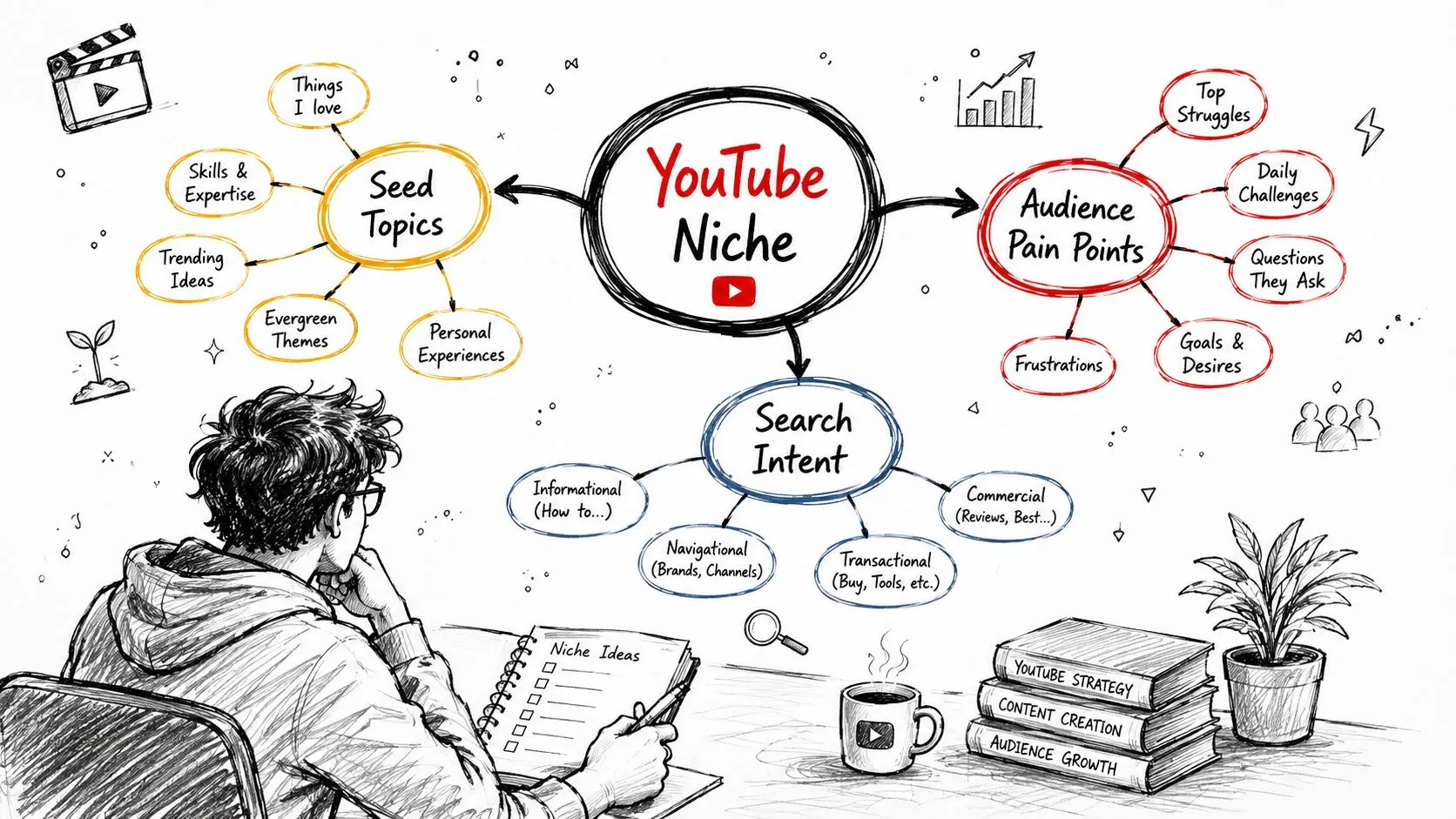
Most weak YouTube ideas aren’t completely irrelevant. They’re just too broad to create a compelling reason to watch. “Home office setup” is a topic. “The home office changes that stopped me from losing focus every afternoon” is an angle with a problem, audience, and implied outcome.
ChatGPT works well here when you ask it to expand one seed through different lenses instead of requesting an endless list of random ideas. Start with the audience and their situation, not just the keyword.
Build the idea pipeline in passes
Use a first prompt to establish the raw material:
I run a YouTube channel for [specific audience]. The channel covers [niche]. Generate a set of video angles from this seed topic: [topic]. Group them into audience pain points, beginner questions, advanced mistakes, comparisons, experiments, contrarian opinions, and practical checklists. Avoid generic advice. For each angle, include the viewer problem, the promised takeaway, and why the topic matters now to this audience.
Then run separate prompts for different sources of tension:
Take the seed topic [home office setup] and generate angles based on frustrations viewers already experience. Focus on wasted time, unnecessary purchases, poor ergonomics, distractions, and misleading advice. Make each angle specific enough to support a distinct thumbnail.
A single seed can produce several content lanes:
- Pain point: Why your home office still feels distracting after you’ve upgraded it.
- Comparison: A simple desk setup versus an expensive productivity setup.
- Mistake: Home office purchases that create more clutter.
- Experiment: What changes when you remove every nonessential item from the desk.
- Audience segment: A setup for people working in a small bedroom.
- Short-form remix: One desk adjustment that changes how the space feels on camera.
For broader exploration, ask ChatGPT for batches of ideas, then filter them yourself. The useful question isn’t “Can this become a video?” Almost anything can. Ask whether the idea has a distinct audience, a clear conflict, a visible result, and a thumbnail that can communicate the premise without a paragraph of text.
Apply a hard filter before choosing
Score each candidate qualitatively against four tests:
- Specificity: Does the idea describe a recognizable situation?
- Audience fit: Would your existing viewers care, or are you borrowing a trend that doesn’t belong on the channel?
- Demonstrability: Can you show evidence, a process, a comparison, or a real example?
- Packaging potential: Can the idea become a clear title and visual in a few words?
Tell ChatGPT to act as a critic after it generates the list:
Review these ideas as a skeptical YouTube editor. Remove angles that are interchangeable, vague, too dependent on unsupported claims, or difficult to communicate visually. Keep the strongest options and explain the trade-off for each.
A dedicated resource on how to generate video ideas can complement the prompt workflow. ChatGPT should widen the possibility space, not decide your calendar without context. Keep the final shortlist tied to what you can film, explain, and defend.
Writing Scripts and Hooks That Hold Attention
A script can be grammatically clean and still lose viewers immediately. The usual problem is delayed value. The creator begins with background, definitions, or an introduction to the channel before giving viewers a reason to continue.
Give ChatGPT the information it needs to write toward a specific viewing experience: the working title, thumbnail concept, target viewer, desired outcome, tone, evidence available, and the moment when the main payoff arrives. Without that context, it tends to produce generic openings and evenly paced sections.
Use a retention-first brief
Try a prompt like this:
Write a YouTube script for the following audience: [audience]. Working title: [title]. Thumbnail concept: [visual and overlay]. The viewer’s problem is [problem]. Open with a direct hook that creates tension immediately, then establish an open loop without exaggerating. Structure the body into [number] sections, with each section delivering a concrete takeaway. Use natural spoken language, varied sentence length, and no filler introduction. End with a CTA that matches a viewer who has just received the promised solution.
A strong hook doesn’t need manufactured drama. It can expose a contradiction, show a consequence, or make a precise promise. For example, a flat opening might say:
Today, we’re going to talk about home office setups and some ways to improve your workspace.
A sharper version could say:
Your desk may be making it harder to focus, even if it looks perfectly organized. The problem is often one item you keep within reach because it seems useful.
The second version gives the viewer a problem, creates curiosity, and points toward a specific explanation. It also gives the rest of the script a job: identify the item, explain why it causes friction, and show what to do instead.
Make every section pay rent
Ask ChatGPT to map each section to a viewer question:
- Hook: Why should I care now?
- Open loop: What unresolved question will keep me watching?
- Context: What does the viewer need to understand?
- Demonstration: What can I see, compare, or apply?
- Pattern interrupt: Where can the pace or format change?
- Payoff: What specific conclusion or action follows?
- CTA: What is the logical next step?
A useful revision prompt is:
Audit this script for retention problems. Mark sentences that repeat the previous point, delay the payoff, use abstract language, or sound unlike a real person speaking. Rewrite only the weak passages. Preserve the creator’s point of view and don’t add unsupported facts.
ChatGPT is also useful for generating alternatives, not for selecting the final voice. Ask for several hook styles, read them aloud, and keep the one that sounds like something you’d say. The YouTube script writing workflow works best when the thumbnail promise and opening line agree. If the thumbnail suggests a surprising mistake but the script opens with general background, the package creates interest that the video immediately wastes.
Packaging Every Video for Search and Clicks
Packaging begins before the upload screen. The title, description, chapters, and thumbnail should all express the same underlying idea, but they shouldn’t repeat the same words mechanically.
Feed ChatGPT the finished script and the chosen angle. Ask it to identify the primary topic, supporting questions, meaningful distinctions, and phrases a viewer might naturally use. Then request options with constraints. Constraints prevent the familiar output where every title uses the same emotional verbs and vague promise.
Generate metadata from the actual script
Use this prompt:
Analyze this YouTube script and identify the central viewer problem, the specific promise, the primary keyword phrase, supporting search phrases, and any claims that require verification. Generate title options that accurately reflect the script. Don’t use exaggerated clickbait, don’t promise a result the video doesn’t demonstrate, and avoid repeating the same structure.
For a complete package, add:
Create a YouTube description based only on this script. Include a concise opening summary, natural keyword language, chapter markers aligned with the actual sections, a short viewer action, and placeholders for relevant internal links. Then suggest tags that describe the topic without adding unrelated search terms.
Review every generated element against the edit. Chapters must match real transitions. Descriptions shouldn’t introduce promises that never appear in the video. Tags are not a substitute for a clear topic, and more metadata won’t repair a confusing title or weak thumbnail. If you want to see which tags a similar video uses, the free YouTube tag extractor shows and copies them.
Match the title formula to the video
| Title formula | Best for | ChatGPT prompt tweak |
|---|---|---|
| The mistake that causes [problem] | Troubleshooting and education | Focus on one identifiable mistake, not a list of minor errors |
| I tested [approach] so you don’t have to | Experiments and comparisons | State what was tested and what the viewer can learn |
| How to [outcome] without [common frustration] | Practical tutorials | Name a realistic obstacle rather than promising effortless success |
| [Number or set] ways to improve [specific situation] | Checklists and roundups | Make each item distinct and visible in the edit |
| Why [familiar advice] may not work for [audience] | Contrarian explanations | Require a fair explanation and avoid empty disagreement |
The title should create a reason to click, while the video must create a reason to stay. Ask ChatGPT to compare each title with the thumbnail concept:
For each title, describe what the thumbnail should communicate visually without repeating the title. Reject any pairing where the title and thumbnail make the same claim or where the viewer can’t understand the subject quickly.
This prevents packaging from becoming a collection of disconnected assets. A clear title can carry specificity. The thumbnail can carry emotion, contrast, or the visual proof of the promise. Your description can then provide context rather than trying to compensate for unclear positioning.
Crafting Thumbnail Copy and Feeding Prompts Into Thumbo AI
A thumbnail concept should give the editor a clear visual decision, not a pile of disconnected ideas. ChatGPT works well as a pre-production filter: it can propose directions, expose weak assumptions, and turn a selected idea into a usable brief. The final judgment still belongs to the creator.
Start with:
Generate thumbnail concepts for this YouTube video. Audience: [audience]. Title: [title]. Core promise: [promise]. Create several distinct directions. For each, include the main subject, facial or object expression, background treatment, contrast idea, overlay text limited to a few words, and the emotion the viewer should read first. Don’t use generic laptop imagery or repeat the title word for word.
Require meaningful variation between concepts. Ask for one face-led direction, one object-led direction, one before-and-after direction, one consequence-focused direction, and one minimal direction. This gives you different visual routes to compare instead of minor changes to the same composition.
A creator walkthrough of the same handoff structures the request the same way: high-performing thumbnails from the niche supplied as reference for layout, contrast, and emotion rather than to copy, the creator’s own photo as the main subject, an explicit “easy to read on mobile” constraint, and a batch of concepts to choose between instead of a single answer.
Reject any concept that depends on several objects, lengthy overlay copy, or an explanation before the viewer understands the image. A thumbnail has limited space, so one dominant subject and one readable idea usually outperform a crowded summary of the video.
Convert the concept into a visual brief
After choosing a direction, have ChatGPT convert it into a structured handoff:
Create a production brief for an AI YouTube thumbnail generator.
Video title: [title]
Main subject: [one person or object]
Action or pose: [specific action]
Emotion: [emotion]
Background: [simple setting]
Color mood: [high contrast, warm, cool, muted, or other direction]
Composition: [subject placement and empty space for text]
Overlay text: [short phrase]
Text treatment: [large, bold, high contrast, easy to read on mobile]
Avoid: clutter, tiny objects, duplicate subjects, generic stock-photo styling, and visual details that compete with the focal point.
This brief moves cleanly into Thumbo AI, which turns a typed video idea and a style choice into ready-to-publish thumbnail variants at YouTube’s 16:9 shape. If you are adapting artwork you already have, the free thumbnail resizer crops it to the current size spec in the browser. ChatGPT supplies the creative direction, while the visual tool produces options to review. Keep that hand-off loop deliberate: generate, inspect, revise the brief, and generate again when the output misses the intended subject or emotion.
Judge the image before you polish it
Shrink each candidate until it resembles its size in a crowded feed. If the subject disappears, the overlay reads like a sentence, or the emotional message becomes unclear, revise the concept instead of adding decoration.
Check whether the image adds information beyond the video’s wording. The title can establish the topic, while the thumbnail can show a consequence, reaction, contrast, or visual proof. Avoid asking one asset to carry every benefit. That usually creates visual noise, even when the design looks attractive at full size.
Auditing AI-Assisted Output Before You Publish
AI-assisted content fails. The script may sound professional while lacking a point of view. The title may be technically relevant but interchangeable with dozens of other videos. The thumbnail may be clean, colorful, and impossible to understand at a glance.
Speed is exactly why the gate matters. The same pipeline that produces a strong draft in two minutes produces a hollow one just as fast, and nothing in the output signals which one you’re looking at. Treat every generated asset as a draft that still has to earn its place.
Run the three-minute editorial test
- Check titles for specificity: Can a viewer tell who the video helps and what tension it addresses?
- Verify script voice consistency: Would the same person say every section aloud, or do some passages sound like generic advice?
- Review thumbnail click-worthiness: Is the focal subject clear, is the overlay short, and does the image add information beyond the title?
- Compare promise and delivery: Remove any claim the edit doesn’t support.
- Inspect repetition: Cut repeated hooks, conclusions, adjectives, and sentence structures.
- Verify factual details: Ask ChatGPT to flag claims, but verify important details independently before publication.
Override rule: Trust AI with expansion and organization. Override it whenever it chooses a vague promise, unsupported certainty, or a visual that looks interchangeable.
After publishing, review the signals available in YouTube Studio, including impressions, click-through behavior, audience retention, comments, and points where viewers leave. Don’t treat one result as a universal verdict. A packaging problem calls for a title or thumbnail revision. A retention problem usually requires a stronger opening, tighter structure, or a more honest match between the promise and the delivery.
Your Weekly ChatGPT Production Calendar and Automation Tips
A practical weekly rhythm keeps the modules separate:
- Monday: Generate and filter ideas.
- Tuesday: Build the selected script and revise the hook.
- Wednesday: Create titles, descriptions, chapters, and search language.
- Thursday: Develop thumbnail concepts and prepare the visual brief.
- Friday: Film while the script and package are still fresh.
- Weekend: Edit, create short-form adaptations, and complete a final human audit before uploading.
Save prompt templates for each module, keep a channel voice document with approved phrases and banned habits, and use a Custom GPT or equivalent workspace only after you’ve supplied enough channel context. Automation can move text between stages, but it shouldn’t publish without review.
Frequently asked questions
- How do I keep voice consistent? Give ChatGPT examples of your actual writing, define your tone in concrete terms, and revise one section at a time.
- How do I reduce hallucinations? Instruct it to separate known information from assumptions, then verify factual claims independently.
- How do I protect channel branding? Maintain rules for colors, recurring visual motifs, wording, audience promise, and thumbnail composition.
- How do I adapt videos into Shorts? Ask ChatGPT to identify self-contained moments with a clear setup and payoff, rather than cutting random sections from the long video.
Pin that checklist beside your upload workflow. The goal of ChatGPT for YouTube isn’t maximum automation. It’s a faster path from a valid idea to a coherent video package that still sounds, looks, and feels like your channel.
Thumbo AI turns a selected video idea and visual brief into ready-to-publish YouTube thumbnail variants, and the free resizer on the same site crops artwork you already have to the current spec. Visit Thumbo AI to add a focused visual handoff to your ChatGPT production pipeline.