You can spend an entire afternoon writing a YouTube script that looks clean in Google Docs, then watch the video fall apart the moment you read it aloud. The opening feels slow. The middle sounds like an essay. The CTA lands before the viewer has any reason to care. That’s usually the point where creators realize how to write a YouTube video script is less about drafting paragraphs and more about controlling attention in seconds.
Table of Contents
- Why Most YouTube Scripts Lose Viewers Before the Good Part
- The Retention-First Script Structure
- A Six-Stage Script Workflow That Actually Finishes
- Adapting the Script for Tutorials, Reviews, and Vlogs
- Writing Hooks That Stop the Scroll
- Weaving SEO and CTAs Into the Script
- Common Script Mistakes and a Final Pre-Record Checklist
Why Most YouTube Scripts Lose Viewers Before the Good Part
A script usually fails at the start. The idea can be solid, but the first line sounds like warm-up, and the rest of the page keeps the same flat pace.
A lot of creators write for the page first and the ear second. That works for blog posts. It breaks down when viewers decide, almost instantly, whether the video deserves their time. A useful script grabs attention in the first 5 to 10 seconds, teases the payoff, then moves into a story before it asks the viewer for anything (LinkedIn reference). The first 30 seconds are what decide whether the viewer stays at all, so nothing in that window can read like warm-up.
A script that reads well but drags when spoken is already losing.
Pacing is the other place scripts fall apart. A standard YouTube script is often timed around 130 to 150 spoken words per minute, so vague setup, repeated phrasing, and buried points waste the viewer’s attention fast (OutlierKit guide). Once the script is built around spoken words per minute, every paragraph has to justify its spot on the page.
That is why the best scripts do not sound like essays. They sound like a person moving the viewer from one beat to the next, with the promise stated early and the body split into clean modules. If the thumbnail, title, and opening beat are working together, the script has to support that momentum from the first sentence. For a broader view of how attention starts before the script even does, see this guide on getting more YouTube views.
The Retention-First Script Structure
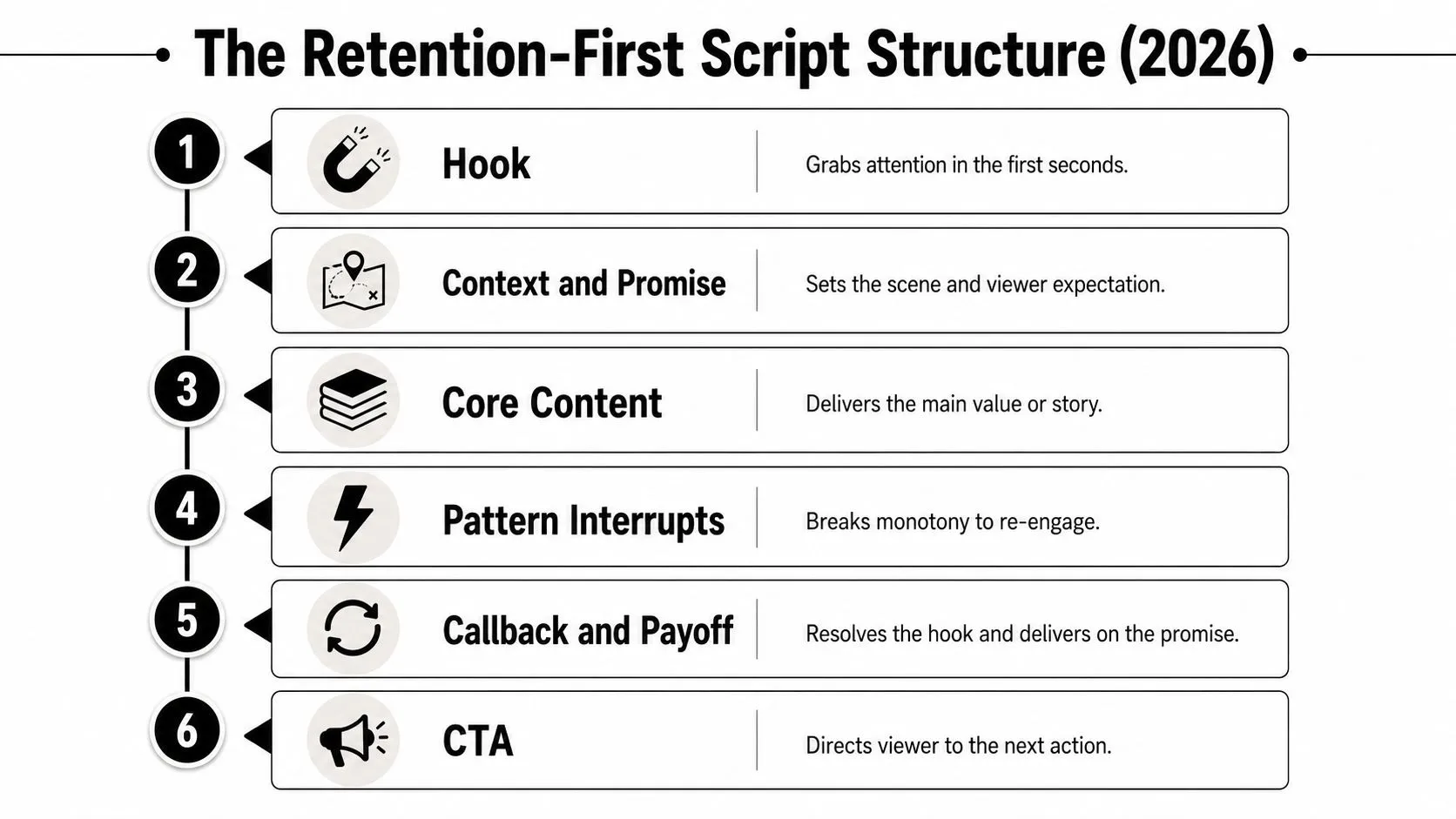
A strong script usually follows a clean backbone, not a loose stream of thoughts. The shape is Hook → Context and Promise → Core Content → Pattern Interrupts → Callback and Payoff → CTA, and it works because each beat hands the viewer a new reason to keep going.
Hook and context
The hook belongs first, and it belongs fast. In practice, that means opening with the problem, outcome, or tension the viewer already cares about, then giving just enough context to make the promise believable. Current creator guidance keeps stressing that the first few seconds matter most, because viewers decide very quickly whether to stay (Distribution.ai).
The context line should not become a second intro. It should answer one question only, why should this video be watched now? If you can’t say that in one tight sentence, the outline probably isn’t ready yet.
Core content and interrupts
The body should usually revolve around 3 to 5 key points, not eight half-formed ones. That range keeps the video readable in production and helps the viewer track the argument without feeling buried (Distribution.ai). Some script frameworks also recommend a pattern interrupt every 90 seconds, which is another way of saying the body can’t stay visually or rhythmically flat (OutlierKit guide).
Put differently, the script needs texture. A visual cutaway, a question, a contrast, a mini-reveal, any of those can reset attention without derailing the point.
Practical rule: if a section can be removed without changing the viewer’s understanding, it probably shouldn’t be in the script.
Callback and CTA
The callback is where earlier setup pays off. It’s the moment the opening promise stops being a tease and becomes a completed idea. That’s also the right place for the CTA, because the viewer has now received value and is far more likely to respond to a next step.
A useful planning habit is to write the CTA while drafting the outline, not after the edit. That keeps the ending aligned with the promise instead of sounding like a separate ad read.
A Six-Stage Script Workflow That Actually Finishes
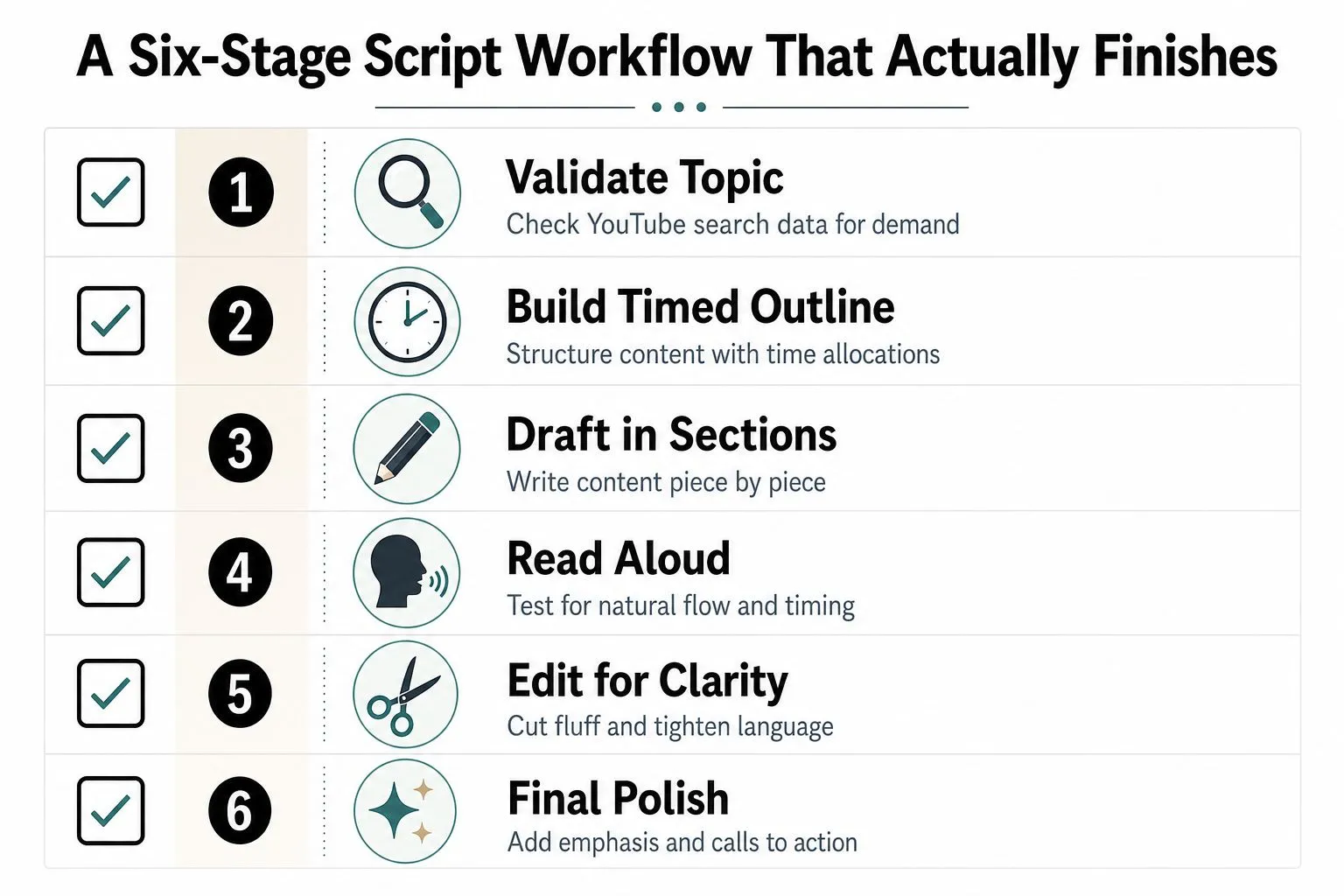
A lot of rewriting happens because creators start with a full draft too early. A better workflow separates topic quality from delivery quality, so you’re not polishing a weak idea or rewriting a bloated one.
Topic validation and timed outlining
The first stage is validation. Check whether the topic has real search demand on YouTube before you spend time scripting it. That doesn’t mean chasing trends blindly, it means confirming that the idea matches what viewers are already looking for.
Then build a timed outline. Decide where the hook ends, where each main beat lands, and where the pacing should change. If the outline has no timing, the script will almost always drift.
Draft, read aloud, and annotate
Draft in conversational language, not polished prose. Short spoken phrases are easier to deliver, easier to cut, and easier to replace when a better line appears later. The wording should sound like something a person would say on camera.
The read-aloud pass is where most bad lines reveal themselves. Silent proofreading misses awkward rhythm, clunky transitions, and sentences that look fine but feel dead in the mouth.
Read it like performance copy, not like literature.
After that, add visual and B-roll notes right in the script. If a sentence needs a cutaway, a screen recording, or a graphic to stay interesting, mark it before filming starts. The final step is hook stress-testing and timing checks, because a line that feels strong in isolation can still land flat when it opens the video.
This workflow comes from a simple production truth. When each stage has a distinct job, you stop treating the script like a single blob of text and start treating it like a sequence of decisions that can be checked, fixed, and shipped.
Adapting the Script for Tutorials, Reviews, and Vlogs
The backbone stays the same, but the shape changes by format. A tutorial, a review, and a vlog all need different openings, different pacing, and different closing asks, even if they all follow the same retention logic.
| Script Format Differences by Video Type | Hook Source | Body Structure | Typical Word Count | Best CTA |
|---|---|---|---|---|
| Tutorial | The finished result or promised outcome | Step-by-step sequence with clear transitions | Depends on runtime, but should stay tightly scoped | Ask viewers to try the method or watch the related tutorial |
| Review | The verdict, use case, or comparison point | Benefit, drawback, alternatives, and recommendation | Usually shorter than a sprawling explainer if the verdict is clear early | Ask viewers to comment their use case or watch a comparison |
| Vlog | A goal, conflict, or emotional question | Story beats, reaction moments, and scene changes | Flexible, but should avoid padded narration | Ask viewers to follow the next part of the journey |
Tutorials work best when the opening shows the payoff first. That keeps the viewer oriented around the result instead of the process. The body then becomes a sequence of visible steps, which makes it easier to script and easier to edit.
Reviews need a faster verdict than most creators are comfortable with. Viewers usually want to know who the product is for, who should skip it, and what trade-off matters most. The body can still be detailed, but it shouldn’t hide the conclusion until the final minute.
Vlogs live or die on momentum. They need story beats, not just updates, and the best ones still use intentional interruptions so the viewer doesn’t feel trapped inside one long scene.
If you’re choosing between formats, match the structure to the viewer’s expectation first. For more topic planning before you ever draft a script, this video idea guide is a useful companion.
Writing Hooks That Stop the Scroll
A hook is a promise made under pressure. In the first few seconds, it has to tell the viewer what they’ll get, why the video matters now, and why staying is worth the time.
The job is pacing. A strong opening has to fit the seconds you have, the words you can say cleanly, and the retention pattern you want the viewer to follow.
Three hook types that actually work
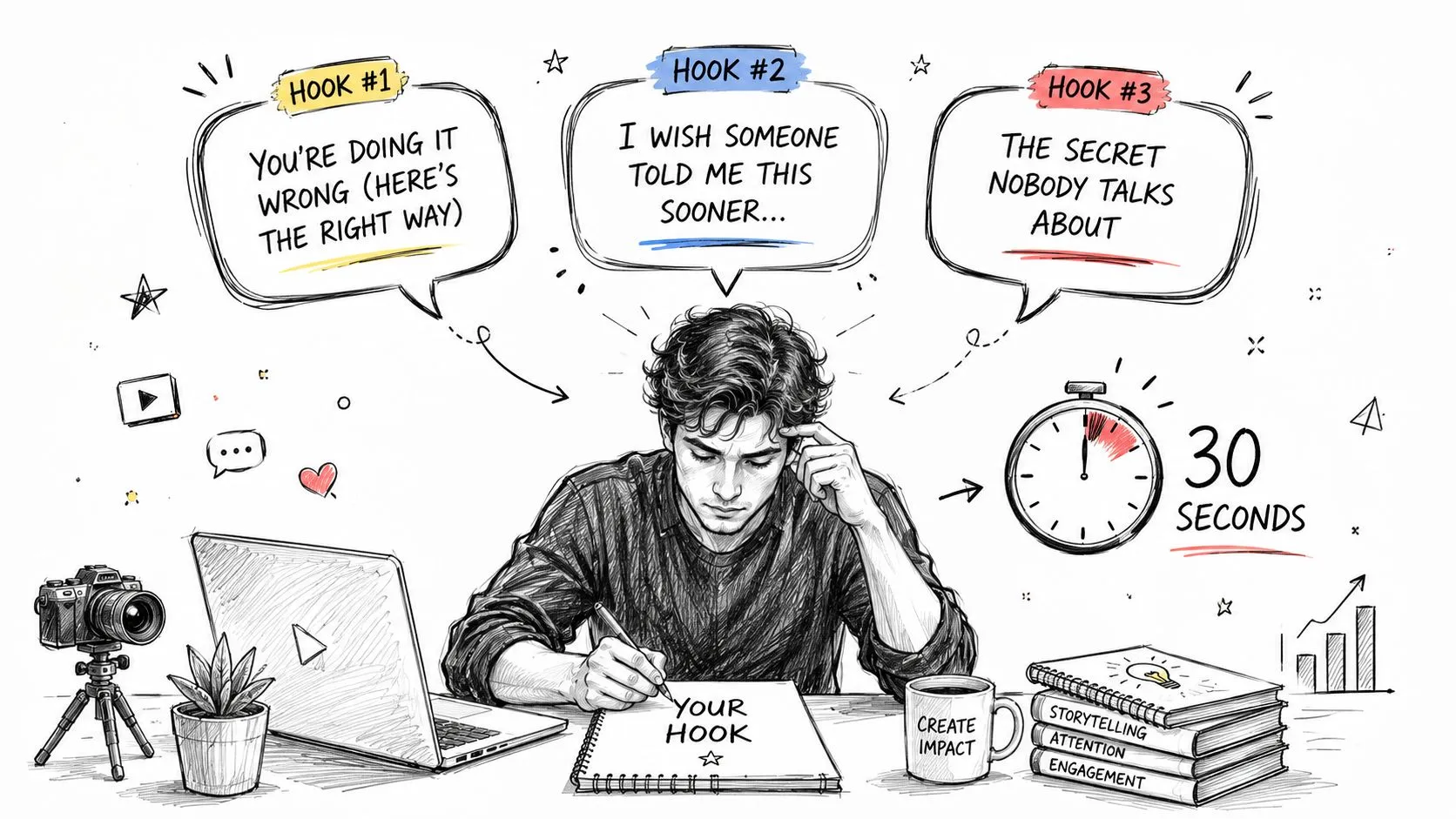
The most useful hook types are the information-gap, the hot-take, and the show-and-teach hook. The information-gap hook opens a loop, the hot-take hook challenges what the viewer expects, and the show-and-teach hook proves the payoff before the explanation starts. A practical way to choose between them is to start from the title, then work backward from the viewer’s three questions, which lines up with the kind of planning shown in YouTube hook strategy.
That order matters. If the title gets chosen after the script, the opening often turns broad and forgettable because it is trying to serve too many goals at once.
Hook choice also affects the rest of the script. If the opening is a promise of speed, the body cannot wander into slow setup. If the hook is a bold claim, the next lines have to earn it fast or the viewer checks out.
How to draft and test the opening
Write 3 to 5 hook variations before settling on one. That may feel like extra work, but it is usually faster than fixing a weak intro after the edit exposes the problem. Read each variation aloud at normal speaking speed and listen for the one that feels tight, clear, and natural without sounding flat.
Weak hooks usually summarize. Strong hooks create a reason to stay.
- Weak: “Today I’m going to talk about how to write scripts for YouTube.”
- Stronger: “Your script may look fine on paper, but it can still lose viewers in the first 30 seconds.”
- Weak: “In this video, I’ll share some tips for better retention.”
- Stronger: “One line in your intro can decide whether viewers stay or leave.”
The read-aloud test matters because a script lives or dies in speech, not on the page. If a hook takes too long to say, it burns the viewer’s attention before the body even starts. If it sounds clever but not clear, it slows the video down instead of pulling people forward.
Pattern interrupts belong in the body too, not just the intro. A useful reset can come from a shift in visual rhythm, a change in tone, or a question that forces the viewer to re-engage. That kind of pacing discipline also shows up in other parts of the video, including the visual framing choices tied to graphic design fundamentals, because the first frame, the on-screen text, and the spoken hook all have to point in the same direction.
If you want the hook to hold attention, write for the ear first. Then test it out loud until it sounds like a real person making a clear promise.
Weaving SEO and CTAs Into the Script
SEO and CTAs work best when they’re built into the script, not pasted on afterward. That starts with the title and hook matching the same promise, then using keyword variations naturally through the body so the language stays consistent with the topic the viewer clicked.
The primary phrase should appear early, especially in the hook and first stretch of the video, but it has to sound natural. If it feels stuffed in, the script probably needs a better sentence, not more keyword repetition. The body can repeat related phrases in a conversational way, which helps keep the language aligned with the title without turning the script into a checklist.
CTA placement matters more than most creators admit. A hard subscribe ask too early can feel disconnected, because the viewer hasn’t received enough value yet. A softer nudge in the middle can work if it’s tied to a useful next step, but the stronger ask usually belongs near the end, after the callback has delivered the payoff.
A CTA works best when it feels like the next logical move, not a detour.
The best closing asks are specific. “Subscribe for more” is generic. “Watch the next tutorial on scripting intros” or “Comment the niche you’re scripting for” gives the viewer a clear action and a clear reason.
The important trade-off is simple. If you optimize only for the click, the video can feel disconnected. If you optimize only for the script, the channel can lose its next-step structure. The script has to serve both the watch experience and the navigation experience.
Common Script Mistakes and a Final Pre-Record Checklist
The biggest script mistakes are usually boring ones, which is why they keep happening. People write too much, wait too long for the point, and place the CTA before the viewer has any emotional reason to care.
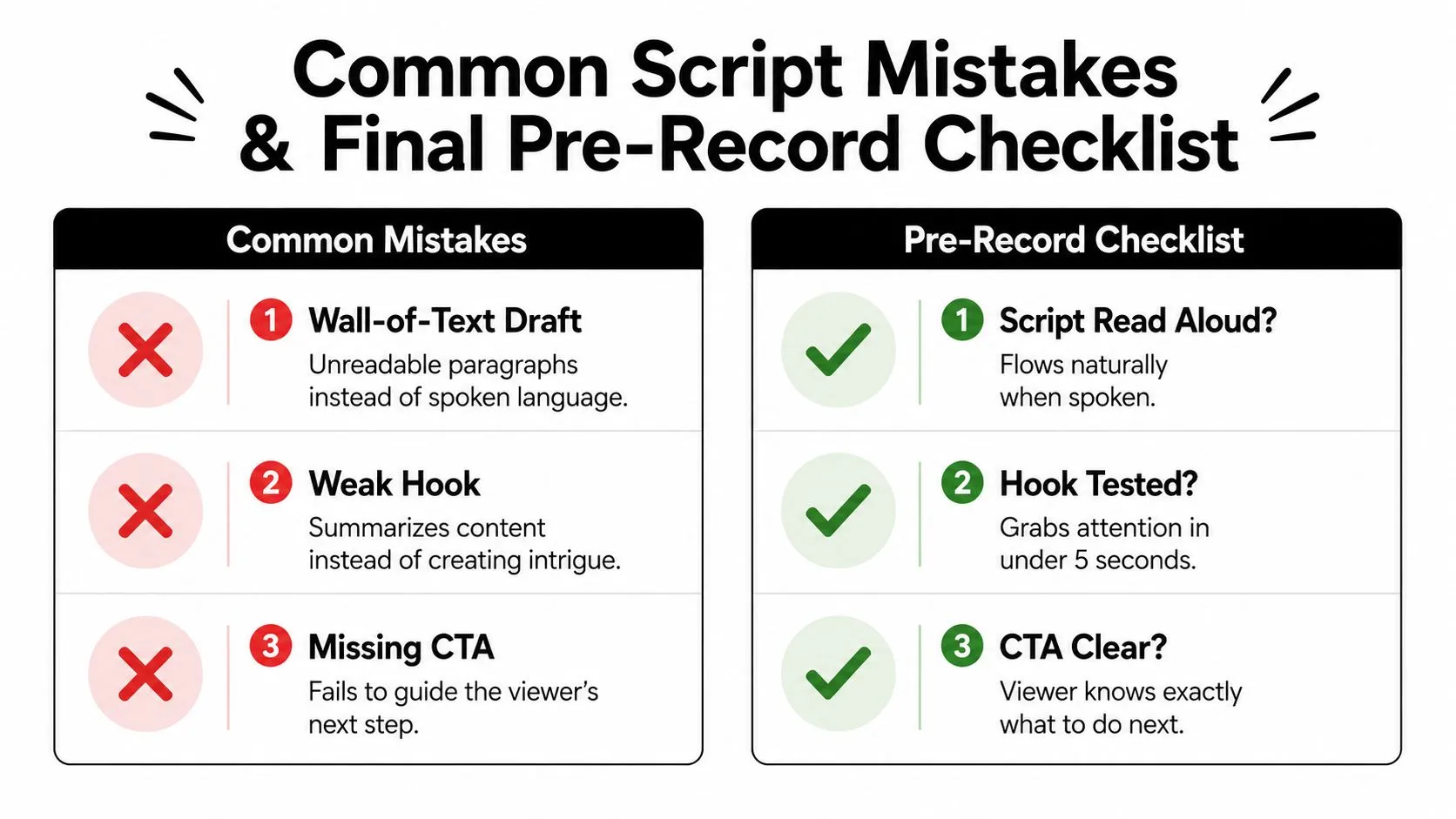
Three mistakes to cut immediately
- Wall-of-text draft: Break it into spoken phrases and mark where the visual changes.
- Weak hook: Replace the summary with a promise, contradiction, or unanswered question.
- Missing CTA: Tie the ask to the payoff and place it after the callback.
The read-aloud pass is the fastest fix for all three. It exposes stiffness, shows where timing drags, and makes it obvious when the viewer would get bored halfway through a paragraph.
Final pre-record check
- Script read aloud: If a line sounds unnatural, cut or rewrite it.
- Hook tested: The opening should earn attention immediately.
- CTA clear: The viewer should know exactly what to do next.
The cleanest scripts are the ones that pass this check before anyone hits record. They’re tight, conversational, and timed with intent. They don’t try to sound like a finished article, they try to sound like a video people choose to keep watching.
If you want a faster way to turn an idea into a script-ready thumbnail and title workflow, visit Thumbo AI. It’s built for creators who need visuals that match the promise of the video, which makes the script feel tighter before filming even starts. Use it when you want your packaging and pacing to pull in the same direction.