YouTube reached a foundational milestone in February 2017, when it said viewers worldwide were watching 1 billion hours of content every day. YouTube’s announcement established the scale of the platform, but the more useful question for creators is where those hours are being consumed now. Connected TV has become a major viewing surface, changing how thumbnails, titles, video structure, and channel design must work.
Creators who optimize only for a fast mobile click can miss the opportunity in longer, lean-back sessions. YouTube hours watched still depend on attracting the right viewer, but the packaging that earns attention on a phone isn’t always the packaging that earns a living-room session.
Table of Contents
- What YouTube Hours Watched Actually Means
- How YouTube Calculates Watch Time
- Why Watch Hours Matter for Monetization and Growth
- Finding and Reading Watch Time Data in YouTube Studio
- The Connected TV Shift Changing Watch Hour Strategy
- Proven Tactics to Increase Your Watch Hours
- Common Misconceptions About YouTube Watch Hours
What YouTube Hours Watched Actually Means
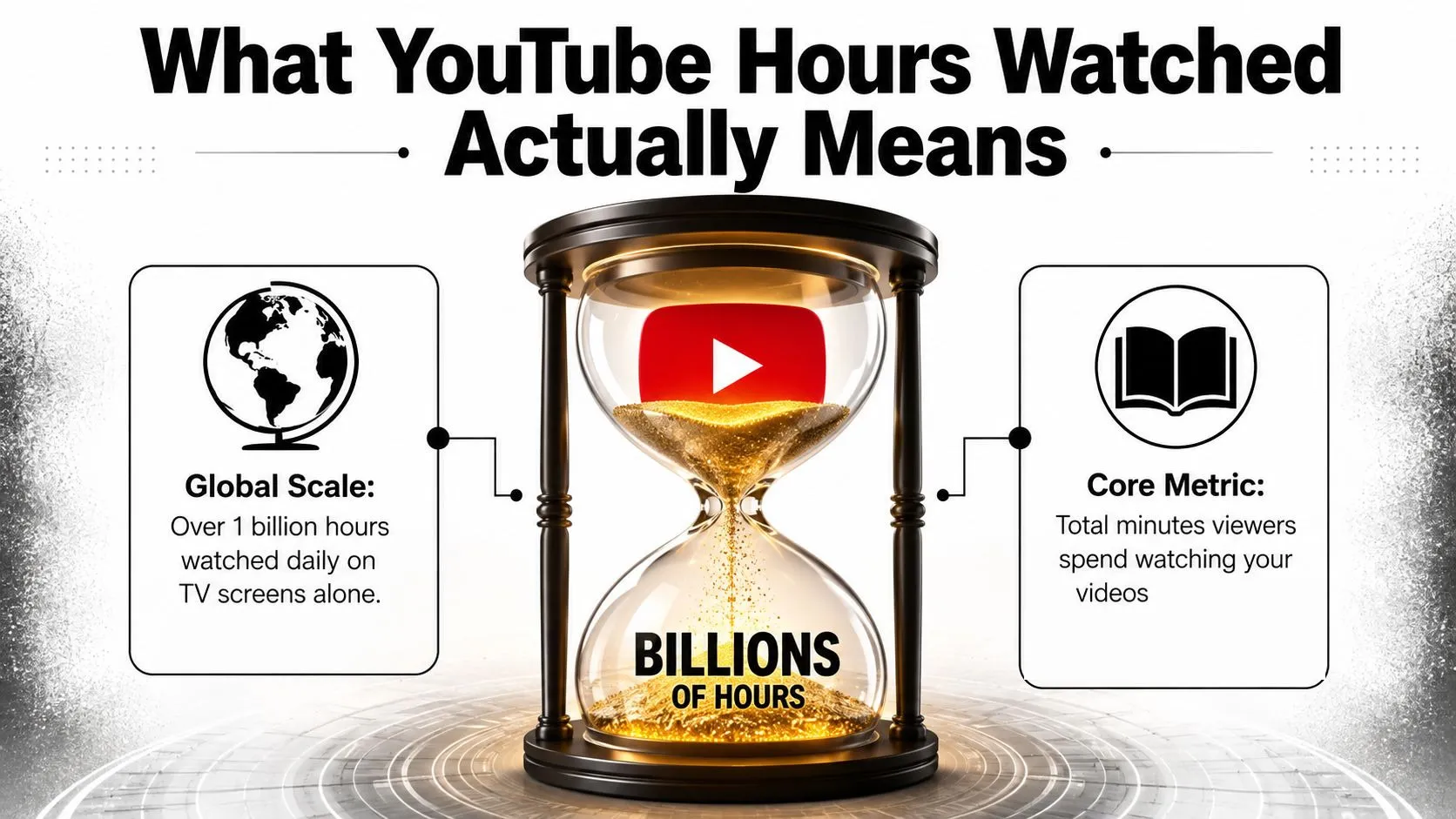
YouTube hours watched is the total time viewers spend watching videos. At channel level, YouTube records the minutes accumulated across your content and reports them as hours. A viewer watching ten minutes contributes ten minutes, while several viewers watching the same video contribute their viewing time separately.
At platform scale, the number is enormous. Viewers collectively watch an estimated 2.43 billion hours of YouTube video every day, and average individual use now sits at roughly 51.6 minutes per day, up from 48.7 minutes in 2024, which works out to about 25.8 hours a month. Recent YouTube time-spent estimates show why the platform remains one of the largest pools of attention in digital media.
Watch time is more useful than views alone
Views tell you that a video started. Watch hours tell you whether viewers stayed long enough for the video to create meaningful consumption. A video with a large view count but weak retention may generate less total viewing than a smaller video that holds its audience consistently.
That distinction matters because YouTube’s business depends on helping viewers continue watching. Recommendations, suggested videos, playlists, and connected-TV playback all work better when the viewer finds another relevant video instead of leaving after one click.
Practitioner’s rule: Treat views as an entry metric and watch hours as a depth metric. You need both, but depth is what turns a click into a viewing session.
For an individual channel, watch hours help answer practical questions. Which topics hold attention? Which formats encourage viewers to continue? Does a longer upload create more total viewing, or does it just create more opportunities for people to leave?
A channel can increase hours by gaining more viewers, keeping each viewer longer, or guiding viewers from one video to another. The strongest channels usually combine all three rather than chasing raw impressions alone.
How YouTube Calculates Watch Time
YouTube watch time starts with valid viewer activity on eligible content. In practical terms, the platform adds the minutes viewers spend watching your videos, then divides the total by 60 to express the result in hours. The calculation is simple, but eligibility rules determine which minutes are useful for specific goals such as monetization.
What usually contributes
Public long-form videos and public livestream replays are the core sources of watch time for most creators. Public premieres can also contribute because viewers watch the scheduled event and the resulting public video.
Embedded playback can contribute to a channel’s general watch-time data when the video remains public and viewers watch it on an external website. The important distinction is that a public video can travel beyond YouTube’s own homepage without automatically becoming invalid.
A viewer rewatching content can contribute genuine viewing time, but creators shouldn’t treat repeated self-viewing as a growth tactic. YouTube evaluates traffic quality and can remove activity that appears artificial, repetitive, or designed to manipulate metrics.
What can be excluded
Private, unlisted, or deleted videos don’t provide the same public eligibility value as public content. Shorts viewing also belongs to a separate monetization pathway rather than being interchangeable with long-form public watch hours.
Artificial traffic is another dead end. Purchased views, bot activity, rapid refreshes, and coordinated inflation attempts can be filtered out, and they don’t create the audience signals that support recommendations. Even when a dashboard temporarily shows activity, low-quality traffic rarely produces sustained retention, comments, returning viewers, or downstream viewing.
The safest workflow is straightforward:
- Keep qualifying videos public: Check visibility before and after livestreams.
- Review traffic quality: Look for unusual sources, sharp spikes, or viewing patterns that don’t match your audience.
- Use legitimate distribution: Share videos through relevant communities, websites, email lists, and social channels.
- Measure real behavior: Compare watch hours with average view duration and retention rather than celebrating a view spike alone.
Why Watch Hours Matter for Monetization and Growth
Watch hours serve two different purposes, and creators often confuse them. First, they can form part of YouTube Partner Program eligibility. Second, they help you evaluate whether your videos are creating the kind of sustained viewing that supports discovery.
For the standard long-form eligibility route, YouTube creators generally work toward 4,000 valid public watch hours in the past 12 months alongside 1,000 subscribers. Thumbo AI explains how those public watch hours fit into the broader YouTube Partner Program requirements. The rolling window matters. Hours don’t remain permanently available for this threshold, so a channel must continue generating qualifying viewing rather than relying on an old spike.
Monetization is a checkpoint, not a business model
Reaching an eligibility threshold doesn’t guarantee stable income. It confirms that a channel has met a platform requirement, but revenue still depends on audience geography, content suitability, advertiser demand, viewer behavior, and the formats a creator publishes.
Watch hours also don’t replace subscribers. A channel can attract substantial viewing from one searchable tutorial without building a repeat audience, while another can have an active community that watches consistently but grows more slowly toward a particular threshold.
Why retention affects reach
YouTube recommendations need evidence that a video satisfies viewers after the click. Average view duration, audience retention, returning viewers, and continued platform activity give you a more complete picture than views alone.
Consider two videos on the same subject. One attracts a burst of clicks and loses most viewers quickly. The other attracts fewer initial clicks but keeps viewers engaged and leads them to another relevant upload. The second video may be more valuable to the channel because it creates deeper consumption and a stronger viewing session.
That doesn’t mean creators should stretch every video. Padding harms retention. The useful target is the length that allows the idea to be delivered clearly, with enough development to satisfy the viewer and no empty introduction, repeated summary, or unnecessary detour.
Finding and Reading Watch Time Data in YouTube Studio
YouTube Studio gives you several ways to inspect watch time, but each view answers a different question. The Overview tab is useful for a quick health check. Detailed Analytics reports help you diagnose why hours rose or fell.
Start by opening YouTube Studio, then select Analytics from the left-hand menu. In the Overview report, review watch time alongside views, subscribers, and the selected date range. Avoid reading the headline number without checking the period, because a short spike can look like a durable trend when the range is too narrow.
A practical review sequence
Use this order when analyzing a channel:
- Set the date range: Compare a meaningful period with an earlier period of similar length.
- Open the Content or Engagement reports: Identify which videos generated the most watch time.
- Check average view duration: This shows how much viewing each play produced.
- Inspect audience retention: Look for early exits, abrupt mid-video drops, and sections that hold attention.
- Break down traffic sources: Search, Browse features, Suggested videos, external sources, and playlists indicate different discovery mechanics.
- Compare formats: Long-form videos, livestreams, and Shorts should be evaluated according to their separate roles.
A video with high watch hours may have a large reach. Another with fewer total hours may have stronger retention and greater potential if YouTube expands its distribution. You need both absolute and relative measures before deciding what to make next.
Use the data to choose the next upload
Suppose one tutorial earns strong average view duration from Search while another earns more total hours through Browse features. The first may be a reliable evergreen asset. The second may have stronger packaging and broader appeal. Your next experiment could combine the first video’s clear problem-solving structure with the second video’s title and thumbnail approach.
For recommendation mechanics and viewer behavior, use this practical guide to how the YouTube algorithm works. The important habit is to study patterns across several uploads, not to redesign your channel after one unusual result.
The Connected TV Shift Changing Watch Hour Strategy
YouTube now reaches far beyond phone screens. In 2024 the platform crossed 1 billion hours a day delivered to television sets, which works out to roughly 365 billion hours a year on connected TV. Industry reporting on YouTube’s television scale shows why the living room deserves its own packaging strategy, and why executives describe creators as prioritizing work that holds up on a big screen.
That is a different viewing context, not merely a larger mobile feed, and it changes what a thumbnail has to accomplish.
A TV viewer scans differently
Phone viewers can inspect a thumbnail closely, read small text, and swipe quickly through a dense feed. Television viewers may see the same design from across the room, surrounded by competing recommendations. Tiny labels, complicated collages, and low-contrast text lose their usefulness at that distance.
Build thumbnails around one dominant subject, clear separation between foreground and background, and text that remains legible from a distance. The title must carry more of the explanation because the thumbnail may register only during a brief glance.
Packaging also needs to communicate a satisfying viewing promise. A calm documentary, gaming livestream, and fast tutorial can require different visual treatment because each serves a different session intent. Mobile click-through remains useful, but it should not be the only packaging test for channels seeking television watch hours.
Watch hours can shift without identical competition
Rising total watch time does not mean every creator is competing for the same mobile click. Connected-TV viewing can produce longer, lean-back sessions in which viewers browse broadly, follow recommendations, and let related videos continue.
That setting rewards channels with coherent libraries. One strong video may introduce a viewer, while related uploads, playlists, and end screens determine whether the channel captures more of that session.
On Alphabet’s Q1 2026 earnings call, CEO Sundar Pichai said U.S. viewers now watch more than 200 million hours of YouTube in the living room every day. Coverage of that disclosure reinforces the practical point: packaging must work on a television screen as well as in a mobile feed.
Proven Tactics to Increase Your Watch Hours
Increasing watch hours isn’t about making every upload longer. It’s about matching the format to the viewer’s intent, then removing the points where attention leaks.
Build a viewing path, not isolated uploads
Start with a clear relationship between videos. A beginner tutorial should lead naturally to an intermediate application, while a product review can lead to a setup guide or comparison. Use playlists to group related videos, not to create oversized collections with no viewing sequence.
End screens work best when they offer one obvious next step. Mention that next video before the end screen appears, then leave enough visual space for the recommendation to be noticed. A viewer who already understands the connection is more likely to continue than someone presented with a generic subscribe request.
Match runtime to retention
Use your retention curve to decide whether a video needs more development or less padding. If viewers leave during a long introduction, move the result or central question forward. If they drop during repeated explanations, tighten the edit and replace repetition with an example.
Livestreams and gaming are especially relevant to watch-hour strategy. YouTube Gaming reached 8.8 billion hours watched in 2025, up 12% year over year, according to TubeFilter’s coverage. That doesn’t mean every channel should start streaming, but it does show why live formats can capture viewing differently from short, feed-driven content.
Package for the largest screen
Use strong contrast, a single visual idea, and restrained thumbnail text. Test whether the concept remains understandable when the image is reduced in your workspace, because that approximates the quick recognition problem viewers face in crowded recommendations.
Thumbo AI can help creators generate and refine YouTube thumbnail concepts, but the tool won’t fix a weak promise. Use it to explore compositions, then judge each option against the video’s actual payoff and the context in which viewers will encounter it. More practical guidance is available in this guide to getting more views on YouTube videos.
Strengthen the first minute
Open with the problem, result, conflict, or question that justified the click. Skip a long logo sequence and avoid spending the opening on information the viewer already knows from the title.
For a series, make the first minute answer two questions quickly: why this episode matters and what remains unresolved. That structure helps a viewer commit to the current video while creating a reason to continue to the next one.
Common Misconceptions About YouTube Watch Hours
The biggest misunderstanding is that every minute visible in Analytics automatically helps every YouTube goal. General watch time, valid public watch hours for monetization, Shorts viewing, and livestream activity can behave differently, so creators must check the relevant eligibility view rather than relying on one headline metric.
Buying watch hours won’t build a channel. Artificial viewing can be removed, and it doesn’t produce the retention or returning-viewer behavior that supports long-term recommendations. It also gives you misleading data, making it harder to identify which topics and packages real viewers want.
A longer video isn’t automatically a better video. Length only helps when viewers stay. A concise tutorial that resolves the problem cleanly can outperform a padded upload because it creates stronger satisfaction per impression and gives viewers a better reason to watch another related video.
Shorts aren’t a substitute for long-form watch hours. Shorts can introduce people to a channel and help creators test ideas, but their viewing activity shouldn’t be treated as identical to public long-form watch time for the standard monetization route.
Monetization eligibility isn’t the finish line. It gives a channel access to a new stage of the YouTube business, but sustainable results still require useful content, reliable packaging, audience trust, and careful analytics interpretation.
The useful question isn’t “How do I get more hours?” It’s “Which viewer promise creates the longest satisfying session?”
That question changes the work. Instead of chasing inflated views, you improve the opening, remove dead sections, design thumbnails for both phone and TV, and connect each upload to a relevant next step. The result is a healthier watch-hour strategy because every additional minute comes from a viewer who chose to keep watching.
Thumbo AI generates and refines YouTube thumbnail concepts from a typed video idea, so you can build packaging that stays readable in a mobile feed and from across a living room. Visit Thumbo AI to explore its thumbnail maker and apply a more deliberate visual strategy to your next upload.