You’ve finally crossed the line. The subscriber counter is sitting where you wanted it, the watch-hour or Shorts view target looks real, and the Earn tab is no longer something you ignore on the left side of Studio. That’s the moment most creators start celebrating, but the better move is to treat the YouTube Partner Program application like a compliance audit, because that’s how YouTube treats it.
The difference matters. By March 2024, YouTube said its Partner Program had more than 3 million creators worldwide and that it had paid out $70 billion to creators, artists, and media companies over the previous three years, with more than 25% of creator partners monetizing through Shorts (TechCrunch coverage of YouTube’s March 2024 update). That scale explains why the application isn’t a casual form. It’s a gate into a large, tightly controlled monetization system.
Table of Contents
- Where You Stand Before You Apply
- The Two Eligibility Tiers and What Each Requires
- Preparing Your Channel Before You Hit Submit
- Submitting the Application in YouTube Studio
- Why Applications Get Rejected and How to Fix Each Cause
- Timeline, Follow-Up, and What to Do While You Wait
- Practical Tips That Improve Your Approval Odds
Where You Stand Before You Apply
The first time the Earn tab stops looking greyed out, it is easy to assume the hard part is done. In practice, that change only means the channel has reached the doorway, not that a reviewer is ready to approve it. The YouTube Partner Program application is a review of the channel you have built, not just a count of subscribers.
Two gates, not one
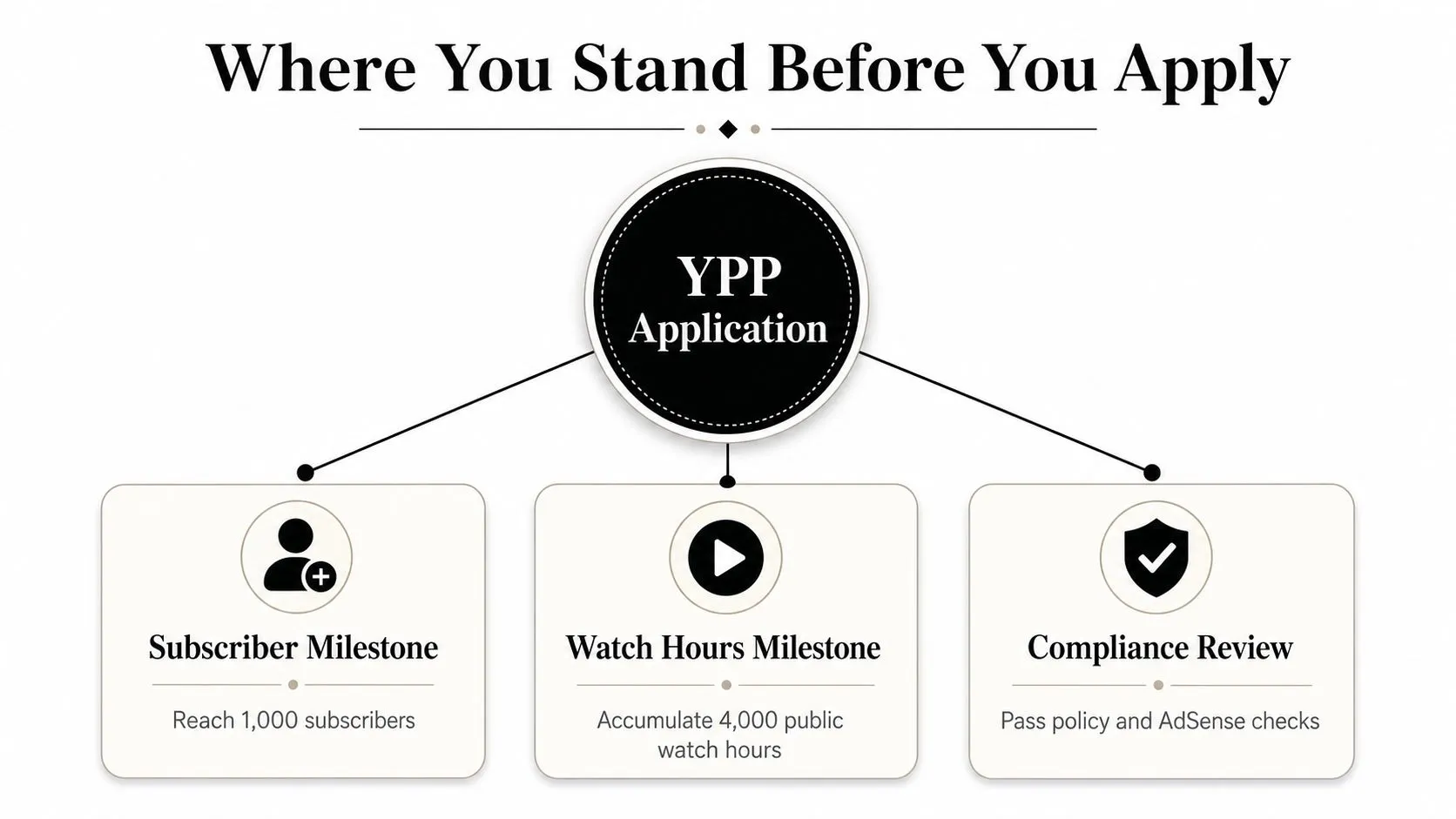
YouTube now runs a two-track system. The familiar path is long-form, where the full ad-revenue tier requires 1,000 subscribers and either 4,000 valid public watch hours in the previous 12 months or 10 million valid Shorts views in the previous 90 days. The reason that matters is simple, Shorts channels no longer sit outside the monetization path. They have a second route in.
The official creator pages also show a lower tier for fan-funding features, which starts at 500 subscribers, 3 public uploads in the last 90 days, and either 3,000 watch hours in 12 months or 3 million Shorts views in 90 days (YouTube’s creator earn page). That tier does not carry the same revenue stack as full ad monetization, but it does show how YouTube has widened access without opening the program to every channel.
Practical rule: treat the numbers as the opening checkpoint. The channel still has to pass policy, originality, and account checks before it earns anything.
If you are still comparing where your channel stands against the basic earning paths, this subscriber and monetization guide is a useful companion, but the review starts after the threshold is met. The reviewer is looking for a channel that feels authentic, stable, and consistent.
What the reviewer is actually checking
The point worth internalizing is this, the reviewer is not trying to admire growth, they are trying to rule out risk. That means the channel’s public face, its upload history, and its compliance state all matter. A channel with the right numbers can still fail if it looks stitched together from borrowed clips or thin edits.
Before you click Apply, split the channel into two buckets. One bucket is numeric eligibility, the part you can track in Studio. The other is review readiness, the part many creators overlook because it does not show up as a progress bar. That second bucket is where most approvals are won or lost.
The Two Eligibility Tiers and What Each Requires
The two tiers are a ladder, not a choice between lanes. YouTube’s creator earn page frames the 500-subscriber tier as the point where you apply to become a YouTube Partner, and the 1,000-subscriber tier as where you unlock more earning features, so a channel that clears both enters the program with the wider set of tools rather than picking one route over the other. What changes between the tiers is the activity history each one asks for.
YouTube’s creator earn page lays out the two entry paths clearly. The full ad-revenue tier starts at 1,000 subscribers and requires either 4,000 valid public watch hours in the previous 12 months or 10 million valid Shorts views in the previous 90 days. The earlier fan-funding tier starts at 500 subscribers, 3 public uploads in the last 90 days, and either 3,000 watch hours in 12 months or 3 million Shorts views in 90 days (YouTube’s creator earn page).
YPP Eligibility Tiers at a Glance
| Requirement | Fan-Funding Tier | Full Ad Revenue Tier |
|---|---|---|
| Subscribers | 500 | 1,000 |
| Public uploads in last 90 days | 3 | Not listed as a separate threshold |
| Watch hours | 3,000 in 12 months | 4,000 in 12 months |
| Shorts views | 3 million in 90 days | 10 million in 90 days |
| Main access unlocked | Fan-funding features | Ad revenue and wider monetization |
The timing matters as much as the totals. Watch hours are measured across a rolling 12-month period, while Shorts views are measured across a rolling 90-day period. That creates real trade-offs. A channel can be performing well with Shorts right now and still have too little long-form history, or it can have steady watch time without enough recent Shorts momentum, and that changes which threshold is the realistic path.
The count only matters if it reflects valid, public activity. Private uploads, hidden clips, and artificial views do not strengthen the application.
It is worth separating eligibility from readiness. Hitting one threshold does not cancel out the rest of the review, and a channel can still get stuck on strikes, account issues, or region checks. If you are still building the subscriber side, the practical side of gaining YouTube subscribers matters, but the application itself is still a compliance review, not a celebration of growth. The numbers get you to the review queue, then the channel has to survive the audit.
Preparing Your Channel Before You Hit Submit
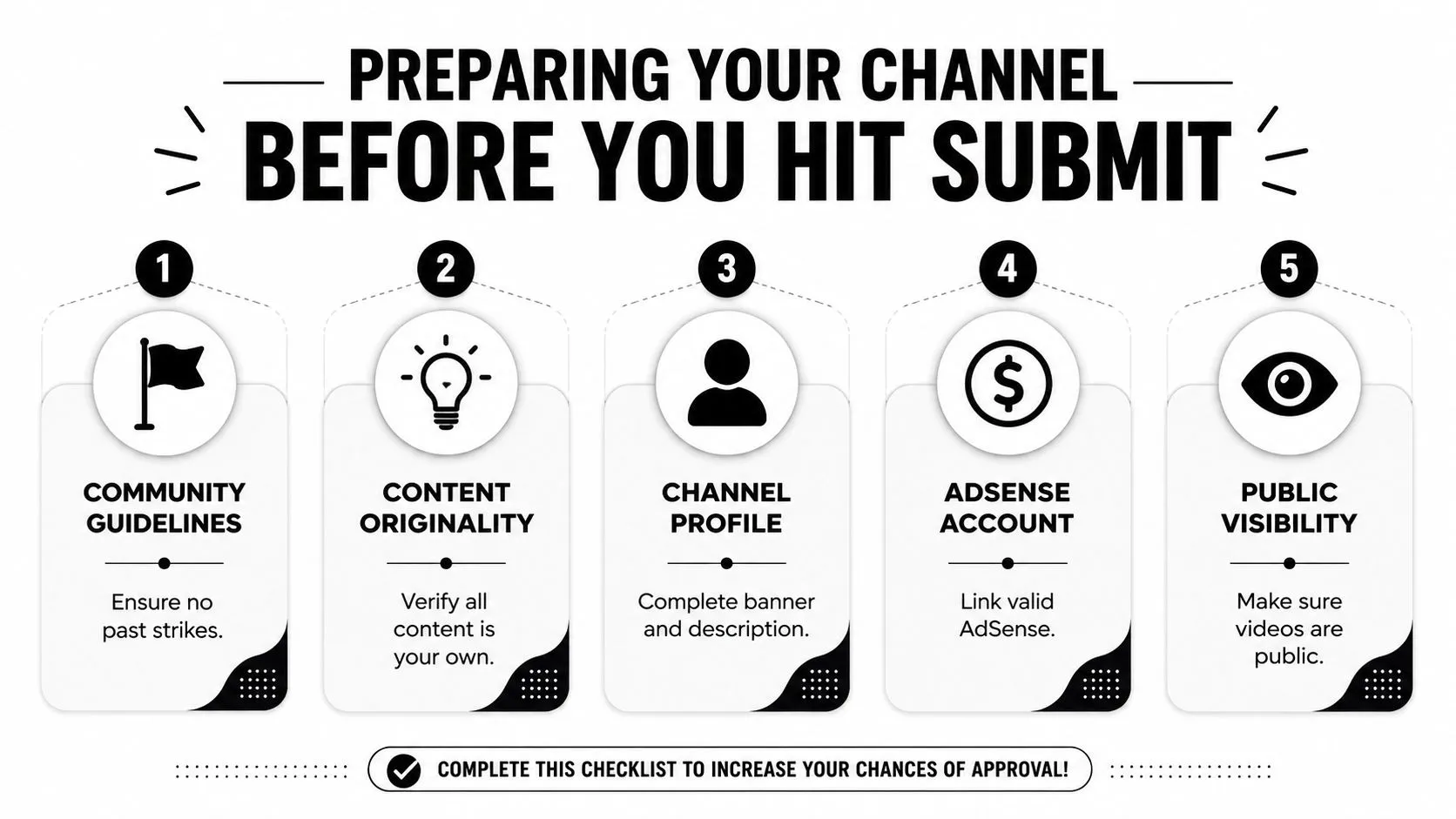
Most failed applications do not come down to one missing subscriber. They come down to a channel that looks unsafe to monetize. YouTube is explicit about what the review does: meeting the threshold does not get a channel in automatically, and reviewers assess the channel as a whole against the YouTube Channel Monetization Policies (YouTube’s creator earn page). That is why reused content, thin or unoriginal uploads, and Community Guidelines problems are where the review pressure sits before you click apply, not the subscriber count.
Audit originality first
Start with the uploads that raise the most questions. Reused clips, compilations with thin editing, and videos that rely too heavily on other people’s footage are the first things to remove or rebuild. If your channel depends on reaction or commentary, the transformation needs to be obvious, not implied.
A clean About section helps too. It does not need marketing fluff, it needs identity. Write what the channel covers, who it serves, and what kind of uploads people should expect. Reviewers look at the channel as a whole, so a consistent banner, matching thumbnails, and honest metadata all help the channel read like a real publication rather than a content dump.
Clean up the account side
YouTube says applicants must have no active Community Guidelines strikes, must live in an eligible country or region, must have two-step verification turned on, must have advanced features access on YouTube, and must have or create an AdSense for YouTube account, which can only be created from inside Studio. Advanced features access is the one creators forget, because it is granted separately from the monetization thresholds and nothing on the Earn tab reminds you about it. Strikes are also less final than they look, since a channel can apply once an active strike expires or once it has been successfully appealed. Those checks sound basic, but they are common reasons a channel that looks eligible on the surface gets delayed.
For creators who are still trying to grow into the program, this subscriber growth guide can help with the growth side, but the application itself is more about clearing risk than chasing one more metric. If you have uploads that feel borderline, fix those before you apply. Reapplying after a rejection with the same library usually gives the reviewer the same answer twice.
Useful habit: if a video would not survive a manual review by someone who does not know your niche, do not assume it will help your application.
Submitting the Application in YouTube Studio
The application itself is short. The main friction sits in the account checks around it, not in the button click. Review timing can run for about a month, so the channel needs to be clean before you start the process.
The exact Studio path
Open YouTube Studio, go to Earn in the left sidebar, then click Apply now. From there, accept the Base Terms and either link an existing AdSense for YouTube account or set one up inside the flow. That sequence is the part many walkthroughs compress, and skipping the end of it is expensive: YouTube does not put a channel in the review queue until every sign-up step is complete, which currently means signing the contract and associating an AdSense for YouTube account. A half-finished application sits still rather than waiting in line.
A common snag is a mismatched account setup. If AdSense is already tied to a different channel, the application can slow down while you sort out the connection. Country mismatch causes the same kind of delay, especially when the Studio profile and AdSense profile do not line up cleanly enough for review.
What happens after you submit
Once you submit, you should see In progress on the Be reviewed step in the Earn section of Studio, which is YouTube’s confirmation that the application actually landed. That status is checkable at any time, so there is no need to guess. Keep publishing if the content is ready. A silent channel does not look healthier while the application sits in queue, and new uploads can still show that the channel is active and consistent.
The Base Terms are not a draft to revisit later. Treat the form as the point where the application state gets locked in, because that is how the review system reads it.
If the flow asks for tax or payout details, AdSense handles those separately from the YPP checklist. Creators waste time here because they assume they are still inside one YouTube-only form, then realize the payout setup is a different step.
Why Applications Get Rejected and How to Fix Each Cause
Rejections usually cluster into three buckets, and each one needs a different fix. If you don’t sort the bucket correctly, you’ll keep repairing the wrong thing and the result won’t change. The public checklist is only part of the story.
Originality problems
This is the biggest bucket. Channels built on reused clips, compilation pages, auto-generated videos, or reaction uploads with little transformation are the most exposed. If the library is the issue, metadata tweaks won’t save it. The channel needs real editorial work, either by removing weak uploads or replacing them with content that clearly carries original value.
Policy and compliance problems
The second bucket is about what the channel says and shows. Active strikes, clickbait titles, misleading thumbnails, and uploads that drift into policy trouble can block approval even when the numbers are fine. The fix is usually boring but effective, remove the offending material, stop using aggressive packaging, and give the channel a clean stretch of public history.
Technical and account problems
The last bucket is the easiest to clear. Two-step verification not enabled, AdSense not linked correctly, eligible-country confusion, or a duplicate account setup can all be corrected inside a single Studio session. These are the kinds of issues that create delay more than denial, which is why they should be checked before you ever click Apply.
If a creator asks why a channel with strong metrics still failed, the answer is usually hiding in originality or policy, not in the subscriber count.
The practical move is to diagnose the failure type before doing anything else. A channel with borrowed content needs a content rebuild. A channel with strikes needs policy cleanup and time. A channel with account issues needs admin work, not a new upload strategy.
Timeline, Follow-Up, and What to Do While You Wait
YouTube’s own guidance is the number to trust here. Once the terms are signed and AdSense is linked, the channel goes into a review queue and a decision typically arrives in about one month (YouTube support guidance). Read that as the typical case rather than a deadline: YouTube says delays are possible when application volumes run high, that applications are serviced in the order they are received, and that channels where reviewers disagree can need more than one review, which stretches the wait further. Plenty of channels move much faster, and one creator-education channel documented its own application clearing in roughly 60 hours over a weekend. The useful takeaway is that a quiet month is normal, not a signal that something went wrong.
What helps while the channel is under review
Keep publishing. A steady stream of normal uploads shows that the channel is active and still serving viewers. Double-check your AdSense payout details too, because approval is pointless if the payment account is messy afterward.
One worry you can drop entirely: YouTube says that once you have met the threshold and applied, it does not matter if your subscriber or watch-hour counts slip back below it while you wait. The channel still gets reviewed.
What hurts more than it helps
Don’t mass-delete older videos or flip them to private just to make the channel look cleaner. YouTube warns directly that changing video privacy settings or deleting videos can affect the status of an application, so a mid-review cleanup is the one edit most likely to backfire. Don’t flood support with duplicate tickets either, because applications are worked in the order they arrive and an extra ticket does not move you up the queue.
If the application is rejected, the timings are fixed and worth knowing before you plan anything. You can appeal the decision within 21 days, or keep publishing original content and re-apply after 30 days. If this is not your first rejection, or you have already re-applied once, the wait becomes 90 days. That gap is the window to rebuild the library, because re-applying with the same content sends the channel through the same filter and usually returns the same answer.
Good default: use the wait to fix the channel, not to negotiate with the queue.
Practical Tips That Improve Your Approval Odds
A channel that looks focused usually reviews better than one that looks scattered. Pick a clear niche, keep the uploads centered on that niche, and make the visual identity easy to recognize at a glance. Reviewers don’t need to love your style, they need to see that it’s consistent and intentional.
Thumbnails matter more than a lot of creators admit. High-resolution, on-brand thumbnails help the channel read as professionally managed during a human review, which makes clarity, framing, and title alignment worth tightening before you apply. Our guide to click-through rate covers what a healthy number actually looks like, and our thumbnail size guide covers the current spec, where 1280×720 is the minimum and 3840×2160 has been YouTube’s recommendation since March 2026. Thumbo AI is one option for producing those thumbnails quickly: describe the video, pick a style pack, and it generates ready-to-publish variants, exporting 1280×720 thumbnails alongside 9:16 Shorts covers and channel art.
Quick pre-submit checklist
- Threshold met: confirm you qualify on the correct track.
- No active strikes: remove or resolve anything that still flags the channel.
- Original content only: cut the uploads that look reused or thin.
- AdSense ready: make sure the account is linked and working.
- Two-step verification on: verify the security setting before you apply.
- Advanced features access: confirm it is granted, since it is a separate requirement from the thresholds.
- Branding consistent: keep banners, thumbnails, and descriptions aligned.
The best applications usually come from channels that already look monetizable before the form appears. Honest metadata, real audience interest, and a clean public library do more for approval than any shortcut ever will.
If you want cleaner thumbnails and a faster way to make your channel look review-ready, visit Thumbo AI. It’s built for creators who need polished thumbnail design without slowing down uploads, which makes it a practical fit for the same pre-application cleanup that helps with YPP approval.