What separates a YouTube thumbnail example that gets ignored from one that earns the click, the replay, and the next subscriber? It’s usually not “good design” in the abstract. It’s whether the image makes a clear promise at mobile size, with a subject, a hook, and a visual system the viewer can understand in a split second. The strongest youtube thumbnail examples are rarely random artworks. They follow repeatable patterns built around faces, contrast, short text, and a concept that matches the video’s payoff, as seen in thumbnail studies such as the MarketingProfs breakdown of the most popular videos of the year and in benchmark analyses that score large samples of thumbnails against reported click-through rate.
If you want better thumbnails in 2026, stop collecting screenshots and start collecting mechanisms. The platforms below give you endless, current examples, but the advantage comes from knowing how to read them and why they work.
Table of Contents
- 1. Thumbo AI
- 2. Canva
- 3. Adobe Express
- 4. Kapwing
- 5. Envato Elements
- 6. Snappa
- 7. Behance
- Top 7 YouTube Thumbnail Tools Comparison
- Your Action Plan for High-CTR Thumbnails
1. Thumbo AI
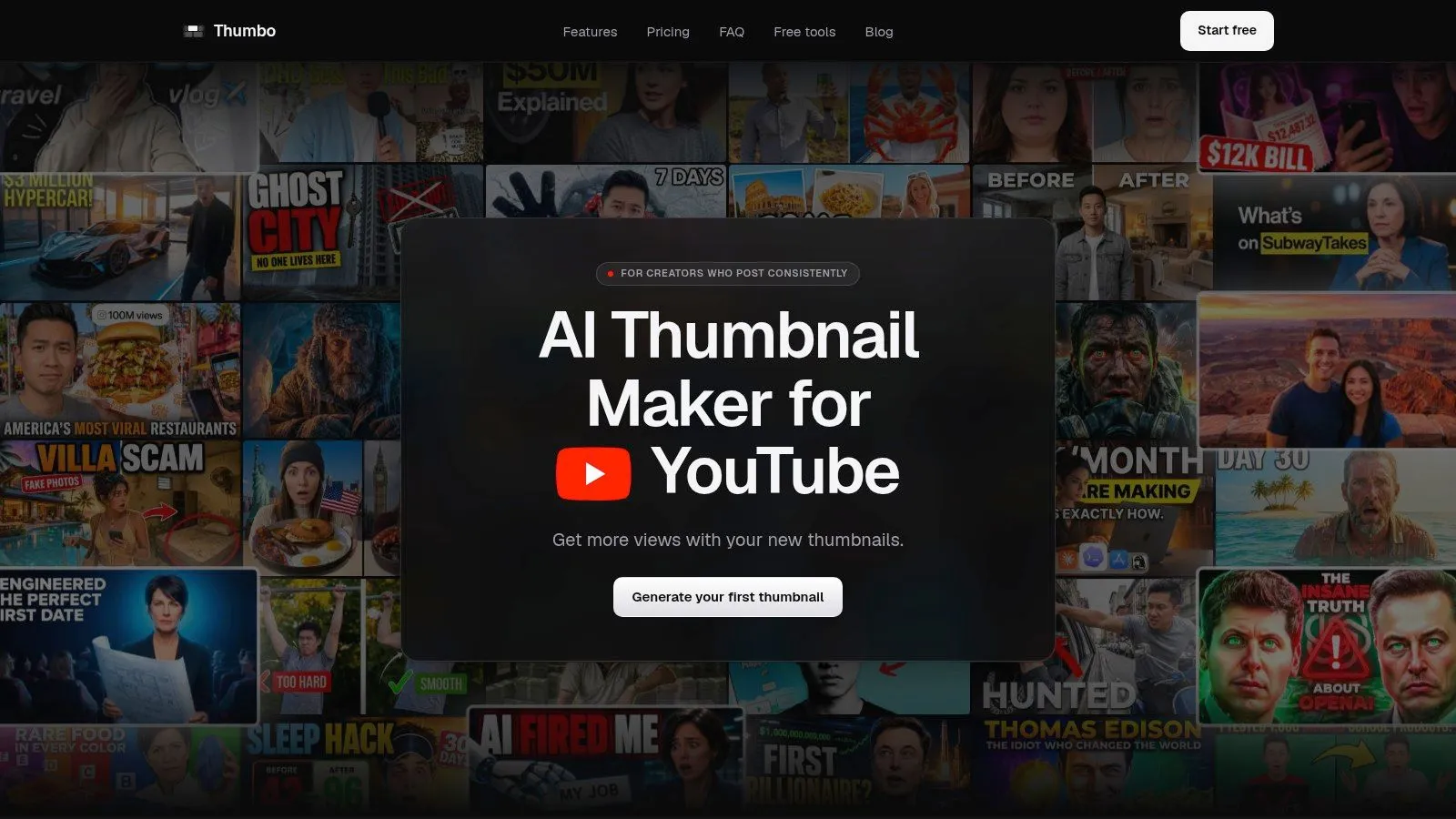
Thumbo AI is built for creators who need a thumbnail fast and still want it to look intentional. Its core value is speed with structure, since you can generate a ready-to-publish thumbnail from a typed idea, then refine it with plain-language edits instead of wrestling with layers or masks. That matters because the best YouTube thumbnail examples are not just pretty, they’re purposeful, and Thumbo tries to encode that purpose into the workflow itself.
Why it stands out for example mining
The useful part isn’t only that Thumbo has 50+ Style Packs, it’s that the packs act like a living library of thumbnail mechanisms. You can also paste a channel URL for one-click style matching, which is handy when you’re studying a competitor and want to understand the visual logic behind their format rather than copy a single screenshot. The face-lock feature is also practical for creators who need a recognizable on-camera identity across a series, because consistency often matters more than novelty.
Practical rule: if your channel depends on a recurring host, keep that face, crop, and expression system stable. The viewer should recognize the series before they read the title.
Thumbo also exports 16:9 YouTube thumbnails and 9:16 Shorts covers, which makes it easier to keep one visual language across formats. Paid plans include watermark-free, full-resolution downloads, while the platform also offers your first thumbnails free without a credit card and a 7-day free trial. For pricing, the published tiers are Lite at 35 thumbnails per month for $19/month or $14/month billed annually, Starter at 75 thumbnails per month for $39/month or $29/month billed annually, and Pro at 200 thumbnails per month for $79/month or $59/month billed annually, all cancellable in one click, with a prorated refund if you used less than half the month.
The reason this belongs at the top of a comparison list is simple. It doesn’t just show examples, it helps you turn an example into a variant, which is the skill behind better thumbnail decisions. For a closer look at the workflow, see Thumbo AI’s thumbnail maker guide.
Best for creators who post consistently, want fast iteration, and need a thumbnail generator that can mimic or match a channel style without a design-heavy process.
Weak spot high-volume teams may hit monthly limits quickly, and the AI still benefits from manual cleanup.
Website Thumbo AI
2. Canva
Canva is the easiest place to browse a huge range of YouTube thumbnail templates without leaving the browser. That’s why it’s such a strong reference tool for youtube thumbnail examples, not just a design app. Each template gives you a working layout to dissect, including text hierarchy, color contrast, subject placement, and how much negative space the designer left around the focal point.
What makes it useful in practice
The biggest strength is breadth. You can move from commentary styles to tutorial layouts to product-led thumbnails in minutes, then open a template and see how it’s assembled. That makes Canva valuable for pattern recognition, especially if you’re building a swipe file and want examples across niches rather than one visual tribe.
Canva also works well when you need collaboration. A creator, editor, and designer can all review the same draft on different devices, which keeps the thumbnail from becoming a one-person guess. For teams that publish often, that friction reduction matters more than flashy features.
Practical rule: if a template looks finished before you touch it, customize harder. The risk with template libraries is sameness, especially when several creators grab the same popular layout.
That said, Canva’s scale is also its weakness. Some of the most polished examples sit behind the Pro tier, and overused templates can make channels look generic if you don’t adjust the photo, typography, and colors enough. The platform is strongest when you use it as a starting point for analysis, then push the design toward your own content promise.
If you want a practical bridge from inspiration to production, Thumbo’s breakdown of YouTube thumbnail templates is a useful companion. For Canva itself, the cleanest way to judge a template is to ask whether the thumbnail still works when you imagine it shrunk down in a feed.
Best for fast inspiration, team collaboration, and end-to-end thumbnail creation.
Weak spot template sameness can become obvious if you don’t customize thoroughly.
Website Canva YouTube thumbnails
3. Adobe Express
Adobe Express sits in a sweet spot between beginner-friendly templates and a more brand-safe design ecosystem. It’s a smart place to study YouTube thumbnail examples if you already care about fonts, licensing comfort, and keeping a polished brand feel without opening full Photoshop. The gallery is large enough to spark ideas, but the interface stays simple enough that you can move from example to export quickly.
Where it wins and where it slows you down
The main advantage is familiarity for anyone already inside the Adobe world. If you use Adobe fonts, assets, or brand kit features elsewhere, Adobe Express feels like a natural extension instead of a new tool to learn. That lowers resistance when you need to turn a concept into a thumbnail the same day.
It also tends to feel cleaner than some template marketplaces. The designs are often conservative in a good way, which helps if your channel needs trust more than trendiness. That makes it especially useful for business, education, and personal-brand channels that want thumbnails to look professional without feeling overworked.
The trade-off is narrower variety in some niche categories. You may find fewer wild, highly specific examples than in bigger template libraries, and some assets sit behind paid access. If your goal is to mine unusual thumbnail mechanisms, Adobe Express is better for polish than for experimentation.
A good way to use it is to study the repeated decisions, not just the visuals. Look at how many elements the designer kept, where the text sits, and whether the image relies on a face, a product, or a clean background. Those decisions tell you more than the color palette does.
Best for creators who want a polished, brand-safe editor with a straightforward workflow.
Weak spot niche depth can be thinner than larger template libraries.
Website Adobe Express YouTube thumbnail creator
4. Kapwing
Kapwing is one of the better tools for creators who want thumbnail examples that feel current, not stocky. Its template library is large, and its browser editor makes it easy to turn a frame from your own video into a thumbnail without bouncing between apps. That matters because some of the best youtube thumbnail examples start with an actual moment from the footage, not an invented pose.
Why the video-frame workflow matters
The freeze-frame approach is the big differentiator. Instead of starting with a blank canvas, you can extract a still from the video, then build the layout around it. That often produces thumbnails that feel more honest and more connected to the content, which is especially useful for tutorials, commentary, travel, and reaction videos.
Kapwing’s browser-first setup also makes it easy to move quickly on any operating system. For creators who edit on different machines or don’t want to install another desktop app, that convenience has real value. The gallery is searchable by style and category, so you can compare a lot of visual strategies before settling on one.
The trade-off is that the library isn’t as sprawling as some subscription platforms, and watermark removal or advanced export options may require paid access. It’s a tool for practical iteration, not endless source-file tinkering.
If you want to go deeper on how to choose the right kind of thumbnail before you start editing, Thumbo’s guide to creating a thumbnail pairs well with Kapwing’s video-first workflow. The key lesson is that the thumbnail should match the promise of the video, not fight it.
Some thumbnails win because they’re designed. Others win because they feel like the exact moment the audience wanted to see.
Best for creators who want to base thumbnails on real footage and move fast in the browser.
Weak spot fewer deep customization paths than source-file-heavy libraries.
Website Kapwing YouTube thumbnail templates
5. Envato Elements
Envato Elements is the heavy-duty option when you need a deeper pool of professionally made thumbnail packs. It’s especially strong for studying YouTube thumbnail examples across niches, because the subscription library lets you browse coordinated sets instead of isolated singles. That helps you see how designers build consistency over multiple uploads, which is often the main challenge for channels that publish weekly or daily.
Why professionals use it for pattern study
The source-file angle is the main draw. Many items come as PSD, AI, or Canva files, so you’re not just looking at a flat image, you’re getting access to the structure behind it. That makes Envato useful for creators who want to understand how a high-end thumbnail is assembled, then adapt the logic to their own brand.
The variety is also valuable. You can filter by app and often find multiple coordinated versions in one pack, which is far more instructive than looking at a single mockup. When you are reviewing thumbnail systems, one perfect frame matters less than whether a set of frames shares the same visual grammar.
The downside is workflow friction. It’s a paid subscription, and the source files usually assume basic design skills plus desktop software. If you only want quick inspiration, it can feel heavier than necessary. If you want deep customization and lots of options, that same complexity becomes the point.
For creators trying to move from inspiration to repeatable brand systems, Envato is one of the best places to study how professionals handle series design. It’s not the fastest tool on this list, but it’s one of the richest.
Best for deep idea mining, brand-system building, and source-file customization.
Weak spot subscription cost and desktop software requirements.
Website Envato Elements YouTube thumbnail templates
6. Snappa
Snappa is the tool for creators who value speed over breadth. Its gallery is curated, its editor is lightweight, and its built-in stock photos and fonts make it easy to turn an idea into a finished thumbnail without hunting across the web. For people looking at youtube thumbnail examples as production references, that makes Snappa a clean, low-friction option.
The appeal of fewer moving parts
The main advantage is that you don’t get lost. Smaller libraries can help you make better decisions because you spend more time choosing between usable layouts and less time scrolling through near-duplicates. That makes Snappa a solid fit for solo creators who need to get a thumbnail done and published.
The built-in asset library also reduces the chance that your design stalls because you still need the right photo or font. That’s a practical win, especially for tutorial, business, and how-to channels where the image needs to communicate clearly rather than creatively.
Snappa’s limitation is obvious. The library is smaller than Canva’s or Envato’s, so you may not find the exact niche pattern you want. Some export features are also gated behind paid tiers. Still, if your process is, “find example, tweak text, export,” Snappa is easy to live with.
For a channel that values consistency, Snappa can be a good way to keep thumbnail production disciplined. Fewer choices often produce cleaner outputs, especially when the goal is to repeat a format that already works rather than reinvent the wheel.
Best for quick edits, lightweight workflows, and creators who want enough options without overwhelm.
Weak spot the library depth is more limited than larger platforms.
Website Snappa YouTube thumbnail creator
7. Behance
Behance is the best stop on this list if you want to study thumbnail design the way a creative director would. It isn’t a template tool, it’s a portfolio platform, which means the value comes from seeing how real designers think across sets, campaigns, and niches. For YouTube thumbnail examples, that’s powerful because it exposes the reasoning behind the image, not just the final result.
Why portfolios beat template grids for strategy
Template galleries are useful for speed, but portfolios are better for taste. On Behance, you can inspect full projects, compare multiple thumbnails from the same creator, and see how they maintain consistency across a series. That’s a goldmine when you’re trying to build a channel identity instead of a one-off click magnet.
The quality range is wide, so you need judgment. Some projects are excellent, some are mostly style exercises, and many won’t tell you fonts or exact workflow. Still, that ambiguity is useful in its own way because it forces you to evaluate composition, hierarchy, expression, and color balance without leaning on software features.
Behance is especially valuable if you’re briefing a designer. Saving a board of references gives you a visual language to point at, which cuts down on abstract feedback like “make it pop.” You can point to specific layout logic, facial framing, or text placement instead.
Don’t use Behance to copy thumbnails. Use it to define the rules you want your own thumbnails to follow.
If you’re trying to understand what high-end thumbnail systems look like outside of template marketplaces, Behance gives you the widest lens. It’s less about plug-and-play creation and more about learning how professional visual thinking shows up in a feed.
Best for advanced inspiration, hiring briefs, and brand-style development.
Weak spot it’s not editable, and quality varies widely.
Website Behance thumbnail projects
Top 7 YouTube Thumbnail Tools Comparison
| Tool | Implementation Complexity | Resource Requirements | Speed / Efficiency | Expected Outcomes | Ideal Use Cases |
|---|---|---|---|---|---|
| Thumbo AI | Low, one-click AI workflows; minimal learning | Moderate, subscription for watermark-free exports; generation caps per plan | Very fast, ~30 - 60s thumbnail generation; Pro priority queue | High, click-focused, on-brand thumbnails; may need occasional manual tweaks | Frequent YouTubers, influencers who need fast, consistent thumbnails |
| Canva | Low, drag-and-drop template editing | Low - Moderate, free tier; Pro unlocks best templates/assets | Fast, instant edits and export; Magic Resize speeds workflows | Good, broad, polished templates; risk of look-alikes if not customized | Quick inspiration, collaborative editing, multi-device creators |
| Adobe Express | Low - Moderate, streamlined Adobe UI | Low - Moderate, free core tools; paid tiers for premium assets/brand kit | Fast, one-click templates; web & mobile editors | Good, polished, brand-safe results with Adobe assets | Creators wanting Adobe fonts/assets without Photoshop |
| Kapwing | Low, browser editor with video frame tools | Low - Moderate, free with limits; paid for advanced exports/watermark removal | Fast, no install; freeze-frame capture from video | Good, contemporary, video-linked thumbnails | Creators building thumbnails from video frames or needing web-only tools |
| Envato Elements | Moderate, requires editing layered PSD/AI files for best results | High, subscription required; desktop software for source files | Moderate, download + edit workflow (not instant) | Excellent, professional, diverse packs; deep customization possible | Designers and power users needing high-quality, niche thumbnail packs |
| Snappa | Low, lightweight editor and curated templates | Low - Moderate, free plan; paid unlocks assets/features | Fast, quick templates with built-in stock and fonts | Good, straightforward, ready-to-publish designs | Creators wanting minimal friction and fast edits with included assets |
| Behance | Low, browse-only inspiration platform | Low, free to browse; no creation tools | Fast, quick to search and review portfolios (not for creation) | Variable, high-end inspiration; quality varies by project | Researching high-CTR aesthetics before briefing designers or AI |
Your Action Plan for High-CTR Thumbnails
Inspiration is only useful if it changes how you make decisions. The fastest way to improve is to stop saving random youtube thumbnail examples and start tagging them by mechanism, face-led reaction, before-and-after split, bold number, quote, product close-up, or curiosity gap. That turns a pile of pretty images into a working swipe file you can reuse.
The research points in the same direction. A MarketingProfs breakdown of the 740 most popular YouTube videos of 2020 found that 72% of their thumbnails featured a human face, 88% were colorful, and 70% carried a title or explanatory text, which tells you how often creators win by making the subject instantly legible at mobile size. A separate benchmark that scored 1,000 thumbnails across ten niches against reported CTR found thumbnails with a human face averaged 6.8% CTR versus 4.1% without one, and that 1 to 5 word hooks outperformed hooks of 11 words or more by a 75% relative difference.
The key takeaway is not “always use a face.” It’s that the viewer should understand the thumbnail before they’ve fully processed it. In that same 1,000-thumbnail sample the strongest variable was not face presence but expression intensity: thumbnails with an extreme expression averaged 7.9% CTR against 4.2% for a neutral one, which is barely better than no face at all. That is why one clear subject, minimal text, and a promise that matches the video matter more than flashy effects.
Use the platforms above for different jobs. Use Thumbo AI when you need to create and test fast. Use Canva or Adobe Express when you want quick production. Use Kapwing when the best cover frame already lives in the video. Use Envato when you want layered source inspiration. Use Snappa when you want speed. Use Behance when you want to train your eye.
Start with one video, build two thumbnail variants, and ask a simple question, which version tells the truth most clearly while still making the click feel necessary? That question will improve your thumbnails faster than chasing trends ever will.
If you want to turn these thumbnail principles into actual uploads faster, Thumbo AI gives you a speed-first way to generate and refine publish-ready covers without design heavy lifting. It’s built for creators who want strong, on-brand youtube thumbnail examples to study, adapt, and publish in minutes. Visit it when you’re ready to make your next thumbnail feel like a real strategy, not a guess.