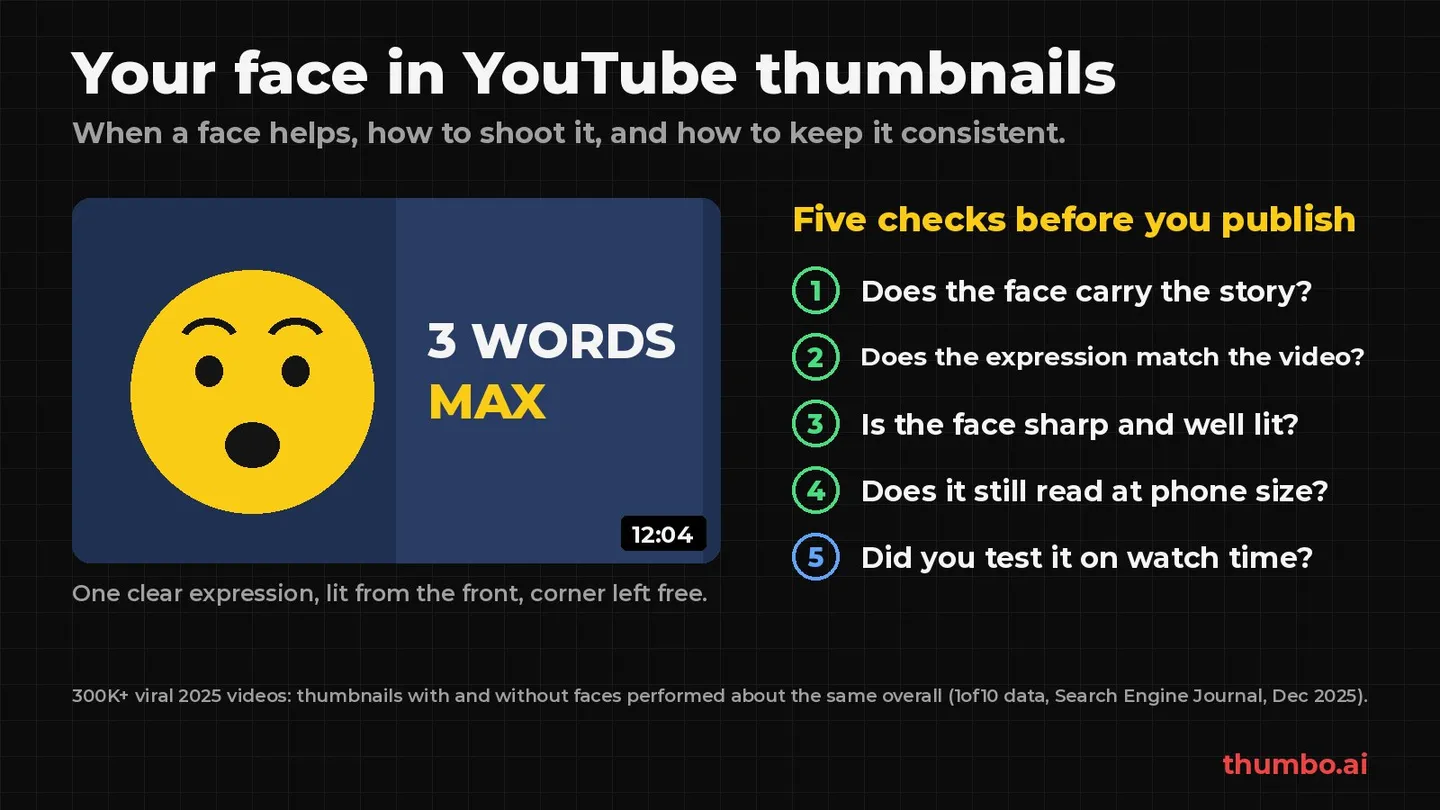
A face in a YouTube thumbnail is not a rule and not a mistake. It is a tool that works for some videos and audiences and does nothing for others. A large 2025 dataset suggests that, on average, thumbnails with faces and without faces perform about the same, and the real differences show up by niche, by channel size and by how the face is used. So the useful question is not “face or no face”, but “does a face carry this video’s story, and is it done well?”
This guide covers what the evidence says, when a face earns its place, how to choose the expression, how to shoot and light it, how to keep your face consistent from video to video, what YouTube’s rules say about AI-made faces, and how to test the result in YouTube Studio.
Sources, all read on October 27, 2026: Search Engine Journal’s report on faces in thumbnails (December 22, 2025), and the YouTube Help pages Thumbnail & title tips, A/B test titles & thumbnails, Add custom thumbnails, Thumbnails policy and Disclosing use of GenAI content.
Table of Contents
- The Short Answer
- What the Data Says About Faces in Thumbnails
- When a Face Helps and When It Does Not
- Choosing the Expression
- How to Shoot a Thumbnail Photo of Yourself
- Placing the Face in the Layout
- Keeping Your Face Consistent Across Videos
- AI and Your Face: What YouTube Allows
- How to Test a Face vs No-Face Thumbnail
- Action Plan: Your Next Five Thumbnails
- FAQ
The Short Answer
| Question | Short answer |
|---|---|
| Do faces get more views? | On average, no clear difference in a large 2025 dataset; it depends on niche and channel |
| When does a face help most? | When you, your reaction or your trust is the reason to click |
| Which expression? | The one that matches what happens in the video, not the loudest one |
| What makes a face work technically? | Sharp, well lit from the front, large enough to read on a phone |
| Can I use AI to make thumbnails with my face? | YouTube lists AI help with thumbnails as production assistance that does not need disclosure; misleading or impersonating images are still not allowed |
| How do I know if it works for my channel? | Test it with YouTube’s A/B tool, which picks a winner by watch time |
What the Data Says About Faces in Thumbnails
Common advice says faces raise click-through rate, usually without numbers. One large public dataset points somewhere more nuanced.
On average, it is a tie
In December 2025, Search Engine Journal reported on a dataset of more than 300,000 “viral” YouTube videos from 2025 across tens of thousands of channels, shared by Nate Curtiss of 1of10 Media. The dataset measures success with an “Outlier Score”, a video’s views compared with its channel’s median views. SEJ’s summary of the top finding: “thumbnails with faces and thumbnails without faces perform similarly, even though faces appear on a large share of videos in the sample.”
The report came up as a reply to a viral claim on X that your face in the thumbnail is “probably killing your views”. The data does not support that claim, and it does not support the opposite rule either.
Niche, channel size and number of faces matter
The averages hide bigger differences underneath. According to SEJ’s account of the report:
- Niche: some categories performed better with faces and others worse. Finance is listed among the niches that did better with faces; Business among those that did worse.
- Channel size: adding a face “only helped channels above a certain subscriber threshold, and even then the lift was modest.” SEJ suggests this could reflect audience familiarity: people click a face they already know.
- Number of faces: thumbnails with multiple faces performed best compared with single-face thumbnails.
YouTube’s own tips make a similar point about audiences: “Content targeting your subscribers might highlight familiar features, like your best friend. Content targeting casual viewers might focus on actions and emotions that are more universally relatable, like a shocked face.”
Why watch time beats CTR as the judge
A face that wins the click but sets up the wrong expectation can still lose. YouTube’s A/B test tool picks the winning thumbnail by watch time, not CTR. Its help page explains: “we optimize tests for overall watch time over other metrics, like click-through-rate,” and notes that third-party tools that only optimize for CTR “may determine a different ‘winner’.”
YouTube’s Creator Liaison, Rene Ritchie, put it this way, as quoted by SEJ: “If you over-index on CTR, it could become click-bait, which could tank retention, and hurt performance.” For faces, that means an exaggerated reaction on a calm video can lift clicks and still hurt the video. The clickbait thumbnails guide covers where that line sits.
When a Face Helps and When It Does Not
| Video type | Face usually… | Why |
|---|---|---|
| Commentary, opinion, vlog | Helps | The person is the reason to watch |
| Coaching, finance, advice | Helps | A face signals who is giving the advice and builds trust |
| Reactions, challenges, results | Helps | The emotion is the story |
| Interviews and podcasts | Helps, often with two faces | Shows who is talking; multiple faces did best in the dataset |
| Tutorials and how-tos | Optional | The result or the before/after often says more |
| Product reviews | Optional | The product should be the hero; a face can sit beside it |
| Recipes, crafts, repairs | Often hurts if it crowds the subject | Viewers click for the dish, the build or the fix |
| Faceless channels | Not needed | The object, the scene or the text carries the click |
A quick check from the thumbnail itself: cover the face with your thumb. If the thumbnail loses its meaning, the face is doing real work. If nothing changes, the space may be better spent on the subject. Channels that never show a person can take layouts from the faceless YouTube thumbnail ideas page.
Choosing the Expression
Match the emotion to the video
The expression is a promise about what the viewer will feel. Pick it from the video, not from what is popular:
| Video moment | Expression that fits |
|---|---|
| A surprising result or number | Real surprise, eyes on the result |
| A warning or a mistake to avoid | Concern or a skeptical look |
| A win, a finished build, good news | A genuine smile |
| A serious explainer or advice | Calm, confident, looking at the camera |
| A comparison or a choice | Thinking or doubtful, looking at the two options |
SEJ makes a related point about mobile, where videos often autoplay: the face in the thumbnail should flow naturally into the video’s intro, because if the emotional cue does not match the opening, “it can hurt early retention.”
Make it readable at phone size
Thumbnails are often seen small: in search results, in the Up Next column and on phones held upright. At phone size, subtle expressions disappear. That does not mean overacting; it means making the one emotion clear: eyes open and visible, eyebrows doing the work, the face big enough in the frame that the expression survives when the image shrinks. If the expression only reads at full size, it does not read.
How to Shoot a Thumbnail Photo of Yourself
A sharp, well-lit photo matters more than any editing trick. The steps below need no studio.
Light
- Face a window or a soft light, so light falls evenly on the face from the front. Light from behind turns the face into a silhouette.
- Avoid hard overhead light, which puts shadows under the eyes and nose.
- Keep the face fully visible: no sunglasses, no hat brim shadow over the eyes, no hair across the face.
Angle and framing
- Camera at eye level or slightly above. Looking up at a camera from below is rarely flattering at thumbnail size.
- Head and shoulders, close. A close crop keeps the expression readable when the thumbnail is small.
- Leave space on the side where text or the subject will go, so the face does not have to be cropped later.
- Shoot horizontal, at the camera’s full resolution. YouTube recommends a 3840 x 2160 thumbnail for videos (16:9, at least 640 pixels wide), so a sharp source gives you room to crop.
Capture options during the shoot
YouTube’s tips recommend “taking pictures during your shoot so you have several options for thumbnails when you upload your video.” Take a burst of a few expressions for each key moment while you are already lit and dressed for the video. If you forgot, the free video frame grabber lets you scrub to the exact moment in your footage and save that frame, or a 1280 x 720 crop, without uploading the video anywhere.
Placing the Face in the Layout
A face is one element of three at most: face, subject and a few words. Some placement rules that hold up:
- One side for the face, the other for the subject or text. Splitting the frame keeps both readable.
- Point the eyes at what matters. A face looking toward the product or the headline pulls attention there.
- Keep the bottom-right corner free. The video length badge sits there and covers whatever is underneath.
- Separate the face from the background. Contrast in color or brightness, or a blurred background, keeps the outline clean. Ragged cut-out edges are easy to spot on today’s larger home page cards.
- Few words. The title sits next to the thumbnail; the image does not need to repeat it. The YouTube thumbnail best practices guide covers text and composition in more depth.
Then check the result where viewers will see it. The free YouTube thumbnail previewer shows your thumbnail and title in a home feed, search results, the Up Next sidebar and a mobile layout, in dark or light mode, so you can see whether the face still reads small.
Keeping Your Face Consistent Across Videos
When your face is part of the channel’s brand, consistency is what lets returning viewers spot your video in a crowded feed. YouTube’s own tips point at this when they suggest subscriber-focused content “might highlight familiar features.” Consistency here means:
- The same look: similar framing, the same side of the frame and similar lighting from video to video.
- The same you: hair, glasses and style close to how viewers know you from the videos.
- A stable color treatment, so the thumbnail feels like part of a set.
The hard part is having the right photo of yourself for every topic. Reshooting for each video takes time, and old photos rarely fit the new idea. One option is an AI thumbnail tool that learns your face once. In Thumbo, you create a persona from one to three photos of yourself (one is enough; solo shots with a clear face and a mix of angles and lighting give the best match), then choose “your face” for a thumbnail and describe the video. Thumbo builds the thumbnail with you in it, in the style you pick, and you can ask for changes in plain words. Faceless thumbnails work too, by choosing no face at all.
AI and Your Face: What YouTube Allows
AI tools that put your face into a thumbnail raise two fair questions: do you have to label it, and what is off limits?
Disclosure. YouTube requires creators to disclose realistic AI-generated or altered content in the video itself, such as making “a real person appear to say or do something they didn’t do.” But its list of things creators do not need to disclose includes “production assistance, like using generative AI tools to create or improve a video outline, script, thumbnail, title, or infographic.” Beauty filters and lighting adjustments are on the same no-disclosure list.
What is not allowed. The rules for any thumbnail still apply. YouTube’s thumbnails policy does not allow “a thumbnail that misleads viewers to think they’re about to view something that’s not in the video.” The same page says impersonation “may also include using AI to copy the voice or likeness of an individual, to make it appear as if the channel is owned or authorized by that individual.”
In practice:
| Situation | Fine? |
|---|---|
| Your own face, AI-generated in a new pose or expression for your video | Yes, as production assistance; keep it true to the video |
| A guest or co-host who agreed to appear | Yes, with their consent |
| A celebrity or public figure who is not in the video | No: misleading, and a likeness risk |
| Your face reacting to something that never happens in the video | No: a misleading thumbnail |
How to Test a Face vs No-Face Thumbnail
The data says it depends, so the answer for your channel comes from a test. YouTube Studio has one built in:
- What you can test: up to 3 titles, thumbnails, or combinations per video.
- How it decides: the option with the highest watch time share wins. Results are Winner, Performed Same or Inconclusive.
- How long: a few days up to 2 weeks, depending on impressions.
- Limits: Shorts, scheduled live streams and Premieres cannot be tested. You need advanced features turned on.
- Resolution: if any test thumbnail is below 1280 x 720, all of them are downscaled to 854 x 480.
Tips that come from the same help page: test older videos first “to reduce the impact to your channel’s overall views”, and make the versions clearly different, because options that are too similar make tests run longer and often end without a winner. A face vs no-face test is a clear difference. So is a calm vs a surprised expression.
To make the two versions, use the same layout and change one thing. The free YouTube thumbnail resizer fits any image to 16:9 at the right size, so both versions upload cleanly.
Action Plan: Your Next Five Thumbnails
- Decide per video, not per channel. For each of the next five videos, ask whether you, your reaction or your trust is the reason to click. If yes, use your face.
- Name the emotion of each video in one word before you shoot or generate anything.
- Shoot options during filming: a short burst of the planned expression, lit from the front, at eye level, with space for text.
- Build both versions for at least one video: with your face and without.
- Preview at phone size before publishing. If the expression does not read small, crop closer.
- Run an A/B test in YouTube Studio on one long-form video, and let it finish.
- Write down the result and the niche. After five tests, your own data will say more than any general rule.
If your channel does not show a face at all, the faceless YouTube channel ideas guide covers formats and thumbnails that work without one.
FAQ
Should I put my face on my YouTube thumbnails?
Put it there when you, your reaction or your credibility is the reason to click: commentary, advice, reactions and interviews. For tutorials, recipes and product videos, the subject often works better on its own. A large 2025 dataset reported by Search Engine Journal found faces and no-face thumbnails performed about the same on average, so test it on your own channel.
Do thumbnails with faces get more views?
Not as a general rule. In the 300,000-video dataset SEJ reported on, results were similar overall, with differences by niche, a modest lift only for channels above a certain size, and the best results for thumbnails with multiple faces.
What facial expression works best on a YouTube thumbnail?
The one that matches the video. Surprise for a surprising result, concern for a warning, a smile for a win, calm confidence for advice. YouTube’s A/B tool picks winners by watch time, so an expression that promises something the video does not deliver can lose even if it wins clicks.
How do I take a good thumbnail photo of myself?
Face a window or soft light, keep the camera at eye level, frame head and shoulders closely, leave room for text, and take several expressions during the shoot. Shoot horizontal at full resolution; YouTube recommends 3840 x 2160 for video thumbnails.
Do I have to disclose an AI-generated thumbnail with my face?
YouTube’s disclosure page lists using generative AI tools “to create or improve a video outline, script, thumbnail, title, or infographic” as production assistance that does not need disclosure. The thumbnails policy still applies: no misleading images and no using AI to copy someone else’s likeness.
Can I use someone else’s face in my thumbnail?
Only if they appear in the video or agreed to it, such as a guest or co-host. Using a celebrity or anyone who is not in the video can mislead viewers, and YouTube treats copying a person’s likeness with AI to imply they endorse the channel as impersonation.