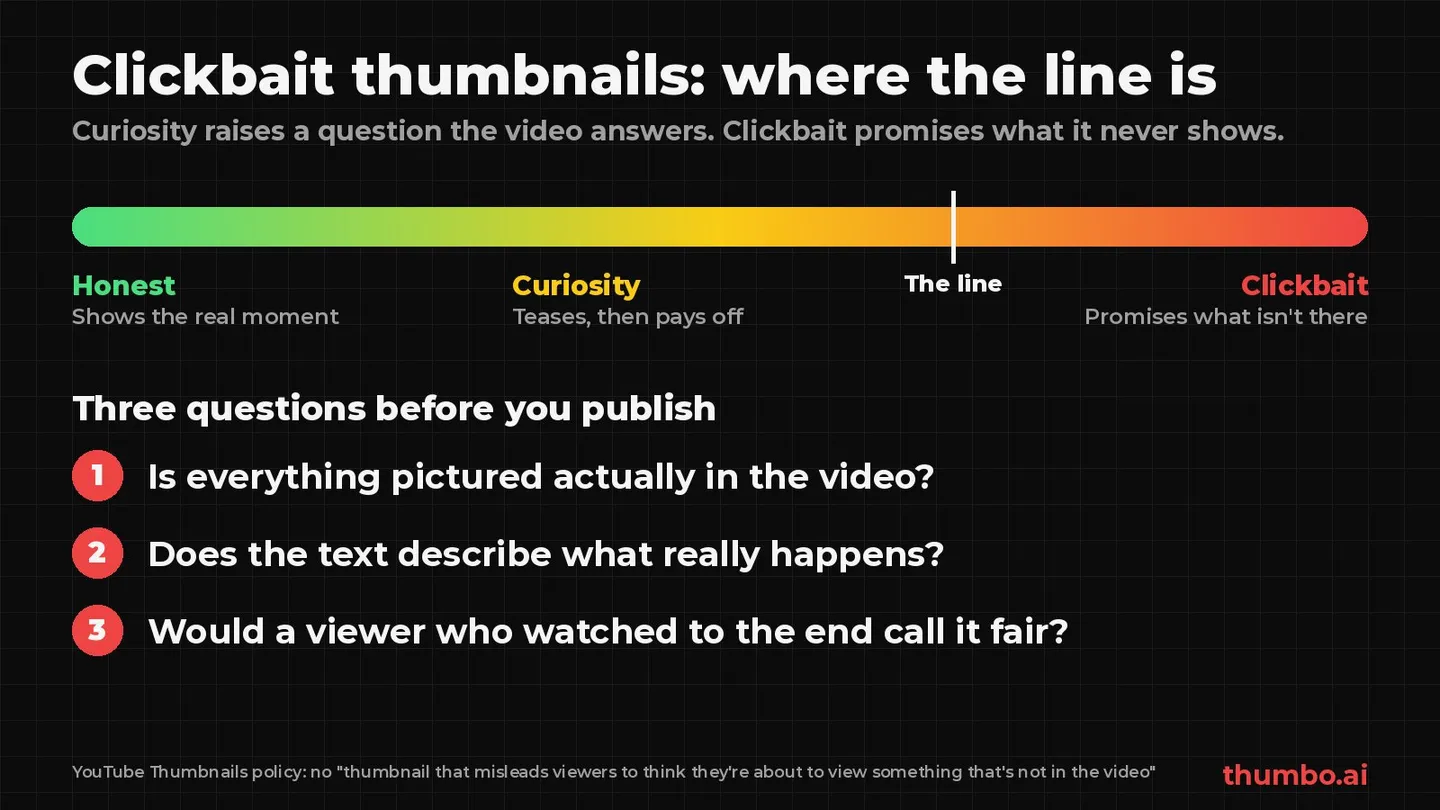
Clickbait thumbnails are images designed to make people click. That on its own is not a problem: every thumbnail is trying to earn a click. The line is crossed when the thumbnail promises something the video does not deliver. YouTube’s thumbnails policy names it directly: no “thumbnail that misleads viewers to think they’re about to view something that’s not in the video.”
So the useful question is not “is this clickbait?” but “does the video pay off what the thumbnail promises?” A thumbnail that teases a result and then shows it is good packaging. A thumbnail that shows a result the video never reaches is a policy risk and, just as important, a signal that tells YouTube to stop recommending the video.
This guide explains where YouTube draws the line, what happens when a thumbnail crosses it, how to spot misleading thumbnails in your own analytics, and how to make a thumbnail that is still hard to scroll past. Every rule and quote below comes from pages read on October 22, 2026: YouTube Help’s Thumbnails policy, Spam policy, Impressions and click-through rate FAQs and A/B test titles and thumbnails, plus YouTube’s December 2024 post on egregious clickbait.
Table of Contents
- What Is a Clickbait Thumbnail?
- Curiosity vs Clickbait: The Difference
- What YouTube’s Rules Actually Say
- What Happens If a Thumbnail Crosses the Line
- Why Clickbait Backfires Even When It Is Not Removed
- How to Tell if Your Thumbnail Is Clickbait
- Common Clickbait Patterns and Honest Versions
- How to Make a Thumbnail That Earns the Click
- How to Fix a Thumbnail That Overpromised
- Clickbait Thumbnail Checklist: An Action Plan
- FAQ
What Is a Clickbait Thumbnail?
The word is used two ways, which is why the topic gets confusing:
- Loosely, “clickbait” means any bold, attention-grabbing thumbnail: big text, a strong expression, an arrow, a bright color. Plenty of successful channels are called clickbait in this sense, and none of it breaks a rule.
- Strictly, clickbait means a thumbnail (or title) that gets the click by misrepresenting the video. This is the version YouTube’s policies and recommendation advice are about.
YouTube’s own help pages use the strict meaning. When its CTR guidance warns creators to avoid “thumbnails or titles that are clickbait”, the problem it describes is viewers who click and then leave because the video is not what they expected. Bold design is fine. A false promise is not.
Curiosity vs Clickbait: The Difference
A curiosity thumbnail raises a question the video answers. A clickbait thumbnail raises a question the video ignores or answers with something else. The same visual tools can do either.
| Curiosity thumbnail | Clickbait thumbnail | |
|---|---|---|
| The promise | Something the video shows or explains | Something the video never reaches |
| Visual exaggeration | Emphasis on a real moment (zoom, crop, contrast) | An event, object or result that is not in the video |
| Text | A hook the video pays off | A claim the video contradicts or skips |
| Viewer after watching | Got what they came for | Feels tricked |
| What YouTube sees | Clicks followed by watch time | Clicks followed by early exits |
| Policy risk | None | Thumbnail removal, warning or strike, in some cases monetization |
Three quick questions place almost any thumbnail on the right side of that table:
- Is everything pictured actually in the video? Not “something like it”, the real thing.
- Does the text describe what happens? A hook can leave out the ending; it cannot change it.
- Would a viewer who watched to the end say the thumbnail was fair? If the honest answer is “they would feel tricked”, it is clickbait in the strict sense.
What YouTube’s Rules Actually Say
Three YouTube documents deal with misleading thumbnails. They overlap, and each adds something.
The thumbnails policy
The thumbnails policy is a list of images not to post. Most of it covers sexual, violent, graphic and vulgar content. The clickbait line is one item: “A thumbnail that misleads viewers to think they’re about to view something that’s not in the video.” YouTube adds that “The above list isn’t complete.”
The same page covers impersonation: “deceptively copying the branding, content, or usernames of individuals, channels or entities” is not allowed, and neither is “using AI to copy the voice or likeness of an individual, to make it appear as if the channel is owned or authorized by that individual.” A thumbnail that borrows a famous creator’s face to imply they appear in the video is misleading twice over.
Malicious clickbait in the spam policy
YouTube’s spam policy applies to “posts and thumbnails” as well as videos, and its examples include malicious clickbait: “Using maliciously misleading titles, thumbnails, descriptions, or imagery to trick users into clicking on a video that does not deliver what was promised.” The example YouTube gives is ordinary, not extreme: “Uploading a video for which the title offers a full sports match but the video shows only a clip.”
The policy also says “We also prohibit misleading viewers to boost content engagement.” In other words, a thumbnail does not need to be shocking to be a problem. A plain mismatch between promise and video is enough.
Egregious clickbait on news and current events
In December 2024 YouTube announced stronger enforcement against “videos where the title or thumbnail promises viewers something that the video doesn’t deliver”, starting in India. It defines egregious clickbait as a title or thumbnail that “includes promises or claims that aren’t delivered within the video itself, especially when that content focuses on breaking news or current events.” Its examples:
- A title saying “the president resigned!” on a video that does not address a resignation.
- A thumbnail that says “top political news” on a video with no news coverage.
YouTube said it would start “by removing content that violates this policy without issuing a strike” and that enforcement “will prioritize new video uploads moving forward.” The post announced the rollout in India “over the coming months”; it did not give dates for other countries. News and current-events channels anywhere should treat it as the direction of travel.
What Happens If a Thumbnail Crosses the Line
The consequences depend on which policy applies and how serious the case is:
| Situation | What YouTube says can happen | Source |
|---|---|---|
| Thumbnail not suitable for all audiences, but within the guidelines | Video age-restricted or thumbnail removed, no strike; “you can upload another thumbnail” | Thumbnails policy |
| Thumbnail violates a policy, first time | Thumbnail removed; “you’ll likely get a warning with no penalty to your channel” | Thumbnails policy |
| Same policy violated again within 90 days | ”the warning may not expire and your channel may be given a strike” | Thumbnails policy |
| Spam policy violation, including malicious clickbait | ”we may suspend your monetization or terminate your channel or account”; for some violations, removal plus a warning or strike | Spam policy |
| Egregious clickbait on news or current events (India rollout) | Content removed without a strike at first | YouTube, December 2024 |
| Three strikes within 90 days | ”your channel may be terminated” | Thumbnails and spam policies |
Warnings can be cleared: YouTube offers a policy training “to allow the warning to expire after 90 days.” There is also a feature-level cost. YouTube’s custom thumbnails help says repeat policy offenses “may lead to the removal of your custom thumbnail privileges for 30 days or even account termination”, and its A/B test page says content “must follow our Community Guidelines or you may lose access to this feature.”
Why Clickbait Backfires Even When It Is Not Removed
Most misleading thumbnails are never removed. They fail in a quieter way. YouTube’s CTR FAQ explains the mechanism:
“YouTube will recommend a video to viewers if the video is relevant to them and if the video’s average view duration indicates that viewers find it interesting. Clickbait videos tend to have low average view duration and therefore are less likely to get recommended by YouTube.”
A clickbait thumbnail can win the early clicks, then the people who clicked leave early, and the video is shown to fewer new viewers. The extra clicks come at the cost of reach.
YouTube’s own testing tool is built around the same idea. Its A/B test for thumbnails picks the winner by watch time, not clicks: “At the end of the test, the title or combination of title and thumbnail with the highest watch time will be shown to all viewers.” Asked why, YouTube answers that good thumbnails “help a viewer understand what the video is about so that they don’t waste their time clicking on the wrong videos.” It also warns that third-party tools which “only optimize for click-through rate” may pick a different winner.
The practical takeaway: a thumbnail that brings the wrong viewers loses to a thumbnail that brings fewer, right ones. For how CTR and watch time feed recommendations more broadly, see how the YouTube algorithm works.
How to Tell if Your Thumbnail Is Clickbait
YouTube gives a direct test in the CTR FAQ: “You can tell if your thumbnail is clickbait if it’s getting high CTR but low average view duration and lower than expected Impressions.”
To run that check in YouTube Studio:
- Open Analytics, then the Reach tab for the video, and note impressions and impressions click-through rate.
- Open the Engagement tab and note average view duration and the audience retention curve.
- Compare both against your own recent videos of similar length and topic, not against other channels.
How to read the combinations:
| CTR vs your usual | Average view duration vs your usual | Impressions | Likely reading |
|---|---|---|---|
| High | Low, with a steep drop in the first moments | Lower than expected | The thumbnail overpromises: clickbait pattern |
| High | Normal or high | Growing | The thumbnail works and the video delivers |
| Low | Normal or high | Low | The video is good but the thumbnail undersells it |
| Low | Low | Low | Topic, thumbnail and video all need work |
Two cautions from the same FAQ. Do not judge too early: “Avoid checking your click-through-rate immediately after uploading.” And expect CTR to fall as reach grows: “If a video gets a lot of impressions (such as if it appears on the Home Page), it’s natural for the CTR to be lower.” A falling CTR on a video that is spreading is normal, not a sign of a bad thumbnail. For what counts as a normal CTR, see what’s a good click-through rate on YouTube.
Common Clickbait Patterns and Honest Versions
Most clickbait comes from a handful of habits. Each has an honest version that keeps most of the pull:
| Clickbait pattern | Why it misleads | Honest version |
|---|---|---|
| A result the video never reaches (“I MADE $10K” on a video about trying) | Promises an outcome that is not shown | Show the real number or the real stage: “Week 1: $340” |
| A red circle or arrow pointing at nothing in the video | Implies a reveal that never comes | Circle the actual detail the video explains |
| A shocked face reacting to something off-screen that is never shown | Promises a moment that does not exist | Use the real reaction to the real moment |
| A famous person’s face on a video they are not in | Implies their involvement; can fall under impersonation | Use your own face, the product or the scene |
| ”Breaking”, “it’s over” or “banned” on a routine update | Overstates the news | Name the actual change: “New upload limit, explained” |
| A full event promised in the text (“full match”, “entire course”) | Viewers get a clip or a fraction | Say what is there: “Highlights”, “Lesson 1” |
| Stock or AI imagery of something the video does not cover | Shows a different subject | Build the image from the video’s actual subject |
The honest versions are not weaker. Specific numbers, real moments and named changes read as more believable, which is part of why they get clicked.
How to Make a Thumbnail That Earns the Click
The goal is a thumbnail that is impossible to ignore and still true. A few habits get there:
- Pick the strongest real moment. Scrub the video for the best result, reaction or before/after. Zooming, cropping and boosting contrast on a real moment is emphasis, not deception.
- Tease, do not lie. Leaving out the ending (“Which one survived?”) is curiosity. Showing an ending that did not happen is clickbait.
- Let the title and thumbnail split the job. The image shows the moment, the title adds context. Repeating the same words in both wastes space; contradicting each other confuses viewers. The YouTube thumbnail text guide covers how few words to use and where.
- Keep the words readable. One to five large words in a heavy font with an outline survive the small sizes of a phone feed. The free YouTube thumbnail font previewer shows a line of text in thumbnail fonts with the outline and shadow covers use.
- Check it where viewers will see it. The free YouTube thumbnail previewer places a thumbnail and title among other videos on the home feed, in search, in Up Next and on mobile, and can show two versions side by side, which makes it easy to compare a bold version with a safer one.
- Test on real viewers. YouTube’s A/B test compares “up to 3 different titles and thumbnails” and picks by watch time, which rewards exactly the honest-but-bold thumbnail. It is not available for Shorts and “should be completed within two weeks.”
Making several honest variations to test takes time. Thumbo’s AI thumbnail generator creates 16:9 thumbnails from a video’s topic and a style you choose, so there are real alternatives to compare instead of one design and a guess. The clickbait thumbnail maker collects curiosity-gap layouts that stay honest and opens the generator with a matching story style.
How to Fix a Thumbnail That Overpromised
If a published video shows the clickbait pattern, or YouTube removed its thumbnail:
- Save the current version before changing it, so you can compare later. The free YouTube thumbnail downloader saves the thumbnail of any YouTube video or Short in full HD.
- Find the gap. Write down what the thumbnail promises and what the video delivers. The fix lives in the difference.
- Rebuild around the real payoff. Keep the style and colors, swap the false element for the strongest true one.
- Fix the title too. The spam policy and the egregious clickbait post both name titles as well as thumbnails.
- Upload the new thumbnail in YouTube Studio under Content, then the video, then Thumbnail. If YouTube removed the old one, it says “you can upload another thumbnail.” Step-by-step instructions for desktop and phone are in how to add or change a thumbnail on YouTube.
- Watch the next couple of weeks. Average view duration should rise even if CTR dips. That trade is usually a win, because watch time is what YouTube uses to keep recommending the video.
- If you got a warning, take the policy training so it can expire after 90 days, and avoid repeating the same pattern within that window.
Clickbait Thumbnail Checklist: An Action Plan
Before publishing any thumbnail:
- List every element in the image (objects, faces, text, arrows) and confirm each one appears in the video.
- Read the text out loud and ask whether the video proves it. Cut or reword anything it does not.
- Remove other people’s faces and brands unless they are genuinely in the video and you have the right to use them.
- Pair it with an honest title that adds context instead of contradicting the image.
- Preview it small among other videos, on mobile and desktop, in dark and light mode.
- Make a second, bolder but still true version and run YouTube’s A/B test when the video has steady impressions.
- Check analytics after enough impressions: CTR together with average view duration, compared with your own recent videos.
- Fix fast if you see high CTR with low view duration: replace the thumbnail and title with versions that match the video.
For the broader design side, see what makes a good thumbnail for YouTube, and for the basics of how thumbnails are shown and sized, what is a YouTube thumbnail.
FAQ
Are clickbait thumbnails against YouTube’s rules?
Misleading ones are. The thumbnails policy does not allow “A thumbnail that misleads viewers to think they’re about to view something that’s not in the video”, and the spam policy lists “malicious clickbait” among its examples. Bold, exaggerated thumbnails that match the video are not against the rules.
Does YouTube punish clickbait?
In two ways. Thumbnails that break policy can be removed and can bring a warning or strike, and spam policy violations can lead to suspended monetization. More often, the penalty is reach: YouTube says clickbait videos “tend to have low average view duration and therefore are less likely to get recommended.”
How do I know if my thumbnail is clickbait?
YouTube’s test is “high CTR but low average view duration and lower than expected Impressions.” Compare those three numbers in YouTube Studio Analytics with your own recent videos. A steep drop in the first moments of the retention curve after a high-CTR thumbnail is the typical sign.
Is it clickbait to exaggerate a reaction or zoom in on something?
Not if the moment is real. Cropping, zooming, boosting color and choosing the most dramatic real frame are emphasis. It becomes clickbait when the thumbnail shows an event, object, result or person that the video does not contain.
What happens if YouTube removes my thumbnail?
YouTube lets you know and you can upload a new one. For content that is not suitable for all audiences but within the guidelines, there is no strike. For a policy violation, a first offense usually brings a warning, which a policy training lets expire after 90 days.
Do clickbait thumbnails work?
They can raise CTR for a while, but YouTube recommends videos based on relevance and average view duration, and its A/B test picks winners by watch time rather than clicks. A thumbnail that attracts viewers who leave early tends to lose reach over time.