
What makes a great clickbait thumbnail
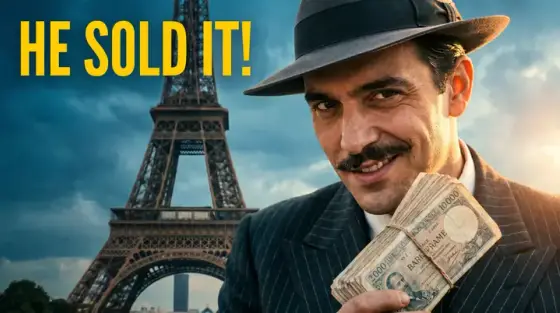
"Clickbait" gets used for two very different things. One is a thumbnail that creates a real question - what happened, how did he do it, which one wins - and a video that answers it. That is just good packaging, and every successful channel does it. The other is a thumbnail that promises something the video never shows: a fake scene, a made-up quote, a result that did not happen. YouTube’s spam and deceptive practices policy forbids thumbnails that mislead viewers into thinking the content is something it is not, and viewers punish it anyway by leaving in the first seconds, which drags down how widely the video is recommended.
So the goal is curiosity without lying. A strong clickbait-style thumbnail shows a true moment from the video at its most dramatic, frames it so the outcome is still unknown, and adds a short claim the video pays off. Thumbo is built for exactly that: describe what really happens, put the hook in the caption (up to 40 characters, rendered as text you can proofread), and the AI composes the face, the scene and the lighting. Then check the one rule that matters before you publish: would a viewer who clicks feel the thumbnail told the truth? Our guide to clickbait thumbnails covers where YouTube draws the line in more depth.
Clickbait thumbnail ideas
- The hidden answer. Show the question and hide the answer: a blurred screen, a covered price tag, a closed box, a face reacting to something out of frame. The video reveals it, so the promise is kept.
- The true extreme. Find the single most extreme true fact in your video and make it the text, in as few words as possible. A real fact told boldly is more clickable than an invented one, and it survives the comments.
- The wrong expectation. Set up what everyone believes, then flag that it is wrong: "YOU’RE DOING THIS WRONG", a red X over the common method. It works when the video really shows a better way.
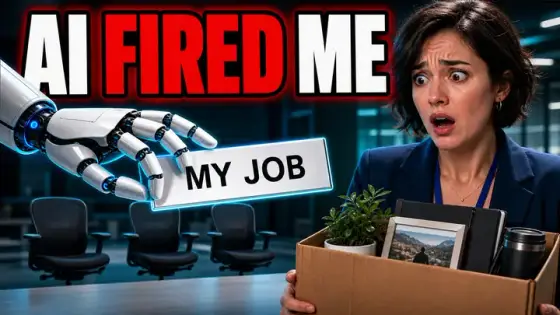
- The consequence frame. Show the aftermath and leave out the cause: an empty desk with a box of belongings, a crashed drone, a burnt dish. Viewers click to learn how it got there.
- The versus with a verdict pending. Two options side by side and a question mark instead of a winner. Cheap vs expensive, old vs new, expert vs beginner. Do not put the answer on the cover.
- The arrow to the detail. A circle or arrow on one small detail most people would miss, with "LOOK CLOSER" or nothing at all. Only use it when the detail is real and the video explains it.
Clickbait thumbnail background and text tips
Backgrounds: dramatic but true to the video. Strong side lighting, a darkened or blurred backdrop and one bright accent color behind the subject give the "something is happening" feel without inventing a scene. If you show a place or an object, it should be one the video actually features.
Text: a claim, a number or a question in two to five words, never a copy of the title. All-caps with one colored word for emphasis is the classic look. Read it aloud with your title: together they should make one promise, and the first 30 seconds of the video should start keeping it.
The honesty check: before publishing, list what the thumbnail implies (a person, an event, a result) and confirm each one appears in the video. If something does not, change the thumbnail, not the description. Misleading thumbnails can get a video removed and a channel a strike under YouTube’s policies.
Prefer to do it by hand?
All the manual steps are covered by our free browser tools: study what already works with the YouTube thumbnail downloader, crop your image to the exact 1280×720 with the thumbnail resizer, and squeeze it under YouTube’s upload limit with the 2 MB compressor. No signup, nothing leaves your browser.